I am a complete noob on Vassal and no expert on graphic design, either, but, having encountered the same problem and unaware that it was probably unsolvable, and after a lot of trial and error, I think I’ve found a workaround.
At least it worked for SVG files drawn with Inkscape. After trying and failing to load the correct image saved as Inkscape SVG and plain SVG, I loaded it saved as Optimized SVG, using Scour (which is integrated to Inkscape but can also be installed separately).
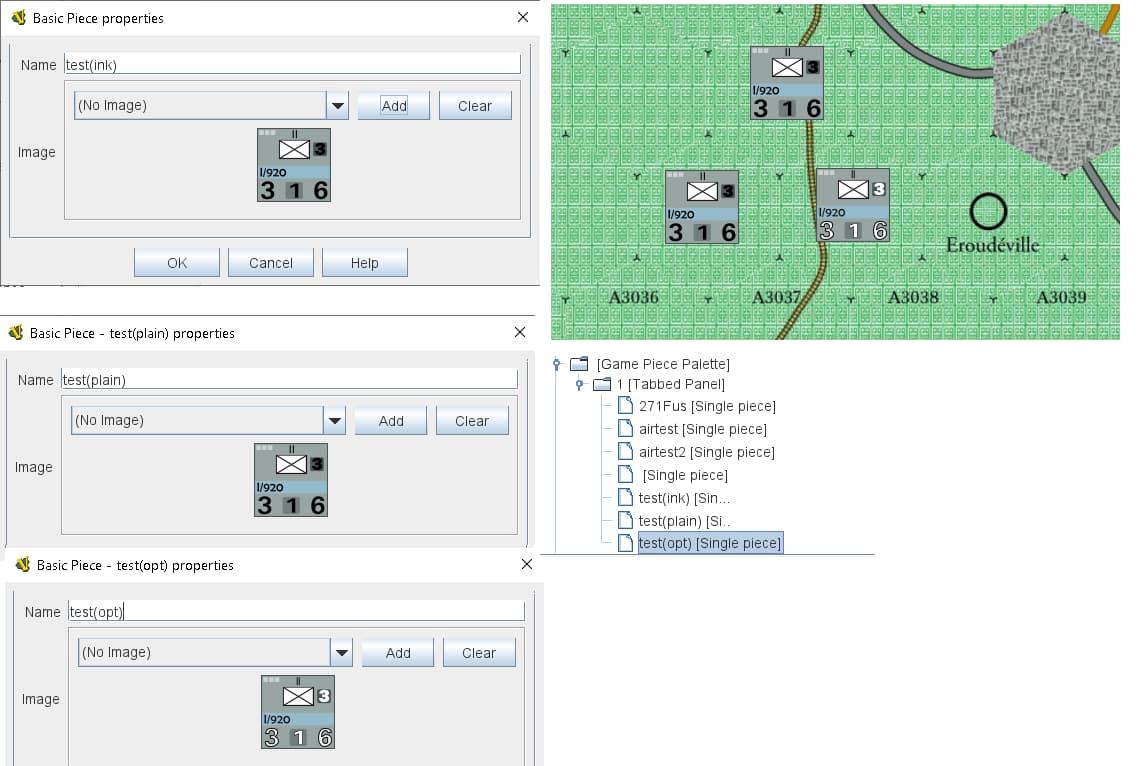
As the image shows, that way it works. I don’t know if it will work for other images or in every case. One caveat is, I haven’t found a way to batch-optimize the images with Scour, and going “save as optimized SVG” for each file is daunting if your module, like mine, has upwards of 2,000 images.
From what I can see, you’ll need to check the “work around the renderer bug” box on the optimized options panel to get the same result. And close the file without a final save or it will turn back to Inkscape SVG.
Thanks for reading.