Version 5.1 of the CCN module features a confirmation step during combat set up (beta11 onwards). The feature provides a clear indication of when a combat setup is ready for the opponent to react or allow the attack dice roll to procede.
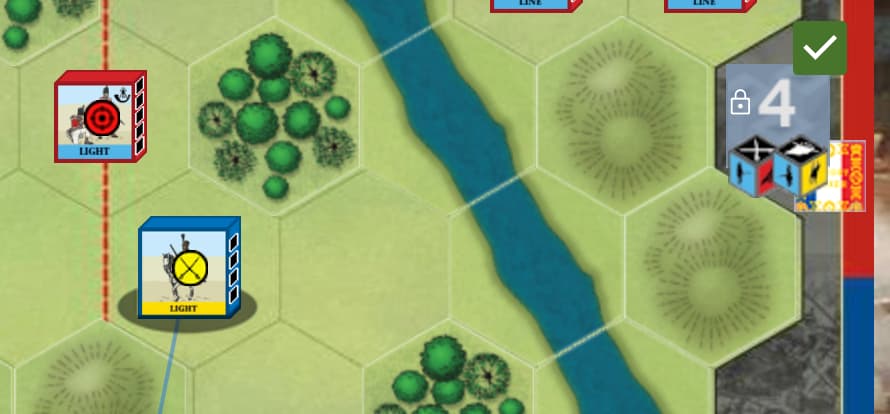
For example, here the active player has set up a combat but not yet confirmed. Notice that the Combat Assist dice widget, right of the board, is slightly greyed out and “locked”:
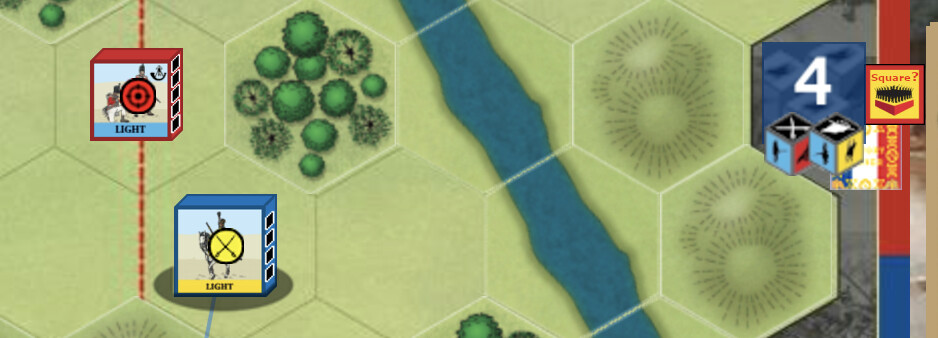
The active player clicked on the dice widget and this confirms the combat (details are logged to chat). Only now is it possible for the opponent to react; in this example, by going into square or not:
Combat confirmation is especially helpful for game sessions without voice. Therefore it is always on if “Offline” mode is selected (PBEM) and off by default for Solitaire games. For online games in general, it can be useful to make it clear when a First Strike or other Tactician reaction card may be played. The setting can be varied for new games in module Preferences (Settings on Mac).