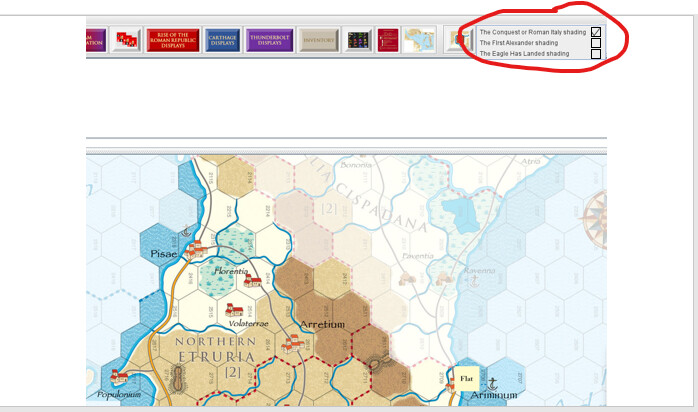
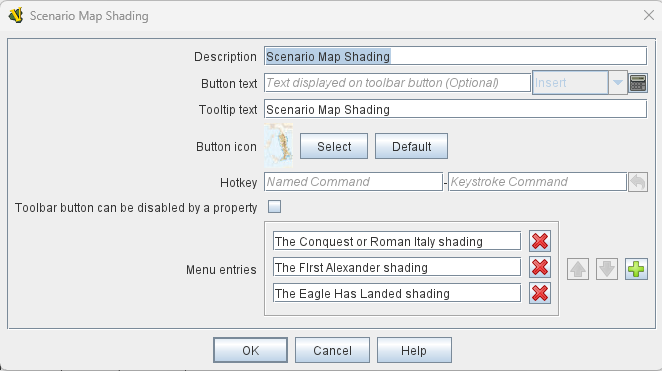
Would it be possible for the Menu Entry selection on a Toolbar Menu button to have the option to select/deselect with a visible status displayed with a checkmark?
Problem: In my example below, if multiple shading options are inadvertently selected by the player (In this game, that should never be the case), it becomes difficult to reverse the process because it is not clear which shades are turned on, and which are not.
Solution: If the shade options showed the status like below, it would become clear which ones the player needs to have on and which ones the player has currently selected to be on/off.
Thanks,
Rob
This is how I envision it would appear. (I have other modules that have many more shade options so the complexity of the layering becomes greater as the number of shade options increases)
Perhaps what you are looking for can be solved with Scenario Options. Define some check-options, and the will expose Global Properties. Use the properties to turn on or off shadings. Note that you can define Global Key Command to react when an option is changed.
Then, users will only need to open the scenario option panel to see which shadings are active. Perhaps you can even define menus of Global Key Command or similar to toggle shading, and that will show up in the scenario options panel too.
Another way would be to have pieces on some map that change state when you toggle the shadings. Heck, they could even contain an Action Button trait that would toggle the shading. The pieces could have Does not stack traits to prevent them from being moved.
I think the third suggestion is the most creative one. I still think it would be great to have status displayed within the Vassal menu button, but the above definitely provides a project owner the ability to add that capability with some pre-planning.
On the downside, in the Thunderbolt Deluxe module, to implement this, presumably, I would have to add new counters to do the toggling and the GKCs, which would drive another full scenario rebuild, which takes about 40-60 man hours. That’s part of the build process of course, and I generally have to rebuild the scenarios a few times for these scenario based games anyway, so having the solution built into the Vassal menu system would make the module build less dependent on scenario add-ons.
As always, your help is appreciated, and your ability to troubleshoot for a solution is stellar.
If you add the toggle counters, it does not necessarily mean that the other pieces will need updating.
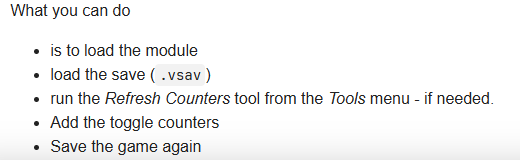
What you can do
is to load the module
load the save (.vsav)
run the Refresh Counters tool from the Tools menu - if needed.
Add the toggle counters
Save the game again
Sure, it will take some time, but unless you have hundreds of saves, I think you can do faster than “40-60 man hours”.
The Refresh Counters tool usefully work well for saves (.vsav) but doesn’t really work for .vlog files. The reason is, that only the end state of the .vlog is refreshed - not the initial state.
I my self prefer to not define scenario saves in the player, but to keep the data in spreadsheet or similar, and then use my Python pywargame to write the .vsav - in particular the vsavsave.py tool. This takes a module file (.vmod) and a JSON file as input and writes a .vsav. The JSON file specifies where which counter goes in the setup using map/board location names. This means, that even if I change a piece, I can recreate a .vsav from scratch. See also this post.
Thanks. I’ll give that a shot. As I recall, the scenarios will refresh any counters that had updates to them but ignore any new counters that have been created after the save.
But, I see you have the -Add toggle counters, after the Refresh, so maybe I’ve been doing it backwards.
I have to add an update to the Movement Attrition Calculator anyway now, so that will require a couple of new counters for the update, so I may test with that problem first. If that works, then the shade status counters should work too.