Incongruous Error Message

Using Game Piece Inventory Window to find stuff on boards/maps. The function uses 2 values previously entered by the user that are saved as GPs. While the correct data is displayed in the popup window, there is also an error message in the chat zone. So now I’m confused - an error message on something that also seems to be working OK.

Looking forward to answer(s).

Extract from error file is:

2026-04-21 16:37:34,430 [15912-SwingWorker-pool-2-thread-4] INFO VASSAL.launch.AbstractLaunchAction - Loading module file C:\Vassal Modules\WiF CE Official Combo Ver 2_0_j.vmod
2026-04-21 16:37:44,140 [15912-SwingWorker-pool-2-thread-4] INFO VASSAL.launch.TilingHandler - No images to tile.
2026-04-21 16:37:44,141 [15912-SwingWorker-pool-2-thread-4] INFO VASSAL.launch.AbstractLaunchAction - Loading module WiF CE Official Combo
2026-04-21 16:37:44,142 [15912-SwingWorker-pool-2-thread-4] INFO VASSAL.launch.AbstractLaunchAction - JVM maximum heap size: 9216 MB
2026-04-21 16:37:44,143 [15912-SwingWorker-pool-2-thread-4] INFO VASSAL.tools.io.ProcessLauncher - launching C:\Program Files\VASSAL-3.7.21\jre\bin\java -Xms9216M -Xmx9216M -Duser.home=C:\Users\p4l4d -Duser.dir=C:\Program Files\VASSAL-3.7.21 -cp lib\Vengine.jar VASSAL.launch.Editor --edit – C:\Vassal Modules\WiF CE Official Combo Ver 2_0_j.vmod
2026-04-21 16:37:44,643 [2540-main] INFO VASSAL.launch.StartUp - Starting
2026-04-21 16:37:44,650 [2540-main] INFO VASSAL.launch.StartUp - OS Windows 11 10.0 amd64
2026-04-21 16:37:44,650 [2540-main] INFO VASSAL.launch.StartUp - Java version 25.0.2
2026-04-21 16:37:44,650 [2540-main] INFO VASSAL.launch.StartUp - Java home C:\Program Files\VASSAL-3.7.21\jre
2026-04-21 16:37:44,650 [2540-main] INFO VASSAL.launch.StartUp - VASSAL version 3.7.21
2026-04-21 16:37:44,651 [2540-main] INFO VASSAL.launch.Launcher - Editor
2026-04-21 16:37:49,410 [2540-AWT-EventQueue-0] INFO VASSAL.build.GameModule - WiF CE Official Combo version 2.0.j
2026-04-21 16:37:55,510 [2540-AWT-EventQueue-0] INFO VASSAL.build.module.GameState - Loading save game C:\Users\p4l4d\Dropbox\TheGame\testing.vsav, created with module version 2.0.j
2026-04-21 16:39:19,512 [2540-AWT-EventQueue-0] WARN VASSAL.tools.ErrorDialog - Source: Expression={BasicName.contains($locateaunit$)&&BasicName.substring(0,2)==$locatemajorp$}, Error=e: inline evaluation of: _xyzzy=_plugh("");'' : Method Invocation BasicName.substring Error: Expression evaluation error. 2026-04-21 16:40:50,855 [2540-AWT-EventQueue-0] WARN VASSAL.tools.ErrorDialog - Source: Expression={BasicName.contains($locateaunit$)&&$locatemajorp$==BasicName.substring(0,2)}, Error=e: inline evaluation of: _xyzzy=_plugh(“”);‘’ : Method Invocation BasicName.substring Error: Expression evaluation error.


Your expression is missing quotes around the strings, which causes an error if either locateaunit or locatemajorp is empty. It should be:

BasicName.contains("$locateaunit$")&&BasicName.substring(0,2)=="$locatemajorp$"


Thank you very much. These ‘little’ lesser known things do come and bite one at times.

I also guess that the ‘green tick of approval’ for the expression builder is, basically, useless.

The other thing is that the GPs are fully populated, with default values (text) before the Game Piece Inventory Window is run. So an ‘empty’ outcome must, surely, be not possible.

I don’t know, I’m a mere user with rather limited knowledge of the intricacies of what is or is not a truly valid bean shell expression.

But we all learn something new most days. That is good.

Just because it isn’t obvious to you does not mean that there isn’t logic behind it.

Remember, $...$ properties (or variables) are expanded before the BeanShell interpreter sees the code. Also remember, that $...$ variable expansions are simple textual replacements. When $...$ variables are expanded they have no type.

For the C/C++ programmers out there, $...$ expansion is akin to pre-processor (cpp) macro expansions. E.g.,

#include <math.h>
#include <stdio.h>
int main() { 
  printf("sin(pi)=%f", sin(M_PI));
  return 0;
}

becomes

... /* Butt load of declarations */
extern double sin (double __x) __attribute__ ((__nothrow__ , __leaf__)); extern double __sin (double __x) __attribute__ ((__nothrow__ , __leaf__));
... /* another butt load of declarations */
extern int printf (const char *__restrict __format, ...);
... /* and then some */
int main() {
  printf("sin(pi)=%f", sin(3.14159265358979323846));
  return 0;
}

by the time the compiler-proper sees it. Note the textual replacement of M_PI with 3.14159265358979323846.

Suppose you have the properties

A = 42
B = "fubar"

Then, if you use these as $...$ expanded values in a BeanShell script, then the textual values will be expanded. For example, if you have

{$A$ == 42 ? "The answer" : "duh!?"}

then the $A$ will be expanded to 42 before the code is evaluated by BeanShell, and thus BeanShell sees

{42 == 42 ? "The answer" : "duh!?"}

Similarly, if you had the BeanShell code

{$B$ == "fubar" ? "All is good" : "F**ked up beyond all repair}

then the $B$ will be expanded before BeanShell sees it, and BeanShell will get

{fubar == "fubar" ? "All is good" : "F**ked up beyond all repair"}

In that code, BeanShell will try to compare the value of the variable fubar (which probably isn’t defined) against the string value "fubar".

On the other hand, if you had the BeanShell code

{"$B$" == "fubar" ? "All is good" : "F**ked up beyond all repair"}

then BeanShell would see

{"fubar" == "fubar" ? "All is good" : "F**ked up beyond all repair"}

and it is a simple string comparison.

What does this have to do with the green check-mark you say? Well, think about it. When you write into the BeanShell script editor

{$B$ == "fubar" ? "All is good" : "F**ked up beyond all repair"}

then the checker sees the $B$ expansion, but does not in general have any idea what $B$ expands to. $B$ could expand to a valid variable name - e.g., CurrentMap, CurrentBoard, LocationName, or what not. So the checker takes it on faith that you know what you are doing, and assumes that the comparison of the expansion of $B$ to the string "fubar" is valid. In other words, it mainly does a syntactical analysis. Hence the green check mark.

Suppose that locateaunit=Army and locatemajorp==DE, then your code

{ BasicName.contains($locateaunit$) && $locatemajorp$ == BasicName.substring(0, 2) }

becomes

{ BasicName.contains(Army) && DE == BasicName.substring(0, 2) }

to BeanShell. That references the, possibly unknown, variables Army and DE, and compares their values to BasicName. If the variables (properties) Army and DE are not known, that causes an error.

BTW, if locateaunit and locatemajorp are regular properties, then BeanShell will know them as variables, and you can do

{ BasicName.contains(locateaunit) && locatemajorp == BasicName.substring(0, 2) }

This distinction between textual expansion of $...$ - outside of BeanShell - and variable evaluation by BeanShell has come up time and time again, and is unfortunately, still, a common source of misunderstanding even though it has been explained extensively. Hence the recommendation that you do not mix $...$ and BeanShell unless you have a pretty good grip on what it is you are doing.

There’s only very few places where one must mix the two: When a property of a source piece should be used in a destination piece. For example, a piece with the property Name may want to send a Global Key Command to other pieces that have the property LeaderName with a value that matches the sources Name value. Then, the filter expression could be

{LeaderName == "$Name$" }

Concretely, suppose piece A has Name="SqtA", and some other pieces on the map has LeaderName="SgtA". Then piece A may send the command Salute to its subordinates using a filter expression as above. In the filter expression, all $...$ expansions are done before it is evaluted, and thus becomes

{LeaderName == "SgtA"}

and then the expression is evaluated in the context of all candidate pieces. Thus, if a piece B has LeaderName="SgtA", it will meet the condition and raise their right hand to the forehead. Another piece C has LeaderName=ColX, and thus does not match the condition. That piece will pull down their hat and lean further back in their seats.

Yours,
Christian

Nice. Thank you for your time in responding in great detail.

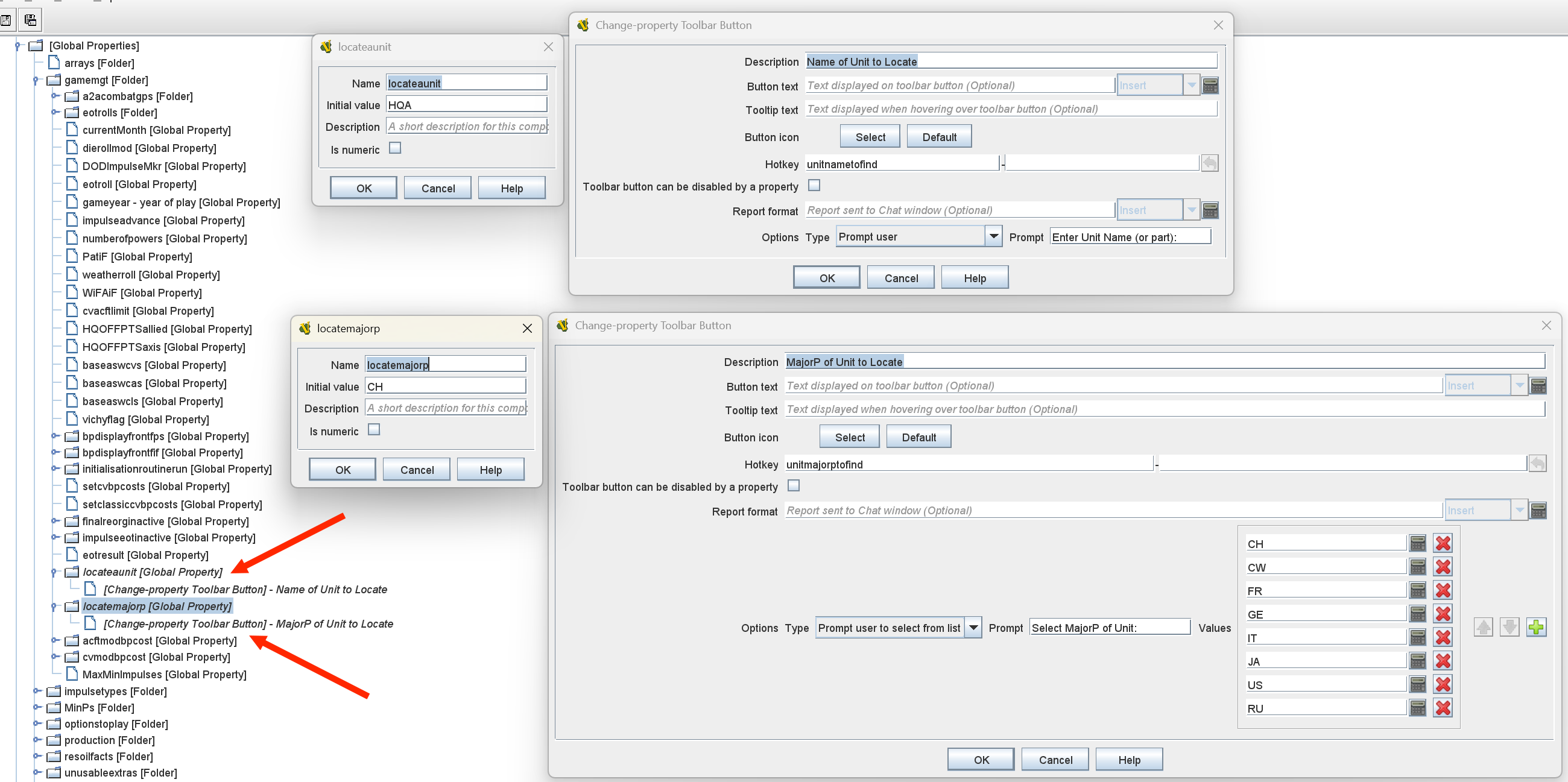
I did try your suggestion { BasicName.contains(locateaunit) && locatemajorp == BasicName.substring(0, 2) }

Both ‘locateaunit’ and ‘locatemajorp’ are GPs.

The error message still pops up though. Took a ‘printscreen’ shot of the Chat window message.

Screenshot 2026-04-22 154639

I then tried the other suggestion BasicName.contains("$locateaunit$") && locatemajorp == BasicName.substring(0, 2). While there was no error message, there was also no output - just a blank window.

Deleting the “ resulted in the error message but the function still works.

image

Even tried "locateaunit". No error message, but just a blank window.

I think I’ll put with the error message, At least it only appears once per session and I still get what I want in the Inventory window.

OK. Are you sure those two global properties are defined to contain a string value? Your could try

{ BasicName.contains(GetString("locateaunit")) && GetString("locatemajorp") == BasicName.substring(0, 2) }

The function GetString(<property name>) - where <property name> is a string - returns the value of the property (or the empty string if the property isn’t defined) as a java.lang.String no matter the type deduced of the property. That is, if the property A=10 - an java.lang.Integer value - and you do GetString("A") you get back the java.lang.String object "10".

I cannot read that. Perhaps you can get the message from the errorLog and paste it into a message - delimited by ``` - before and after - to make it come up as monotype plain text. You can also highlight the message in the chat, right click, and copy the text.

From what I can discern from the image is that it complains about

BasicName.substring(0,2)

It could be that some BasicName of some piece is not long that you can subscript it. If you do

$ bsh 
print("A".substring(0,2));

you will get an exception (bsh is a standalone BeanShell interpreter - useful for testing out code).

If some pieces have a BasicName which is a single character, you may want to protect against those cases with

{ BasicName.contains(locateaunit) && BasicName.length() > 1 && locatemajorp == BasicName.substring(0, 2) }

The problem may be the same as above.

The image is too small to read. Take the message from the errorLog or copy it from the chat.

Again, removing the " around $...$ expansions is almost certainly wrong.

Yours,
Christian

Reviewing all the available game pieces, the smallest BasicName is 4 characters. All have at least 2 characters followed by a space.

Be that as it may. Yes there is no error message, but there is also no viable Inventory Window output.

Tried that as well. Error message posted, but Inventory Window populated correctly.

Chat Window Entry:

Bad Data in Module: Source: Expression={BasicName.contains(GetString(“locateaunit”)) && GetString(“locatemajorp”)==BasicName.substring(0,2)}, Error=e: inline evaluation of: ``_xyzzy=_plugh(“”);‘’ : Method Invocation BasicName.substring Error: Expression evaluation error.
Error Log Entry:

2026-04-23 13:48:54,446 [17908-AWT-EventQueue-0] WARN VASSAL.tools.ErrorDialog - Source: Expression={BasicName.contains(GetString(“locateaunit”)) && GetString(“locatemajorp”)==BasicName.substring(0,2)}, Error=e: inline evaluation of: ``_xyzzy=_plugh(“”);‘’ : Method Invocation BasicName.substring Error: Expression evaluation error.

This is one stubborn ‘error’.

{BasicName.contains(locateaunit) && BasicName.startsWith(locatemajorp)}

Has no error message and works

java.lang.String#substring works a little funny in BeanShell:

$ bsh
bsh % foo="aaa";
bsh % print(foo.substring(0,2));
aa
bsh % print(foo.substring(0,2)=="aa");
false
bsh % print("aa" == foo.substring(0,2));
false
bsh % print(foo.substring(0,2).equals("aa"));
true

The thing to note, is that in Java, comparing a java.lang.String to a “raw” string, is typically done with java.lang.String#equals and not ==. BeanShell has some heuristics to allow == as a comparison, but probably not in all cases - your case being one of them. Indeed, the solution you found, using java.lang.String#startswith will work with “raw” strings and is probably the safer choice in most circumstances. It is probably also marginally faster as the full substring need not be built and startswith can short-circuit when an unequal character is seen.

Please remember to indicate the post that solved your problem - could be your own - to help others find the solution to their problems more easily. Only you, as OP, can do that.

Edit: In Java, the == operator generally tests for object identity. That is why

String("fubar").substring(0,2) == "fu";

returns false: The object String("fu") is not the same as the object String("fubar").substring(0,2) because the latter refers to the object String("fubar"). That’s why String("fubar").substring().equals("fu") is needed: java.lang.String#equals compares the content of this string to the content of the referenced string.

Yours,
Christian