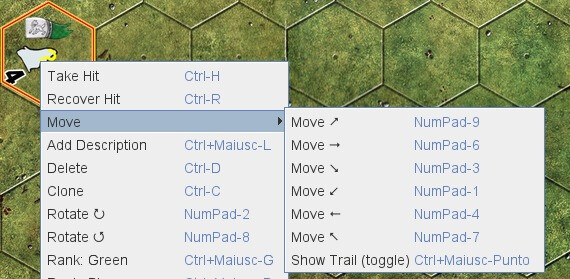
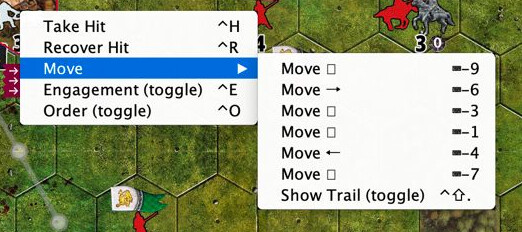
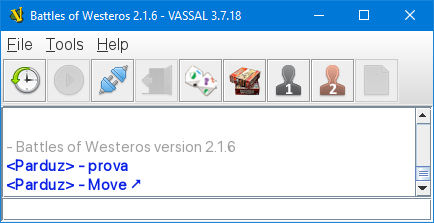
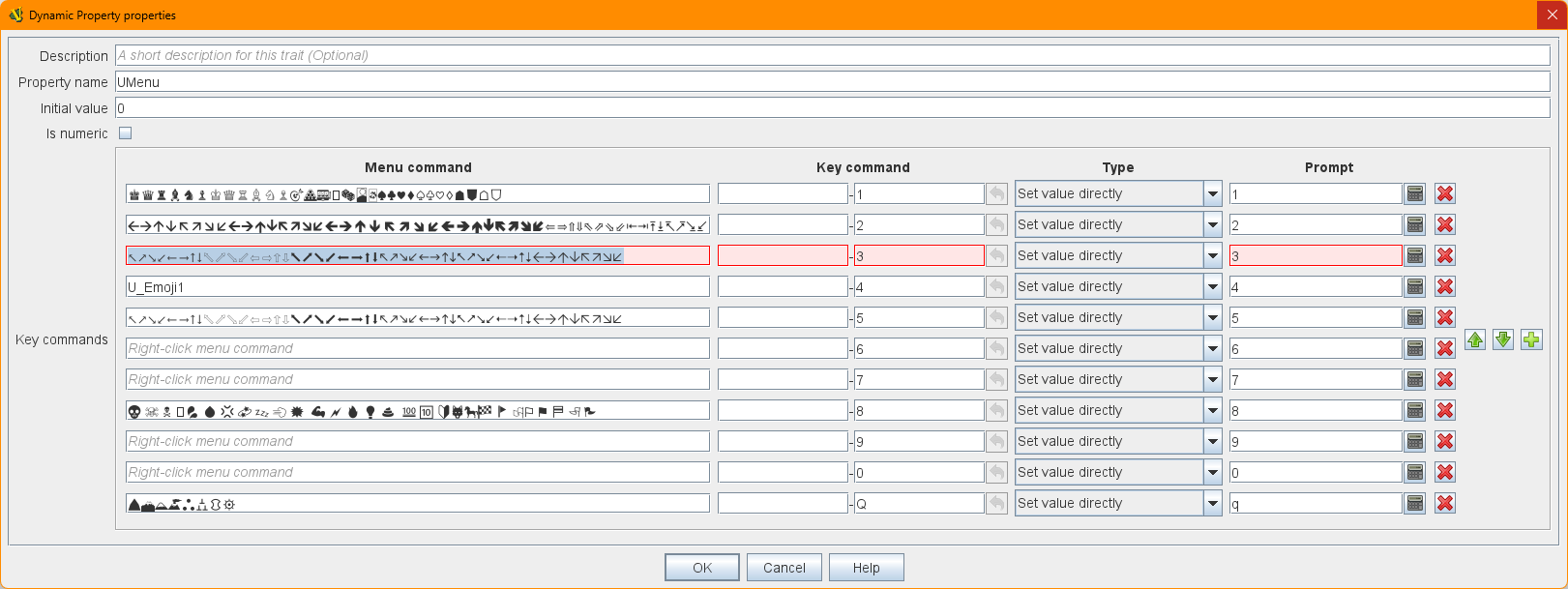
I added Unicode to my module that displays fine when viewed in Vassal from Windows, but a Mac user reported a lot of characters being replaced by squares.
Is there any easy way to check which characters will display correctly on a Mac, in Vassal?
For reference, I’m currently using:
(list deleted, because I get a SQL ERROR [ mysqli ] Incorrect string value: ‘\xF0\x9F\x91\x81 \xE2…’ for column ‘post_text’ at row 1 [1366] when submitting!)
… as well as a variety of blank spaces to order and space those characters in a piece inventory list.
I added Unicode to my module that displays fine when viewed in Vassal
from Windows, but a Mac user reported a lot of characters being replaced
by squares.
Is there any easy way to check which characters will display correctly
on a Mac, in Vassal?
For reference, I’m currently using:
(list deleted, because I get a SQL ERROR [ mysqli ] Incorrect string
value: ‘\xF0\x9F\x91\x81 \xE2…’ for column ‘post_text’ at row 1 [1366]
when submitting!)
… as well as a variety of blank spaces to order and space those
characters in a piece inventory list.
Sorry, can’t suggest a solution, but you’re having a character encoding
problem.
Which unicode characters work depends entirely on which font is being used. I’m not a Mac user, but I believe you can use Character Viewer on a Mac to view the symbols available in a font. As a workaround, I suggest using ↑→ instead of ➚, for example; the up and down arrows are more likely to be supported. (The alternative is to convince your Mac users to change the font they use in VASSAL–good luck with that!)
I don’t think I ever did. In the end, Mac support wasn’t really a priority, but I might have just decided not to use any fancy characters. 6 years ago, so I don’t exactly recall!
Ok. My question now is: what default font uses Vassal (or Java?) on MAC? I don’t know how it know what font to use in Windows, but it is always the same on the various PCs i have, so if with MAC it works in the same way, I could try to look at what symbols contains the default font.
I know it is a lot of time. I was hoping you have found a solution (or a workaround, or what symbols are “safe”) and never replied here
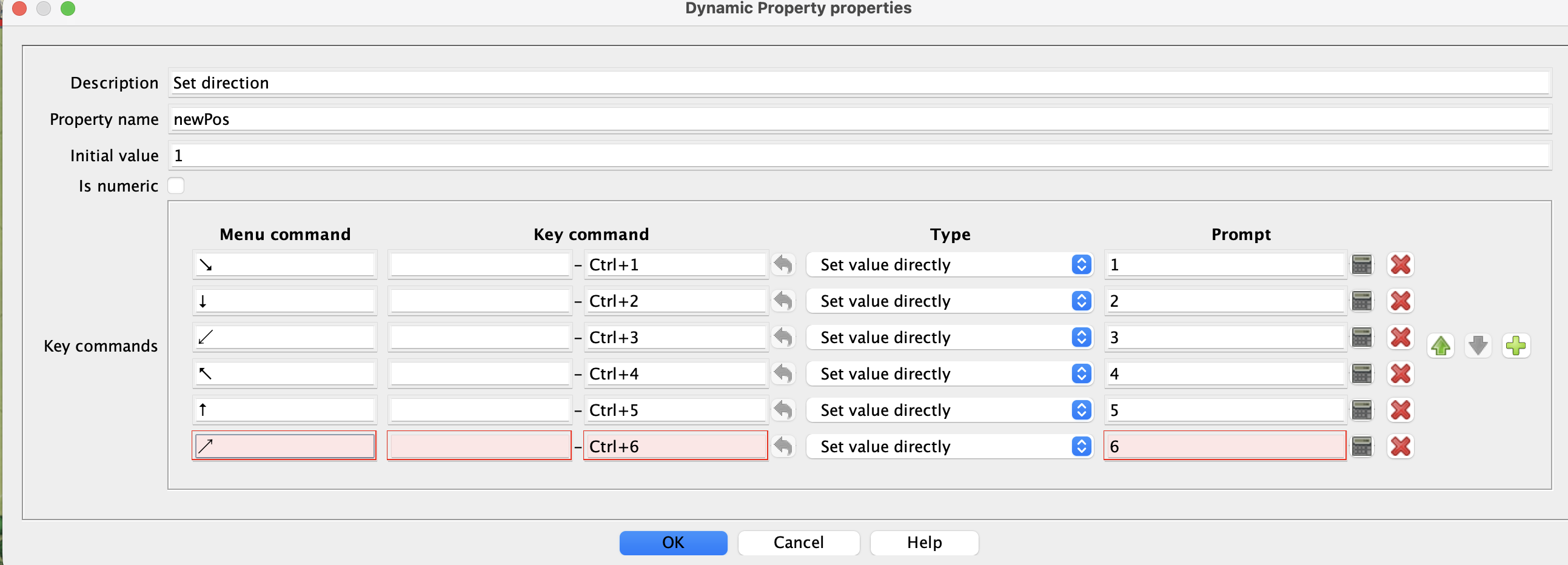
These characters work for me on Mac. Not sure about on Windows or Linux. As others have mentioned, it is probably font-related.
↘↓↙↖↑↗
(had to escape this sequence to prevent Discourse from changing the characters radically, even so they are still changed from the pasted in characters).
Ok i’m gonna build a small module to test unicode characters.
It will be a single piece with Text Labels, Menus and Report Actions.
Questions:
what should I avoid to test?
I mean: the different fonts of Text Labels works the same, or are they to be tested individually?
Should i test the right-click menu, or it uses the same fonts as text labels so it will be redundant?
HTML in text labels?
Just to avoid wasting time and/or missing something useful
There’s any way to write a loop and a beanshell expression that generates a sequence of like 20 unicode chars at time? So i could automate something?
mmh … Vassal freezes when i edit (copy/paste, in this case) the text fields.
The window frame is still semi-alive (i can move it around, the close button become red) but the inside is stuck, with the mouse cursors in “text” mode…
-EDIT-
Yup, happened other two times. Had to kill ‘OpenJDK platfom library’ from Task Manager to close Vassal.