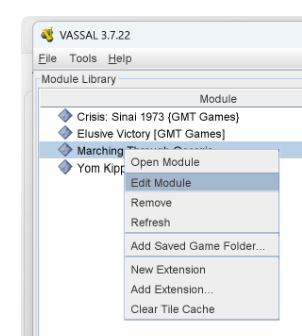
The right-click options menu over the unit says you can Add OOS or Remove OOS (out of supply flag). But after you add OOS, the option to remove OOS no longer appears in the menu. You can also add OOS with option-o. The keystroke to remove OOS is control-o, but it doesn’t work. So once out of supply, always out of supply.
I’ve got a Mac with Apple M4.
The module has many aspects I like, but this glitch makes using it a pain. I would try to modify it in the editor, but I’m not the least bit technical, and it would take a week of research to learn what’s wrong and how to fix it - if I got lucky!
The problem in Marching Through Georgia (please give a link to the module in question), is in the
Game Piece Prototype Definition of Pre-Mask Combat Unit - specifically, the Restrict Commands trait OOS is showing. Here, the key-command Ctrl-O is restricted (hidden) when
{OOS==1}
It should be
{OOS!=1}
To find a problem like this, use the module editor Edit→Search… tool (Ctrl-F), and search for a meaningful string - in this case OOS. That will produce a number of hits, and following the logic, you can probably diagnose and fix the problem.
Contact the module author @airjudden and see if an update can be made. Click the user name and then the big blue button Message to send a PM. If you get no response within a reasonable amount of time, ask @uckelman to add you as owner of the module and then upload a revised module.
Remember to check the post that eventually solves your problem so that others may more easily find solutions to their problems. Only you as OP can do that.
Yours,
Christian
Okay…I will contact the module author if possible and see. And pursue it on my own if the author isn’t able. Steep learning curves all around me, I see.
With gratitude,
CS
Perhaps you want to checkout the Module Creation section of the Documentation Index page. There you will find many resources to help with creating or editing modules, including YouTube tutorial videos, all sorts of How-to’s and so on.
Yours,
Christian
Also, keep this process in mind if you attempt the fix yourself. (Following this will eliminate weeks of frustration due to not understanding why fixing the issue didn’t result in being able to see the ‘Remove OOS’ option in the counters saved in the included scenarios.
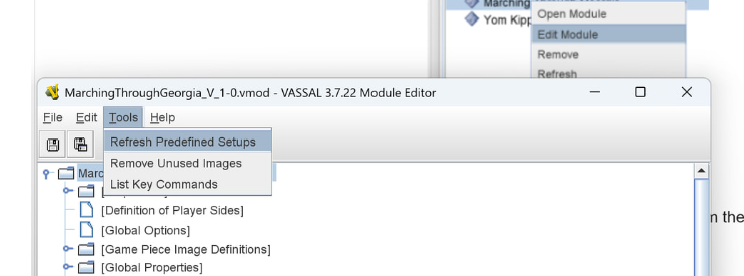
Problem: Predefined setups retain their original traits they were saved unless refreshed,
Solution: Refresh the counters with the new traits by refreshing the Predefined Setups within the editor or refreshing the counters in the game, resaving the game and reloading the scenario back into the module.
Detailed:
The pre-defined setups (The prebuilt scenarios in the module) will continue to not show the Remove OOS option unless the prebuilt scenarios are updated within the editor or refreshing the counters within the module and saving the .vsav file, then re-adding the .vsav files back into the pre-defined setups.
So, step one is the fix Christian has prescribed for the {OOS!=1} issue…then…
Method 1
If Method 1 does not update the counters, then…
Method 2
-
load the module
-
load the scenario(s) (Do this for each scenario)
-
run the Refresh Counters tool from the Tools menu - if needed.
-
Confirm the Remove OOS now works
-
Save the game again
-
Re-add that .vsav file to the appropriate Pre-defined Setup in the editor
Rob
Thanks. I haven’t even had time to try to contact the owner yet, but I will keep this in mind and, more to the point, ON FILE in my email folder. .
CS
Rob, perhaps you could add a how-to on the Documentation index page - refreshing saves comes up often enough that it would warrant it.
Yours,
Christian
Thanks. I will. As soon as I get back from refighting the battle of Gettysburg,  , I’ll post it.