Ardennes '44 4th Edition v1.0.0 available for download.
Update to the 4th edition.
-
A general revamp/modernisation of the interface and graphics.
-
Special ability menus for vdHeydte, 653 PzJ and 150 Pz Bde units improved (in the right-click menu).
-
Fuel Shortage facilities for the units concerned - 2 Pz, 1SS Pz, etc… (in the right-click menu).
-
Highlight possibilities extended for each side (OoS, Disrupted, Broken, Engaged, Arty, Strat Move markers, Traffic markers, Roadblocks, Fuel Dumps).
-
Show/Hide all movement trails.
-
Flip all Allied artilleries.
-
All units renamed.
-
Other improvements have been added.
Enjoy!
1 Like
Hi When I open this module in the latest version of Vassal Engine, I can’t start a new game. There are also no scenario options.
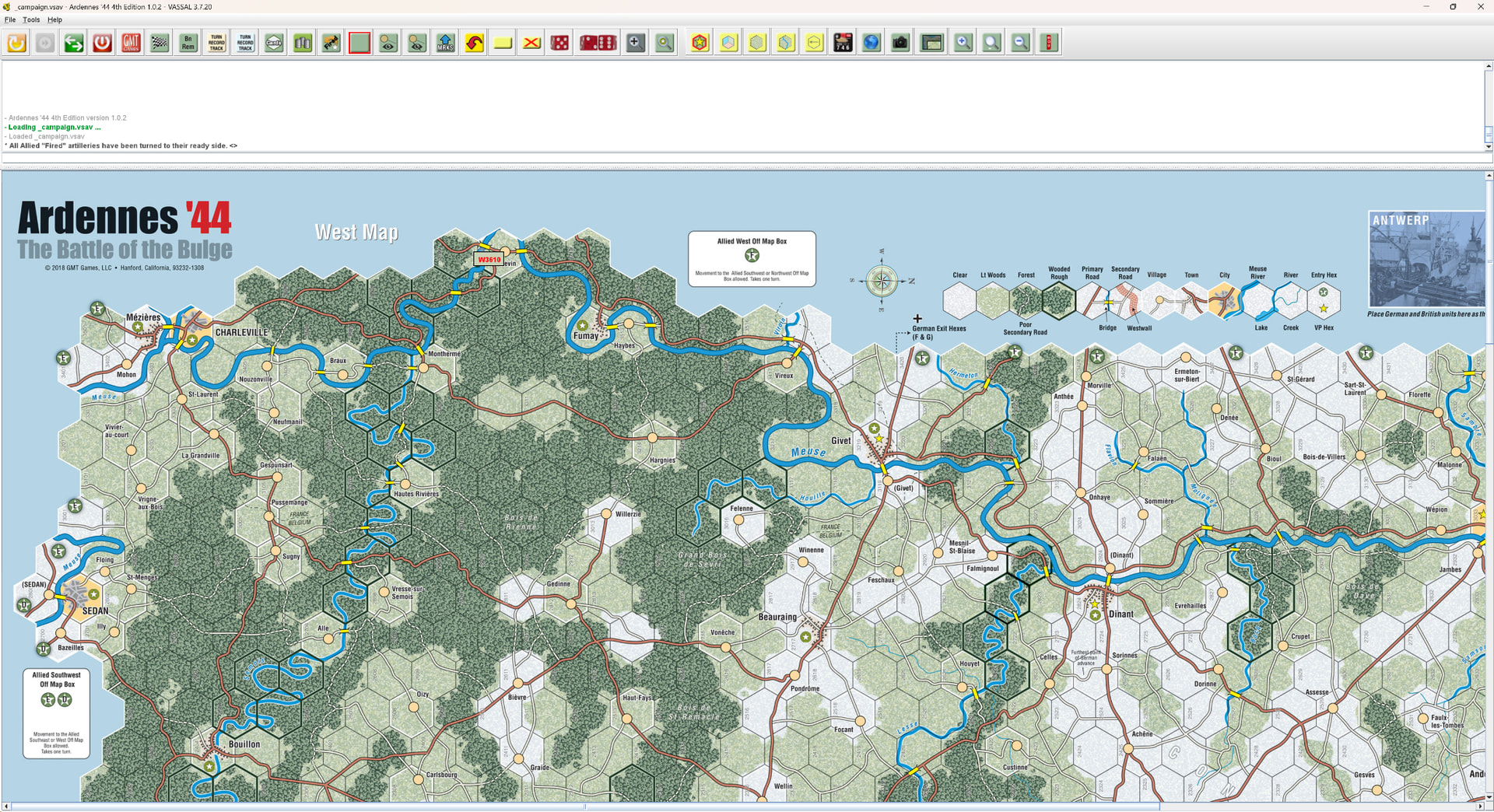
Here’s a screenshot of the File Menu.
1 Like
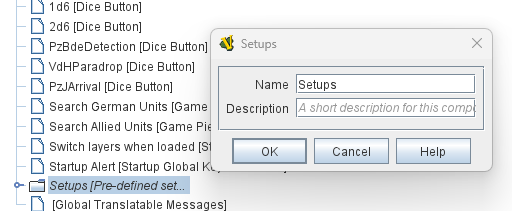
That’s because no name was given to the [Pre-defined setup] node in the Editor. If you haven’t seen this before it can be really hard to spot, but there’s a tell-tale very thin strip above the Load Game or Log entry in the menu indicating what would be the flyout menu for predefined setups. It’s just too small to be able to be activated and show you anything because the name was left blank.
You can re-enable the module “wizard” in the module preferences to be able to step through the start of the module and select a scenario that way.
Or edit your copy of the module to give that node a name, save, and it’ll work like you expect. Something like this:
4 Likes
Thanks Joel for your reply. Another guy contacted me to say he had encountered the same problem. Additionaly, his module “wizard” was disabled.
Indeed, I had forgotten to name the [Pre-defined setup]; I’ve just corrected that.
Jean Phi
2 Likes
Thanks very much. This helped me a lot. Thanks thanks for updating the edition
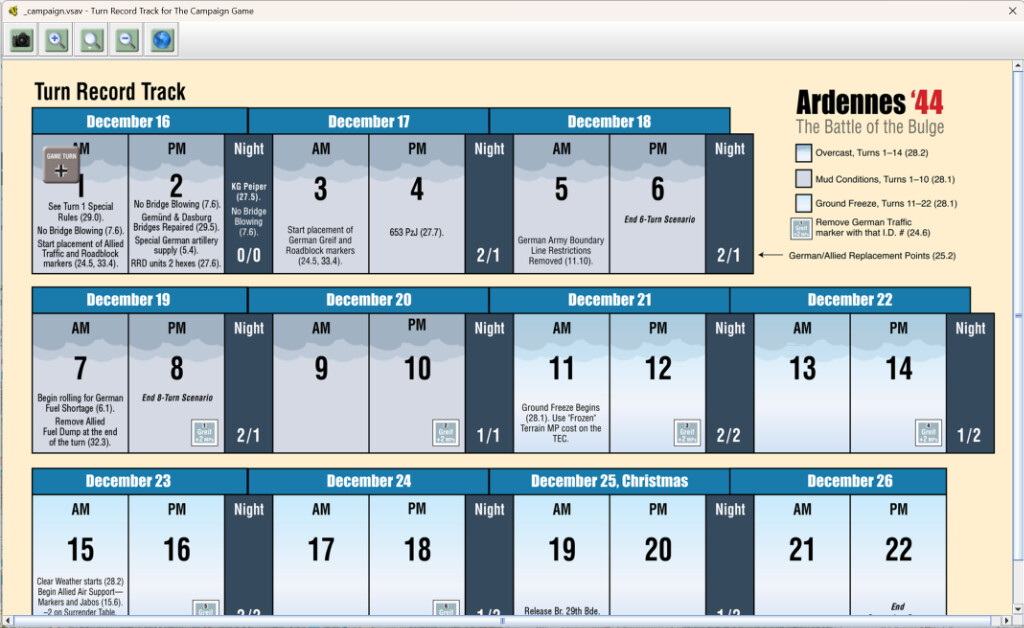
I’ve just found another issue with this module. When using the Campaign Game or Pattons Counterattack setups, I can’t find where reinforcements appear in the menu. In the 3rd edition they appeared in the time track in the turn they are meant to arrive.
In this edition I can’t find where they are at all. Here’s a screenshot of the time track window,
It’s not a problem!
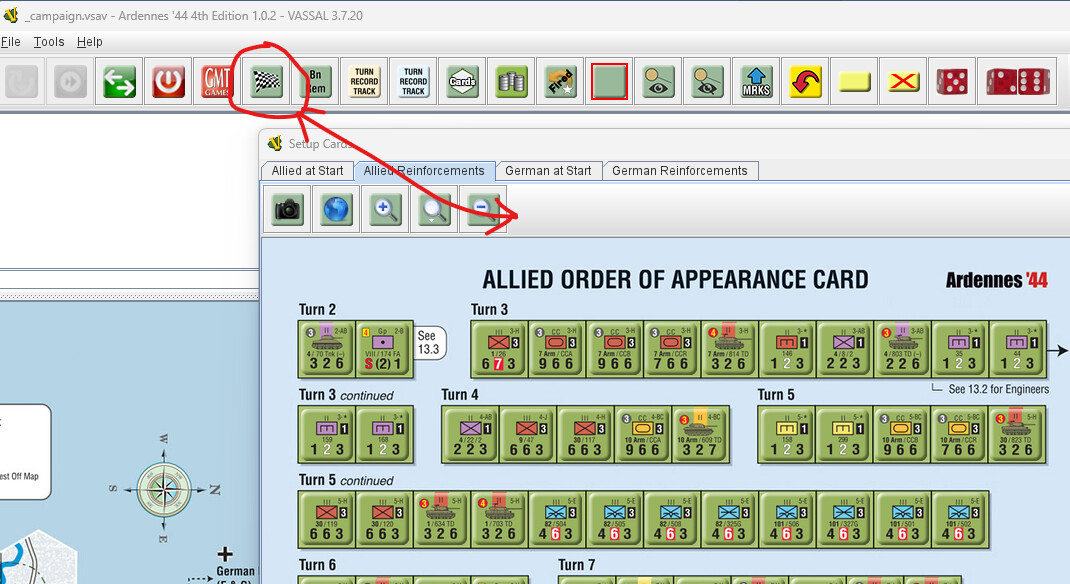
It’s just that the reinforcements have been moved. You can find them in the “Reinforcements” section on the setup cards Mark created for this purpose in Edition 4. So I’ve incorporated them into the module.
The setup cards are available via the main menu.
I encourage you to be curious and to explore and discover the features the main menu has to offer.
Jean Phi
1 Like
I’ve looked at every menu option available. I cannot find any reinforcement cards visible.
Is this what you are looking for?
Thanks, clanmacrae, for helping KitWalker,
I didn’t take the time to take a screenshot; I thought KitWalker would find it easily in the main menu.
Yes, this is what he’s looking for…
All one have to do is just read the tooltips for the buttons, or at least click on each button one by one and see what happens.
Jean Phi
1 Like
To be fair, you did say “The setup cards are available via the main menu.”, and those buttons are on the toolbar, not in the main menu.
Thank you yes, this is what I was after. I was confused when Jean said they were in the main menu. When I first opened the module and started a campaign game, and clicked on this item in the toolbar all I got was a blank screen. I deleted and reinstalled the module and now its there. Thanks all for the assistance.
You’re right jrwatts.
My bad.
When I said “main menu,” I meant “toolbar,” of course…
I didn’t express myself clearly.
Sorry for that
Jean Phi
1 Like