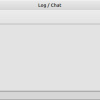
The last basic functionality of the prototype, the log/chat window, is now in place.
The window consists of three parts, a toolbar, a read-only log area and a line editor where you write chat or comments that are then sent to the log area.
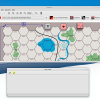
Note: I made the custom toolbar taller so that the icon are larger and it’s easier to see the difference between the custom and system toolbar.
As there is no online part yet, the chat/comments only go to the undo-stack. If you record a log-file, the comments will be included.
It is possible to pin the log/chat window. On the left side of the toolbar there is a pin-unpin button. This is most useful when the main window is maximized. Often you want to see as much of the map as possible.
Note: Pinning a window is not just local for the application but universal for the desktop. Every window on your desktop will lie under the log/chat window. When the log/chat window is pinned, the Open Game window is placed below all windows! Therefore it may be wise to only pin the log/chat window if you really need it. You can show an unpinned log/chat window with Windows->Show LogChat window or click the Log / Chat button on the bottom panel.
You can roll a die by clicking on the die icon.
It is now possible to undo while recording, but if you try to undo a die roll (or try to undo a revealed Soviet untried unit) you get an error. Die rolls can never be undone.
Note: Once you roll a die (or reveal a unit) you can not undo beyond that point. You still see the undo-button as yellow but once you try to undo a die roll or revealed unit the undo is halted. This is my take on the ‘undo while recording off-line’ problem. Comments are appreciated 
Steps in a log-file are not put on the undo-stack. While stepping through a log-file all on-board actions on your part is blocked (but you can still write in chat and the comments are recorded/put on the undo-stack). Are there situations where you want to something on the map while stepping through a log-file? I would like feedback on this.
Rolling of dice is done in the C++ part. Readers may recall that I used the random number generator in Lua to draw cards in Paths of Glory. All random actions (roll, draw, reveal) should maybe have a uniform procedure for random number generation. In C++ in now looks like this:
// from cppreference, seed set in main.cpp

// NOTE: this uses a simplified generator and should be changed, see more here:
// https://en.cppreference.com/w/cpp/numeric/random/rand.html

unsigned bounded_rand(unsigned range)
{
    for (unsigned x, r;;)
        if (x = rand(), r = x % range, x - r <= -range)
            return r;
}

void Window::rollDie()
{

    unsigned roll = 1 + bounded_rand(6);

    // print roll in log window
    std::string text = "<span style=\"color:gray;\">dr: </span><span style=\"color:red;\">" + std::to_string(roll) + "</span>";
    Luau::doLog("roll", text.c_str());
    Luau::doEvent("end", "", "", "", 0);

}
As mentioned, this is a simple generator. There are better generators.
The die roll is printed in red. For the time being this is hard-coded. It is better to have all colors defined in the user settings (like it is in VASSAL).
Note also that it can be better to print an icon of the die roll. It’s easier to see. If you throw more that one die at a time, the different dies should have different colors.
All actions are now logged. If you move a stack of counters from reinforcements to the map you see this:
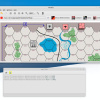
Note: It is more correct to say that all actions used in this module are logged. Other actions, like rotation of counters, are not yet logged.
Note: The side doing the action is not yet displayed. The determination of sides will wait until a launcher is developed where a side is chosen. The launcher will replace the need for a console. A console is not a “user friendly” interface.
It was necessary to define a new field for every counter, called name, which holds the display name of the counter (in this case German 25/7 Panzer Division).
function Repository:new (images)
    local o = {}
    setmetatable(o, self)
    Repository.__index = self
    o.Image = Image:new(images, 1)
    o.x = 0
    o.y = 0
    o.name = images[1]
    o.window = 'Repository'
    return o
end
The default value of name is the id of the counter, which in turn is just the path/filename of the counter image. This is not likely to be a very informative value for the user. So a special display name must be generated. Again I used regular expressions to extract from the counter id what information goes into the display name. But you don’t always have to use regular expressions to assign names, as shown below.
-- set display name for all counters


    assignName('ge%-cav%-%w+%-*%d*$')
    assignName('ge%-inf%-%d+$')
    assignName('ge%-mot%-%w+$')
    assignName('ge%-mot%-%w+%-%d*$')
    assignName('ge%-pz%-%w+%-%-%d+pz%-*%d*$')
    assignName('ge%-pz%-%w+-%d+pzgr-%d*$')

    assignName('ru%-arm%-%d+$')
    assignName('ru%-HQ%-%w+.+$')
    assignName('ru%-inf%-%w+$')
    assignName('ru%-mech%-%w+$')

    Repository['ge-mot-DR-02'].name = '2/DR Motorized Division'
    Repository['ge-mot-DR-03'].name = '3/DR Motorized Division'
    Repository['ge-mot-DR-04'].name = '4/DR Motorized Division'

    Repository['ru-inf-??'].name = 'Soviet Unrevealed Infantry Division'
    Repository['ru-mech-??'].name = 'Soviet Unrevealed Armored Division'
If you undo the movement of the stack, the undo is logged like this:
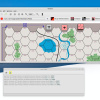
Note: The undo message itself is not put on the undo-stack and recorded. Undos will not be saved in a log-file. The undo-action itself will of course have an effect on the stack but no message about the undo is recorded. When you step through a log-file, you never see the undos of your opponent. Comments?
The same goes for redo. This means you can undo-redo to check your last moves and it will not be visible in the log-file.
I have put padding around the map.
-- padding of main map

leftPadding = 20
topPadding = 20
rightPadding = 20
bottomPadding = 20

set_padding("PGG-map-ver1", leftPadding, topPadding, rightPadding ,bottomPadding)
This is useful for maps like the one in PGG because units start off-board and there is little room on the border. You may argue that the original map resource may just be given a padding. This is true. Padding is mostly useful for games with no definite map size.
Luau compile errors are now sent to the console. In luau.cpp:
bytecode = luau_compile(element.chunk.c_str(), element.chunk.length(), NULL, &bytecodeSize);
int res = luau_load(L, element.chunkName.c_str(), bytecode, bytecodeSize, 0);
free(bytecode);


if (res != 0)
{
    // https://sleitnick.github.io/luau-api/reference.html#luau_load
    size_t len;
    const char* msg = lua_tolstring(L, -1, &len);
    lua_pop(L, 1);
    printf("failed to compile: %s\n", msg);
    std::exit(1);
}
This should have been done a long time ago.
In this post I talked about deployment and that every module has its own copy of the Qt library.
I mentioned that the size of the uncompressed Qt library was 75,9 MB. What I did not mention was that I used the default library from the Qt installation. This library has everything in Qt, not just what the engine needs.
In this post I mentioned that since the Qt source code is part of the distribution it is possible to make a much smaller library. I hope to return to this issue and make a custom Qt library that has just what we need for the engine and is less (much less) than 75,9 MB.
With die rolls in place, it is now possible to play a game of Pazergrüppe Guderian PBEM with the
prototype! Expect “features”. The whole prototype is still little tested.
Next up is to go back to Paths of Glory. There have been so many changes, so I need to reimplement what I did. One important addition will be to allow non-square zones. Maybe I will even make a full version of Paths of Glory. A big problem were the cards in SVG format. I can only use the original resources of the VASSAL module. If I can’t solve the problem with rendering SVG images, the full implementation will have to wait (the problem was that the transparent parts of the SVG images were opaque in the QImage; maybe I could just ignore this for now …)
More important is to implement a “simple” module. PGG was not a simple module. I hope The Russian Campaign will be. A simple module will give me an opportunity to make a step-by-step tutorial on have to make a module. The definition of a simple module is that it does not require extra Luau (or C++) development.