VASSAL module - not reporting movement of counters.
I am using VASSAL 3.7.21 and AGS 1.421
A friend and I have played one scenario from AGS and are now playing one from Kiev to Rostov on VASSAL and I am enjoying the system and have all 6 games.
However there does not seem to be a reporting function in the VASSAL window that shows when a unit moves. (eg 108/14Pz R3324 to R3323).
I have tried to create a logfile but it also does not report counters that move.
Any advice? The GMT FB group think the module has been out of “ownership” for some time.
Please give a link to the the specific module/project - do you mean GMT East Front Series Volume I? It is very hard to give pertinent advice if you don’t give the specifics.
Have tried to enable File→Preferences→Auto-report moves?
GMT East Front Series Volume I was last updated 4 years ago, and GMT East Front Series Volume II 11 months ago, both by @Darkebear.
Yours,
Christian
I created and maintain the GMT East Front Series Volume I (and the Volume II module).
There are other earlier modules for some of the games, but I don’t support those, but the Volume I/II should all be working and reporting moves correctly.
In fact I am presently working on the next AGS/KtR/Crimea Volume 1 which will be uploaded onto the Vassal site a bit later this year to support the Second Edition AGS game when it appears and I then get permission from GMT to release that after the physical game is with players.
The module I am working on does report moves and the earlier one does here - for example moving Soviet 11 Tk a hex gives:
11 Tk moves 3518 → 3618
Check which Vassal Module you are using, as there is another Kiev to Rostov module and that is created by someone else.
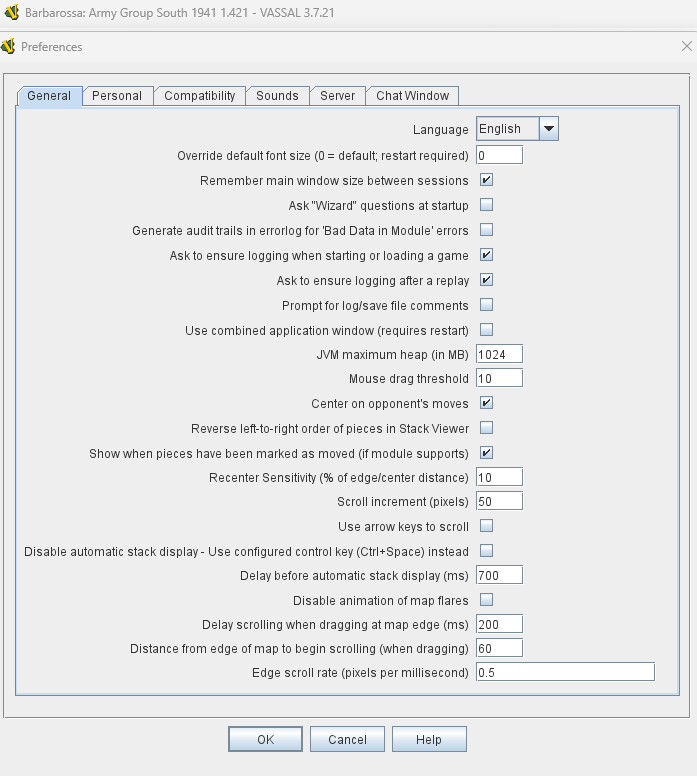
Here’s my VASSAL screen for the BAG S v1.421 vmod
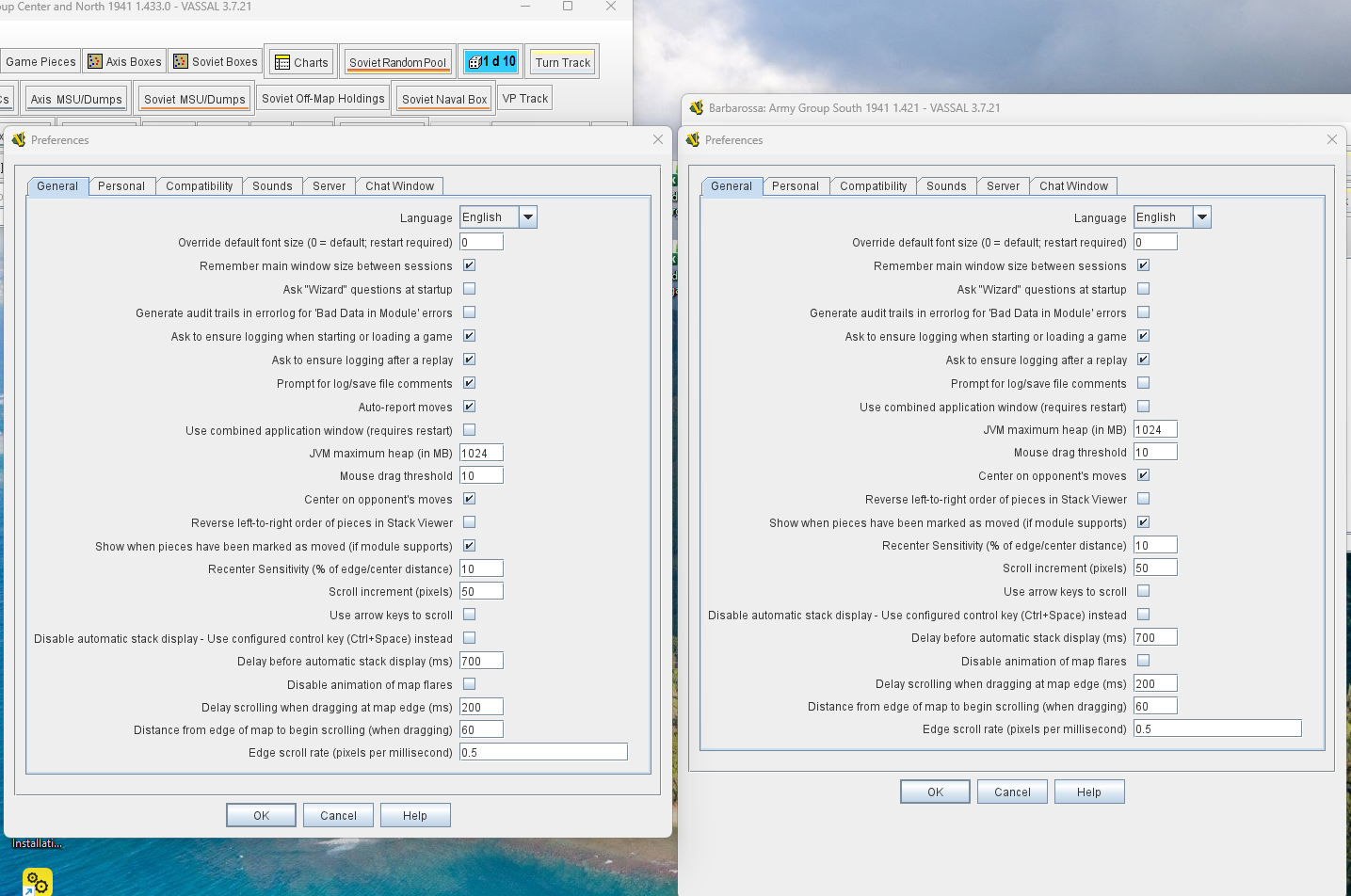
Compare it to the 1.433 vmod - “Auto report moves” does not appear in the 1.421 mod - not on my screen anyway.
I was using both files as you described above but redownloaded just to be sure and this is how they appear (to me).
The module GMT East Front Series Volume I, version 1.42.1 sets Global Options→Auto-report Moves to Never, thus overriding any user preference. To fix it, you need to edit the module and change that setting to Always or Use Preference setting.
@Darkebear if you are updating the modules, consider to change that option, unless there’s a good reason not to.
@AdamL453, remember to indicate the solution to your problem - that helps others find the solution to their problems. Only you as OP can do that.
Yours,
Christian
It will be updated on the next version - have this underway now to support the next Second Edition game release from GMT out later this year, so it will be bundled into that.