Ability to draw/write text on windows

As I began designing modules, I quickly ran into trouble trying to make some sheets customizable, so I decided to try creating an external class to enable drawing. In order to do that I’ve created a transparent piece as large as the map, then used scripting to treat it as a screen, so the only hard part was creating a simple paint software for that (thanks GPT5.2, I don’t know Java).
The following is a link to Filebin with the source code, the compiled one, my vassal module test bench and a short video demonstration (I’ll try my best to keep this link updated): Filebin | 7hhljn97pvv8255s

Right now, if you want to try it out on one of your modules:

  • Download the drawing.zip, unpack it and put the drawing folder in the main directory of the vmod file.
  • Modify the buildFile.xml on one of the first lines (“<VASSAL.build.module.BasicCommandEncoder/>”) so that it becomes “<drawing.DrawingCommandEncoder/>”
  • Create a transparent piece as large as the map and put it in an At-Start-Stack in the middle of the map.
  • Add the Does Not Stack trait with Move=NEVER
  • Import the “drawing.DrawingLayer” class
  • Put it as a trait. You can set up Draw/Text color RGB, line thickness, gum radius, text font and text size.

This will give you the minimum setup, that is, CTRL+D to enter Draw mode, CTRL+T to enter Text mode, ESC to leave any mode. Use LMB to draw/create a text box/edit a created text box. Hold down CTRL and use LMB to erase text/drawing. Note: I highly suggest to use only the draw’s eraser function, as the text’s eraser is laggy and doesn’t work on drawing, while the draw’s eraser works on both.

In order to add buttons I’ve used the GumLatch Dynamic Property, which speaks directly with the Java class, to toggle a virtual CTRL on/off, while the rest is just some work with Global Key Commands and Global Properties.

If you want to try my implementation, open the East&West module I’ve loaded into filebin, join as East player and open the East Codes & Naval.

I hope this will make designing some modules possible and/or easier.
I encourage you to take a look at the source code and modify it to make it better!
3 Likes

New Filebin link: Filebin | g0tij4t68fc0t8pr

Nice idea. The idea that one can add annotations on a map has a lot of potential use cases, for example as a part of a tutorial or communicating with fellow gamers.

The solution you’ve developed entails

  1. A (large) transparent piece, possibly on its own Game Piece Layers.
  2. That piece has a custom trait drawing.DrawingLayer
  3. To facilitate that custom trait, the module needs a custom VASSAL.command.CommandEncoder called drawing.DrawingCommandEncoder.

The drawing.DrawingLayer then has state that represents current drawings, and this state is saved to the save and log files.

I think, perhaps, a better approach is to make a sub-element of VASSAL.build.module.Map. If this element is added to a Map, it will create an overlay over the entire map, which can be toggled on and off, and on which a user may draw, write text, etc.

The drawing and such should then be internally stored as SVG paths.

When the layer is activated, it could provide toolbars for drawing regular SVG elements, such as lines, text, circles, ovals, etc.

When the game state is saved, the overlay will write its SVG paths to the save, prefixed by some appropriate command - say Annotatorname, where name is a customised name of the element. The element would need to implement the CommandEncoder interface.

It is of course an entirely new development, but perhaps one can leverage some existing code - certainly the Apache Batik SVG Toolkit - which is already used by Vassal - could be leveraged.

Some advantages of such an approach would be

  • Easy to add to existing modules - simply add a new element to an existing Map
  • Encoding and decoding drawn elements can be straight forward, and does not need to protect against mis-interpretations in obscure trait encoding/decoding.
  • All sorts of shapes could be drawn.

A suggestion: Create a GitHub, GitLab, or similar cloud project. That will make it easier for you to maintain and for users to find and obtain your code.

Yours,
Christian

2 Likes

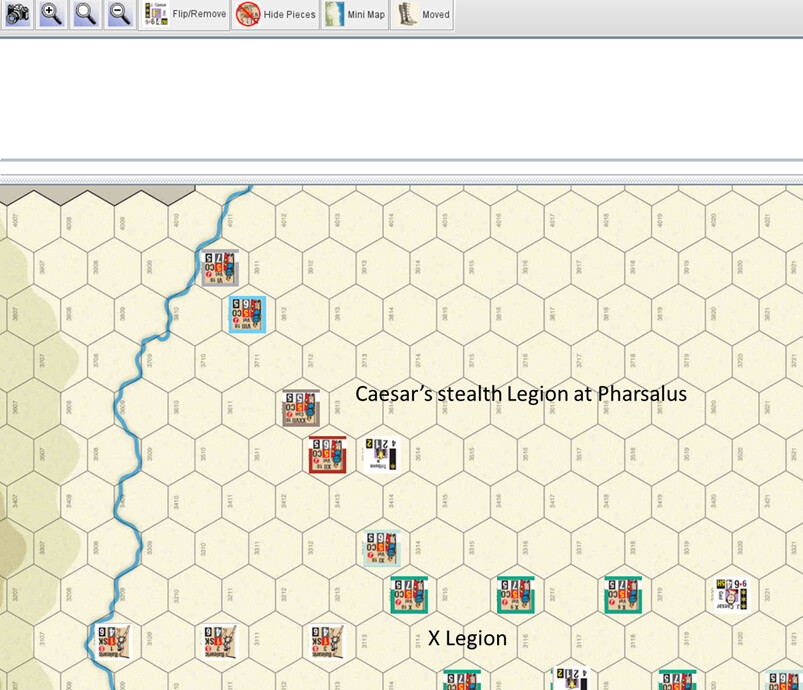
How does the user decide (or can they) where the text is displayed? If I wanted to freely add the following labels at the below locations, does your solution allow for that?

Right now text positioning is really simple: it creates text towards the right from where your mouse cursor is (similar to how text boxes work on paint/gimp). This means you can approximately choose where the text goes, but it doesn’t snap to any grid, nor it can be moved

1 Like

Thank you for your suggestions, I’ll try this approach in the following days. What I’ve done with this script is more of an idea than anything else, so I know there is much to improve.

You are absolutely right. I define myself as a “noob” when it comes to working with forums or online projects, so I didn’t think about using GitHub.

Thanks again for your help.

Cheers

I’ve just released everything on GitHub, including a new version which incorporates the suggestions from cholmcc: GitHub - GreifMax/Vassal-Drawing: Vassal Java scripts which allows users to draw and type text on map windows

1 Like