I do have a personnalized, working module, with armies and maps.
I would like to define a number of scenarios, for the game i am developping. The idea is for the players to chose a map, a scenario, and the objectives of the scenarios appear as an overlay on the map, depending on the chosen scenario.
Is that possible on Vassal 3.7 ? I saw an old 2018 post asking about this, without answer.
There are several ways to go about what you are asking for depending on how in depth the objective information needs to be and how persistent the information needs to be.
-You can place ‘At Start Stack’ pieces on the map with artwork that identifies the objectives and can be removed or hidden with a hide pieces button.
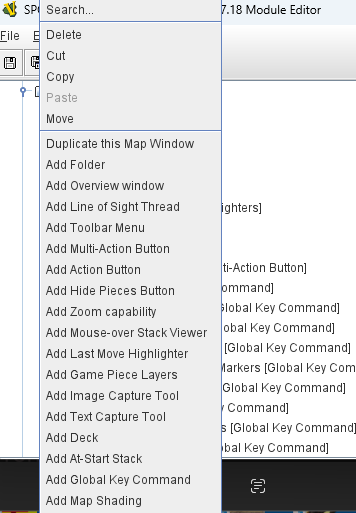
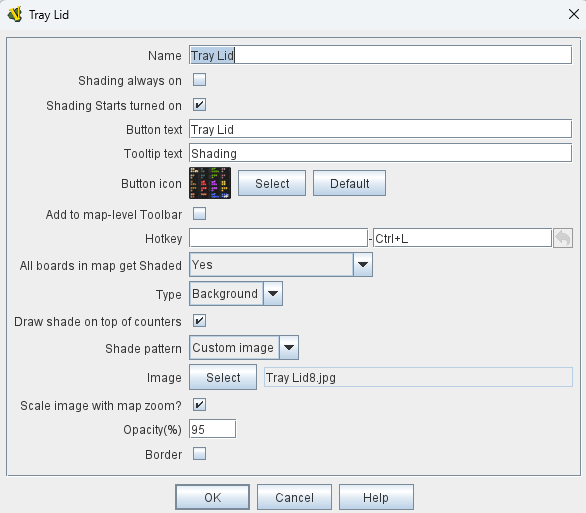
-You can create an overlay by adding a ‘Map Shading’ to the map which can sit above the game map as a transparency with only the objective information visible. The Map shading can be turned on and off as needed. To create a map shading effect, right click on the Main Map that you are using and select shading.
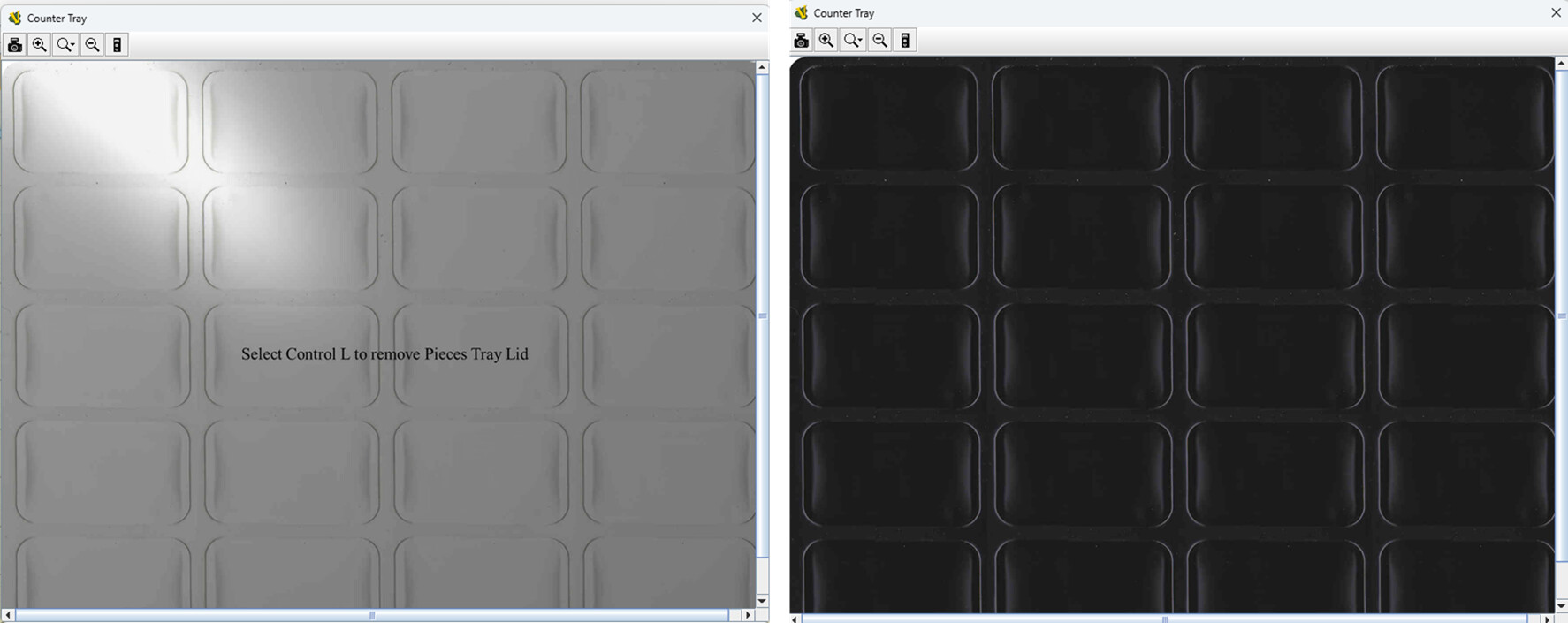
This is an example of how I use map shading to create a simulated plastic counter tray with a ‘plastic lid’ that can be removed to reveal the contents of the tray.
Once you master this, you can see how a temporary shading effect can be great at creating overlays like you are describing.
To see the map shading effect in action, you can download the Great Battles of Alexander Expanded Deluxe Edition at Great Battles of Alexander Click on the Tray Button next to the die roller.
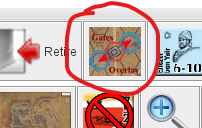
A more in-depth example ad probably more similar to what you are trying to achieve is on the Siege of Jerusalem module at Siege of Jerusalem Several examples of the At Start Stack option and map shading are used. Once loaded. Click on this button
place pieces where they should go according to the scenario
switch sides to <observer>
save the current game state to a .vsav file
Then, you import the .vsav into the module using the module editor as a Predefined Setup
If the choice of board is dictated by the scenario, then you could follow the above approach, and place specialised markers as the pieces on the board before saving. Note that you can use Game Piece Layers to put the objective markers on a different layer from the game pieces.
If the choice of board is independent of the scenario, but the board always has the objectives in the same place, then you can place At-Start Stack with objective markers - using Game Piece Layers - in them. Scenarios are then generated as above. Of course, this means you will have N × M saves, where N is the number of boards, and M is the number of scenarios.
If the choice of the board is independent of the scenario, and the scenario dictates the placement of objectives, then you can again follow the above procedure, and you will again have N × M saves.
Note that saves can become quite big, so it could be a problem to have a large number of saves in your module. In that case, it may be useful to distribute the scenarios separately from the module itself.
Game Piece Layers are tied to a Map Window, though different maps can have the same layers and pieces will be on the same layer on all maps that contain that layer. Layers are not tied to Map Boards, so you would define the objective layer on the map and not the different boards.
First, maps are not saved. The selection of Map Boards is saved.
Second, Map Shading, as proposed by @clanmacrae, are simply semi-transparent images put on top of a Map Window - and not tied to a Map Boards. Map Shadingcan be tied to active game pieces to render effects on top of the board based on the position of a piece or pieces.
I think what you mean by “the objectives of the scenarios appear as an overlay” is best captured by Game Piece Layers rather than Map Shading, which is really designed for dynamic hightlighting and similar.
Perhaps, to better help you, you could answer some questions
Is the selection of a board dictated by the selected scenario? That is, if user selects scenario A, then board a must be used.
What dictates the location of objectives that you would like to put in - the scenario or the board? That is, if user is playing on board a, then objective O is always at the location o? Or, is a user is playing scenario A, then objective O is always at the location o (no matter what the board is).
Or are the locations of the objectives defined in some other way?
Depending on what the answers are to these questions, it will inform how to best go about it.
Your can set-up commands to place stuff on start-up, but it can quickly get a little hairy - especially of commands should do different things depending on which scenario or board are chosen.
As Christian notes, with the At Start Stack/Game Piece Layers method you would have the multiples of the scenarios X maps. That seems like a lot of work, but probably is not that much overall and would definitely be less memory intensive on the module than the multiple shades version which usually means that you are loading a full-sized graphic the same size as the basic level map despite being mostly transparent.
Note that with either method, you can control the ‘overlay’ visibility through a command that turns the objective(s) on or off during game play.
Hello, both of you, and thank you again for the quick answers
I’m understanding better what you’re trying to explain to me ! So, to answer your questions :
the board (background on which i play) is not dictated by the scenario. Multiple ones are created by players btw, so very hard to re-do every 18 scenario objectives on every new map.
the scenario dictates the location of objectives on the board, whatever the board is.
So as i understand it, “map windows” are just the different heads up of my module ? The board is only on one of them. I can configure an “at start pack” option on the “board window” with the different layers corresponding to the scenario ?
Sorry for being slow, and again, thanks in advance for your answers
Is there a reliable way to place the objectives on any given board? That is, if I want to place objective O in the location o can I be certain that location o always exists? That is, can I send a piece to location o with a Send to Location trait on objective piece O?
If that is the case, then you could define a Global Key Command - say Place objectives that sends a command to objective piece O that triggers the Send to Location trait. Users would then execute that command once they have chosen their boards.
It sounds like your game setup flow is something like
Start the module
Select the boards you want to play on and arrange them - say boards B1 and B2 besides each other.
Select side
Now in the module proper
Somehow choose the scenario
place pieces and markers on the boards, including placing objectives
Play the scenario
This is not really compatible with the usual notion of scenarios as done with Predefined Setup since the flow in that case would be
Start the module
Select the scenario (load a .vsav file - external or embedded in the module)
The scenario has already chosen the boards and arranged them
The scenario has already placed pieces and markers on boards.
Select side
Now in the module
Play the scenario
So what you need is
Some way of choosing the scenario from the module proper (after the start-up wizard has run)
Some way of placing pieces and markers according to the scenario.
Valid options: [Breeze over enemy,Wind over enemy,Storm over enemy]
Send hotkey on change: ScenarioChoice
The hotkey ScenarioChoice is then picked up by a Global Key Command in the module, which then delegates that to some hidden piece on the boards. The hidden piece then has a number of Trigger Action Trait that delegate according to the scenario - e.g.,
TriggerActionTrait
Key: ScenarioChoice
Action keys: [PlaceForBreeze]
expression: {Scenario=="Breeze over enemy"}
TriggerActionTrait
Key: ScenarioChoice
Action keys: [PlaceForWind]
Expression: {Scenario=="Wind over enemy"}
TriggerActionTrait
Key: ScenarioChoice
Action keys: [PlaceForStorm]
Expression: {Scenario=="Wind over enemy"}
and the PlaceForX commands then places the pieces and markers on the boards.
Another option is to place all possible pieces and markers on all possible boards at any possible start-location (At-Start Stacks), and then, when they receive the ScenarioChoice command, remove (or ide) themselves if the global property Scenario does not match their start location. Note, a piece place in one At-Start Stack is an entirely different piece from a copy of that piece placed in another At-Start Stack, which means that a marker could have triggers trait a la
TriggerActionTrait
Key: ScenarioChoice
Action keys: [Delete]
Expression: {Scenario!="Wind over enemy"&&LocationName=="0101"}
TriggerActionTrait
Key: ScenarioChoice
Action keys: [Delete]
Expression: {Scenario!="Storm over enemy"&&LocationName=="0201"}
so that that if the user chooses the scenario Storm over enemy, then copies of the marker in the location 0101 will delete itself, but the copy in 0201 will not. The At-Start Stack could belong to specific boards or apply to all boards.
Both options quickly become a lot of code, and both scale rather poorly, but off the top of my head, those are the best options you have, I think, if I understood your flow correctly.