Set up for multiple locations but if I check Affects with 1 only 1 card is sent to 1 location. If I select Affects with All, the whole deck is sent to 1 location. I have STLs for 6 locations and the cards are being sent to only the first location in both situations.
To make sure I understand what it is you are trying to accomplish:
Do you want to issue a single command to a stack or a card in a stack, and then have N copies of the card be sent to N locations, or do you want to draw N distinct cards and send each card to a separate location?
In the first case, you probably need to make N-1 (N if you want the card to stay in the deck) clones of the card, and then send those copies to the distinct locations. Since the Clone trait does not allow you to send a key-command to the copies, a better way may be to use the Place Marker trait, as this will allow you to both set a dynamic property in the clone and send a key-command.
The key command to create the N-1 (or N) could be a Trigger Action trait that loops N-1 times, and on each iteration calls the Place Marker trait. The Set Dynamic Property could set some internal property to the loop parameter so that the clone knows which copy it is, and the key-command could be another Trigger Action trait that switches on the internal property and calls a Send to Location, based on that internal property, to go to right location.
Note, the marker to place with Place Marker trait cannot be specified via a BeanShell expression, so each card would need its own Place Marker trait (it can not be put in a prototype).
Let us take the case where you want to leave the card in the deck. Then you could have
- Card
A- Place Marker
- Select:
A - key:
placeClone - Set dynamic property: Name=
CopyNo, value={CopyIter} - Send key command:
sendToDestination
- Select:
- Dynamic Property
- Name:
CopyNo - Is numeric:
true - Initial value:
-1
- Name:
- Trigger Action
- Name:
sendToDestination - Property:
{CopyNo==1} - Action Keys: [
sendToDestination1]
- Name:
- …
- Trigger Action
- Name:
sendToDestination - Property:
{CopyNo==N} - Action Keys: [
sendToDestinationN]
- Name:
- Send to Location
- key:
sendToDestination1 - …
- key:
- …
- Send to Location
- key:
sendToDestinationN - …
- key:
- Trigger Action
- Name:
Destribute - Loop:
true - Count:
N - Loop index:
CopyIter - Action keys: [
placeClone]
- Name:
- Place Marker
A Deck Global Key Command should, if you set number of cards to {N} send to N cards. But there’s no way for the cards to know which number it is, so you’d have to do some more complicated book-keeping via some global property or properties. For example, each command send to the cards may call a Set Global Property trait to increment a counter, and then use a switch like above to send to the appropriate destination. However, the first time it is sent, it should somehow recognise that and reset the counter to 0 or such. This is not trivial.
Perhaps you want a fully fledged Global Key Command that only addresses cards in a specific deck (fast select), and which could be triggered by a user facing Multi-Action Button so that the counter can be reset before the commands are sent.
The real difference between a Deck Global Key Command and a Global Key Command is that only cards in the deck can be addressed in the latter case. A similar effect can be achieved by appropriate filters in a Global Key Command.
Perhaps, if you outline in a bit more detail what is you want to do, then we may be able to narrow it down a bit more.
Yours,
Christian
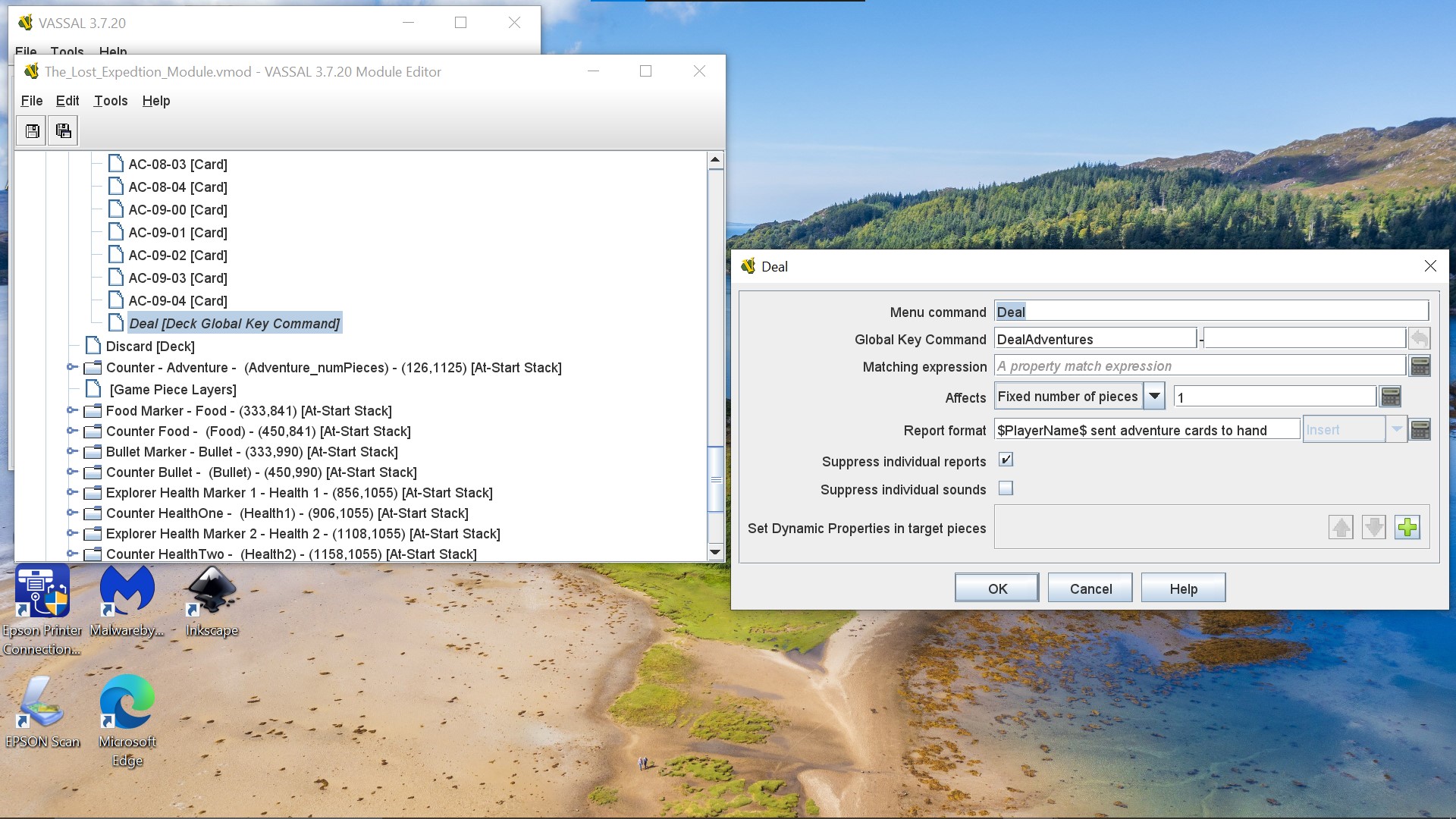
first, set up GKC
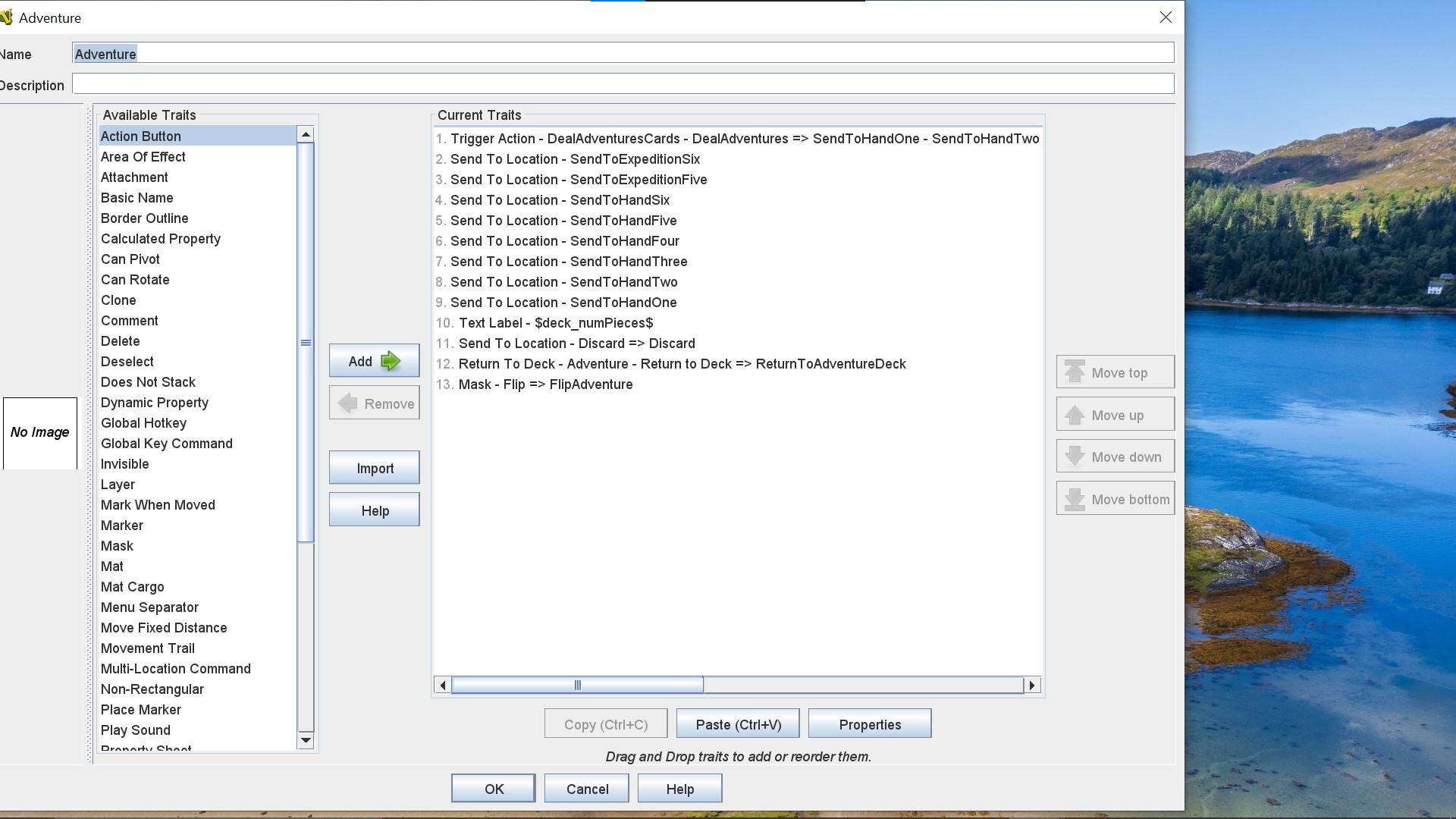
second, set up STLs
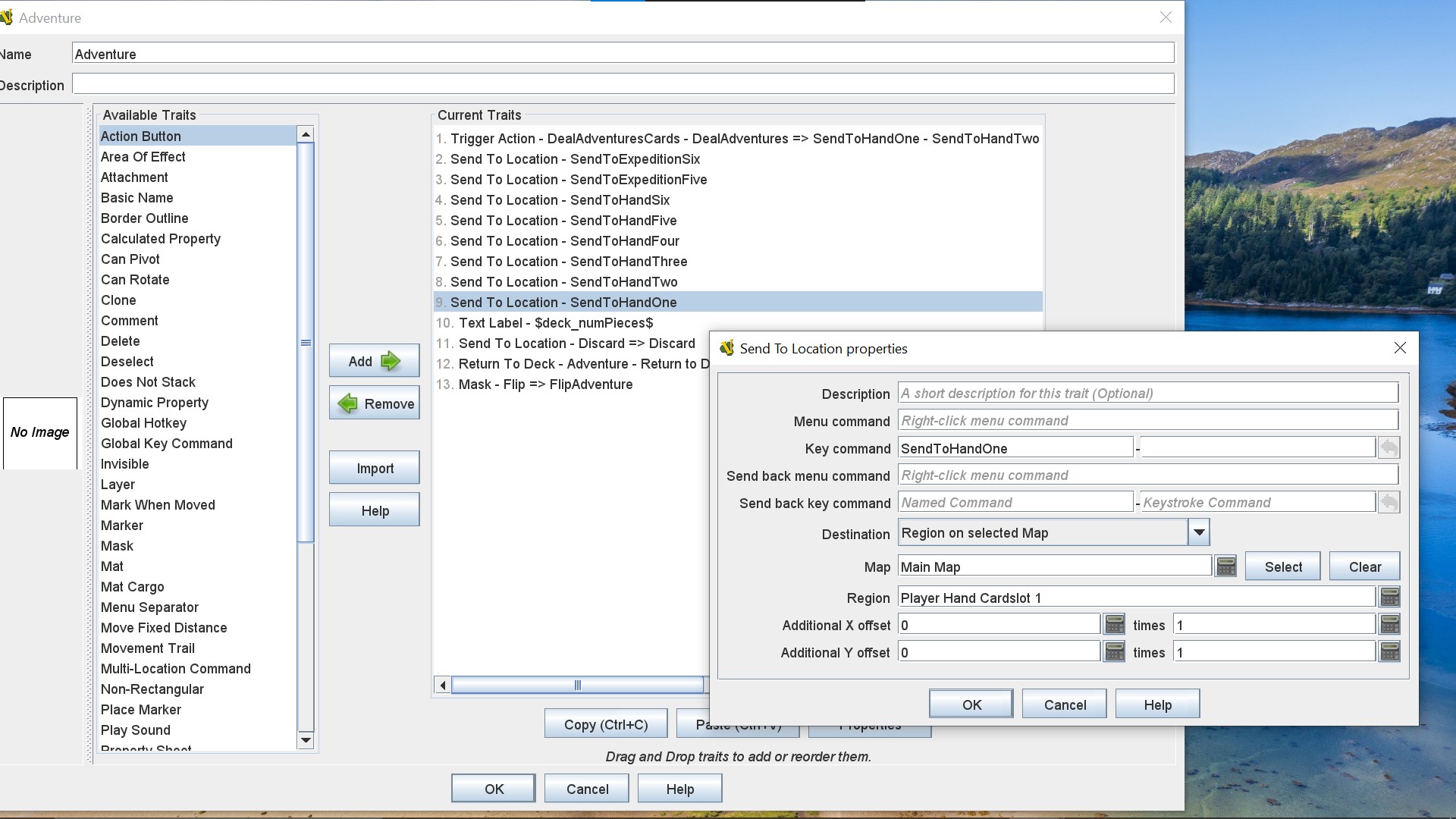

Third, set up triggers
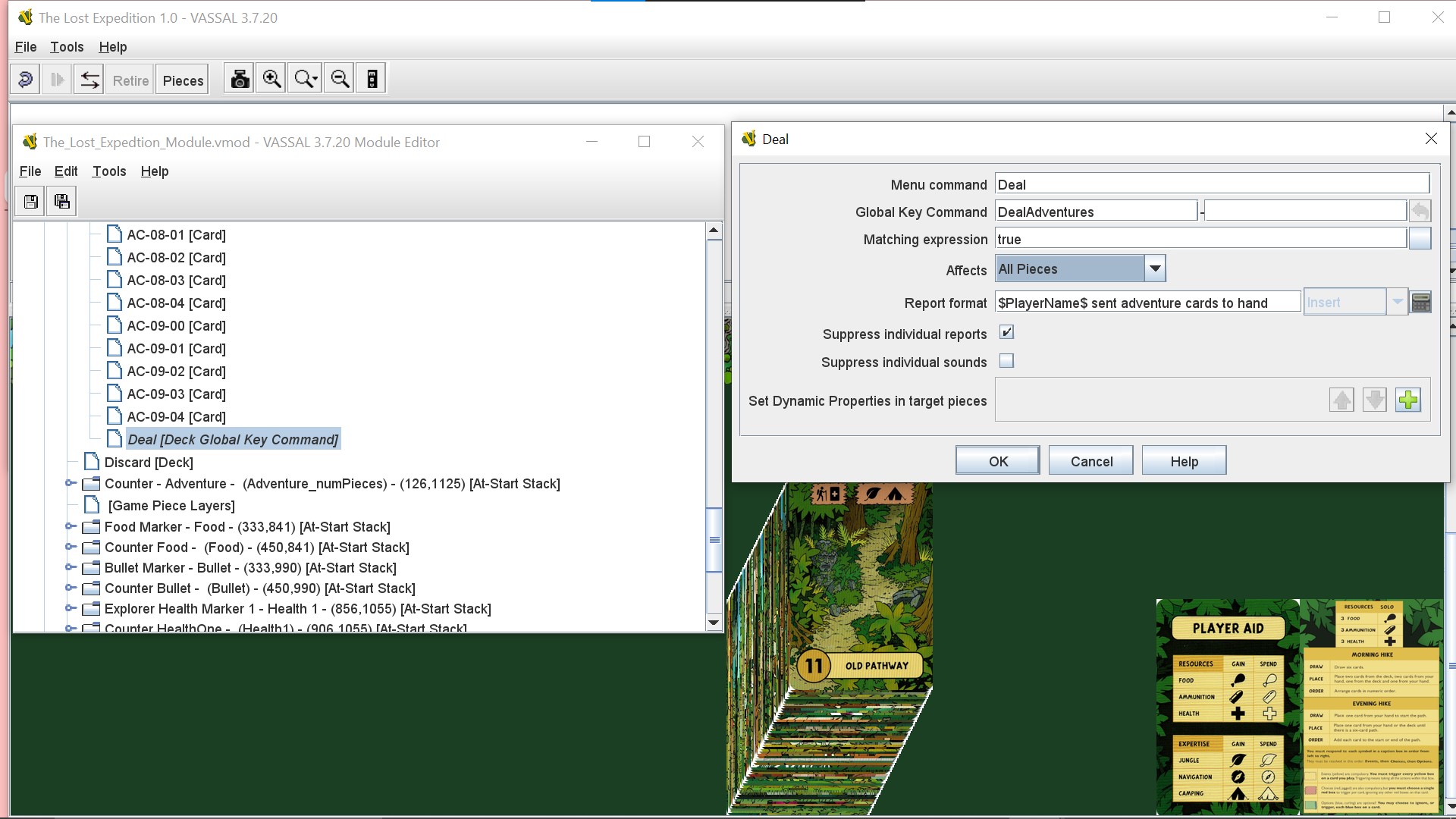
results, if I choose all on Affects The Deck sends the whole deck to 1 Location. If I choose 1 on Affects The Deck sends the 1 card to 1 Location.
I’m trying to right click on deck then click DEAL and make it send 1 card to the 6 Locations I made using STL. Thx for any help
I can do them on a StartUp GKC but each card sent has to have it’s own GKC. Maybe this is not possible to do on a Deck GKC. Maybe you can only send a certain amount of cards to a location or all the cards to a location. Can’t send 1 card each to several locations. IDK
All your cards will receive DealAdventures, which in turn then executes all SendToHandOne through SendToHandSix, and then SendToExpeditionFive and SendToExpeditionSix
Thus, all the cards will end up wherever SendToExpeditionSix send them. If you want the cards to end up in different locations, then you have to somehow propagate some sort of index to the cards so that they will only execute the Send to Location trait where it should go. That’s what I outlined above.
Am I correct in assuming that what you really want to do, is
- User presses a button or select a command from the deck.
- The cards in the deck are possibly shuffled
- The cards are then, one by one, dealt to 8 different locations, effective as if a dealer was dealing cards to 8 players - one card at a time.
(It was this kind of narrative I was looking for when I asked you to specify what it is you are trying to accomplish).
Yours,
Christian
yes you are correct.
I ended up using the drop down menu for the deck in my furnace module and just having to send a card to each location. There was only 7 locations so not too much but I guess it would have been just as fast to drag & drop them. I did use a draw card button in my Star Wars Unlimited Module but trying to figure out a faster way to deal a deck with 1 click seems like more of a headache. I really enjoy making the modules especially with no Java Scripting knowledge and I know sometimes I’m going to run into situation like the one above. But you guys have always helped out and showed me ways to work it out and you don’t really see that too often anymore in other places. So thanks for the reply and looking forward to another adventure soon! Thx Freddie Christian