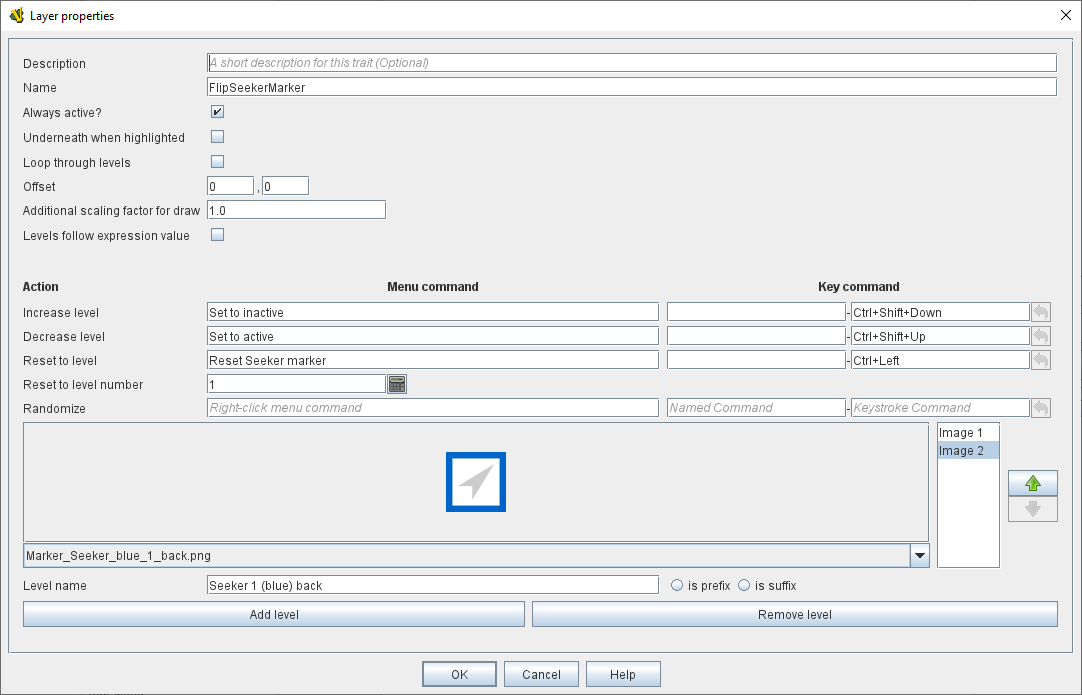
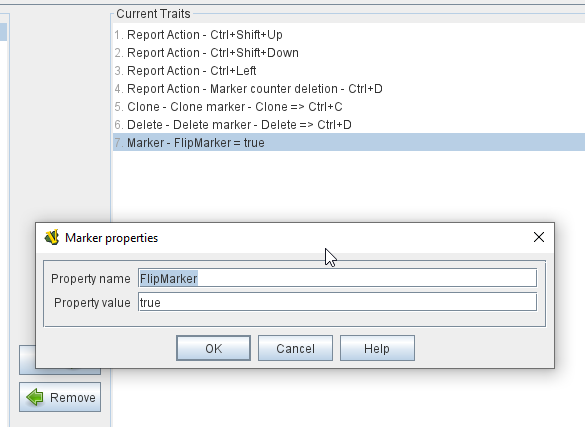
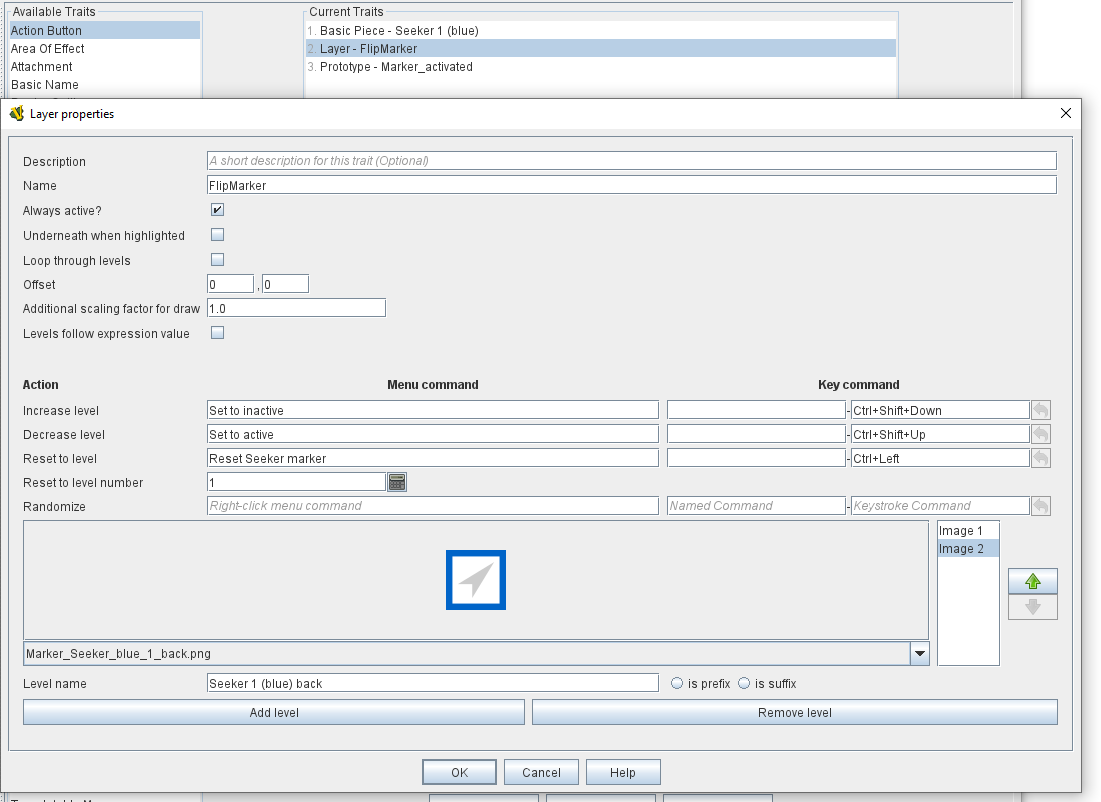
Then I have a marker with a layer that gets flipped to when placed on the map (the marker is “inactive” in-game, so Layer 2). Later the marker gets flipped to the “active” side (which is Layer 1). Below Layer 2 is shown, Layer 1 is the original marker’s image.
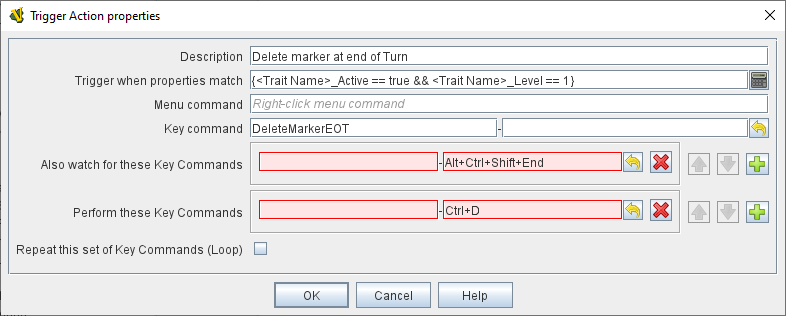
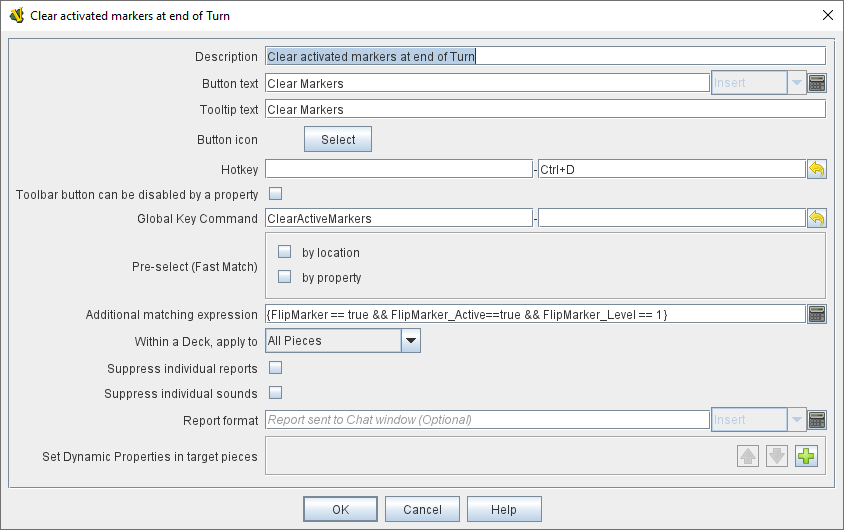
And I am trying to define the Trigger Action for the marker to be deleted if Alt+Ctrl+Shift+End gets triggered at end of Turn, however ONLY for the markers that have Layer 1 visible. Ctrl+D is the keystroke to delete the marker in-game. I am probably doing some syntax wrong or something…
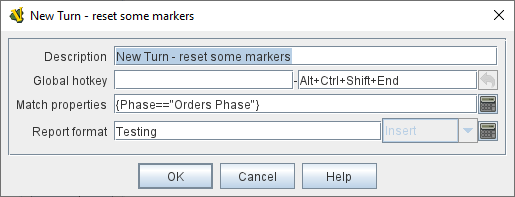
Note that I encoded the condition in the Global Hotkey Command rather than as a Trigger trait in the piece.
No, I don’t think you are, but you’re not using the turn counter element correctly. It is not surprising - that the turn counter hotkey only sends to the module or maps is rather poorly documented (see also this thread).
The Keystroke or Named Command to fire. The module will respond exactly as if one of the players had pressed this key or selected a menu item corresponding to a Named Command.
Note that it says “… selected a menu item corresponding to a Named Command.” That’s the clue - albeit rather obscure.
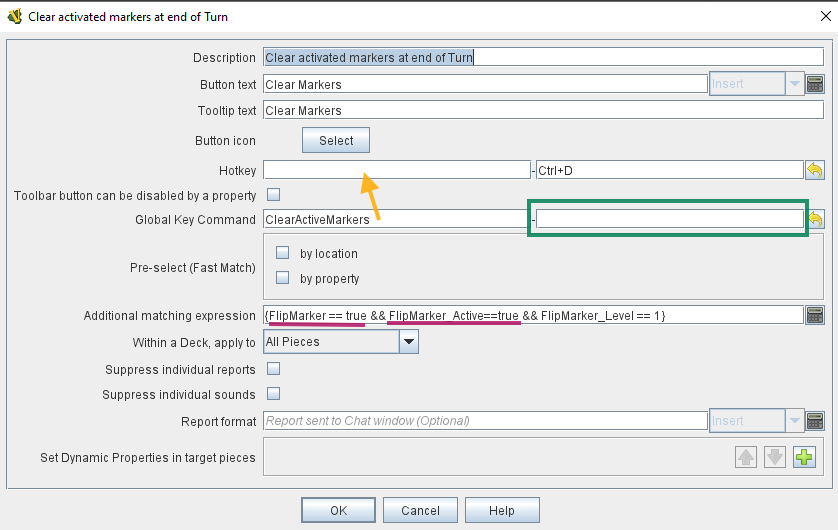
The portions of the match expression I underlined in burgundy are likely unnecessary–your Layer is set to “Always active”, so FlipMarker_Active==true is not helping narrow anything down, it’s going to identify all pieces that have this Layer regardless of which Layer level is showing.
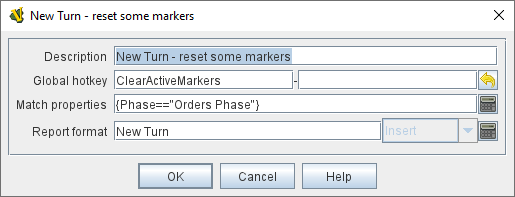
Move ClearActiveMarkers to the hotkey portion of your GKC. The Turn global hotkey you showed earlier is broadcasting ClearActiveMarkers, so you need the GKC to also act on this. In turn, what you put in the green box–this is the command the GKC is now broadcasting to all matching pieces–will depend on what you want to do. I’m a little confused if you want deletion to happen here (Ctrl+D), or the “Set to inactive” (Ctrl+Shift+Down).
As an aside, for things like this that are essentially “under the hood” manipulation of pieces, Named Commands are likely going to make your life a whole lot easier in the long term, because you can style the commands as alphanumeric strings that basically clue you in to the function they’re performing. As the number of pieces and commands multiply, it’s easy to get lost in a soup of combinations of letters with Ctrl, Shift, Ctrl+Shift, Ctrl+Alt, etc.
Thx Joel! Yes, have to shift towards Named Commands as the key shortcuts get confusing fast Have to go through the module and replace anything non-essential (in terms of right-click menues and actions for the game pieces, that can also be triggered by keyboard for convenience) to Named Commands.
 Have to go through the module and replace anything non-essential (in terms of right-click menues and actions for the game pieces, that can also be triggered by keyboard for convenience) to Named Commands.