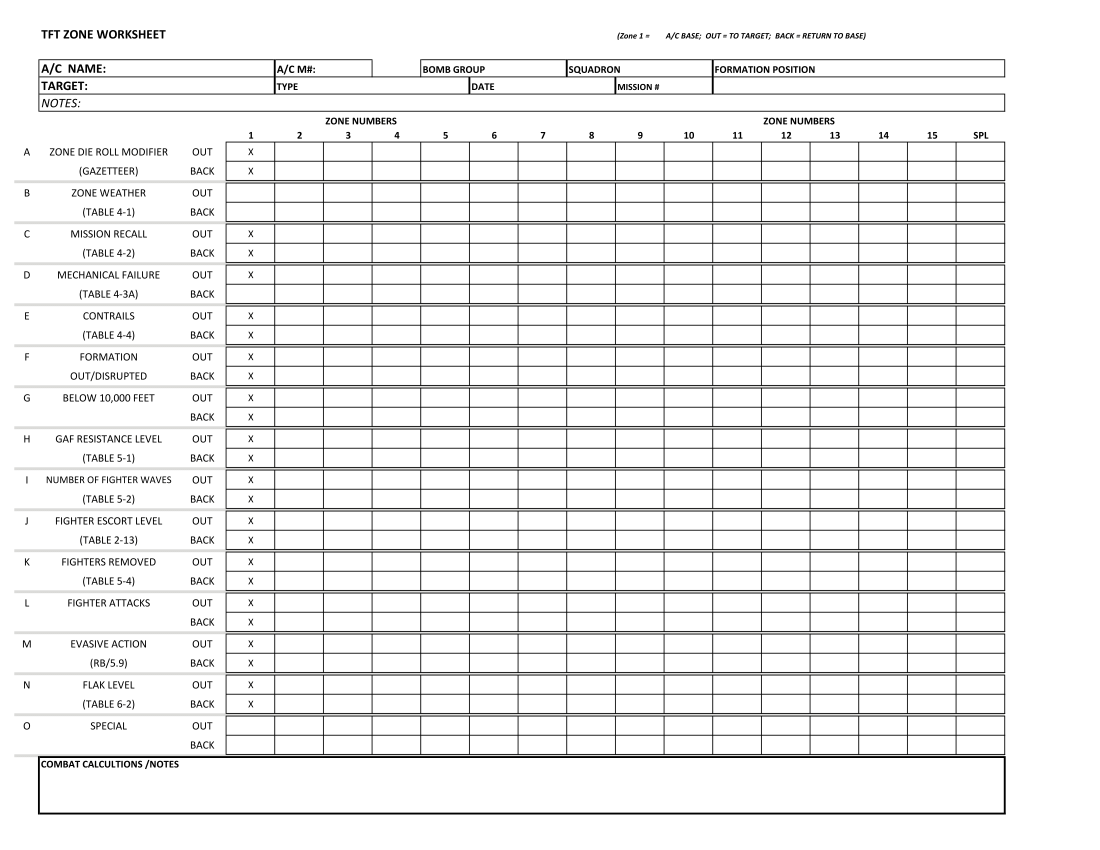
I would like to know how to make an editable log sheet. So that players can enter data on a log sheet during a game. I have looked at modules with log sheets but can’t wrap my head around it.
Hoping for some tips!
Thanks!
I would like to know how to make an editable log sheet. So that players can enter data on a log sheet during a game. I have looked at modules with log sheets but can’t wrap my head around it.
Hoping for some tips!
Thanks!
What information do they need to log? Can it be done with checks, graphic images, or predictable text, or does it need to be individualized text with variable sizes and input? Many options with many solutions.
Can you give an example of what some or all of the entries would indicate? Are they all numbers, or are some words?
The easiest solution is to place ‘at start’ pieces onto the log map for each entry. You can limit the input conditions to what you want, or you can allow the player to input whatever they want.
Considerations:
This is a process that takes a lot of time if you are entering an at start piece for each item, and for multiple log sheets, but, you can duplicate the process for the additional logs once you create the first one correctly.
If you choose to allow the player to enter whatever they want, be aware that an unlimited text string will likely not fit into the image box for that entry.
You can limit for numbers, preset words, images, depending on how creative you want to get.
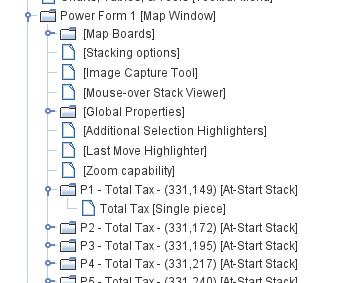
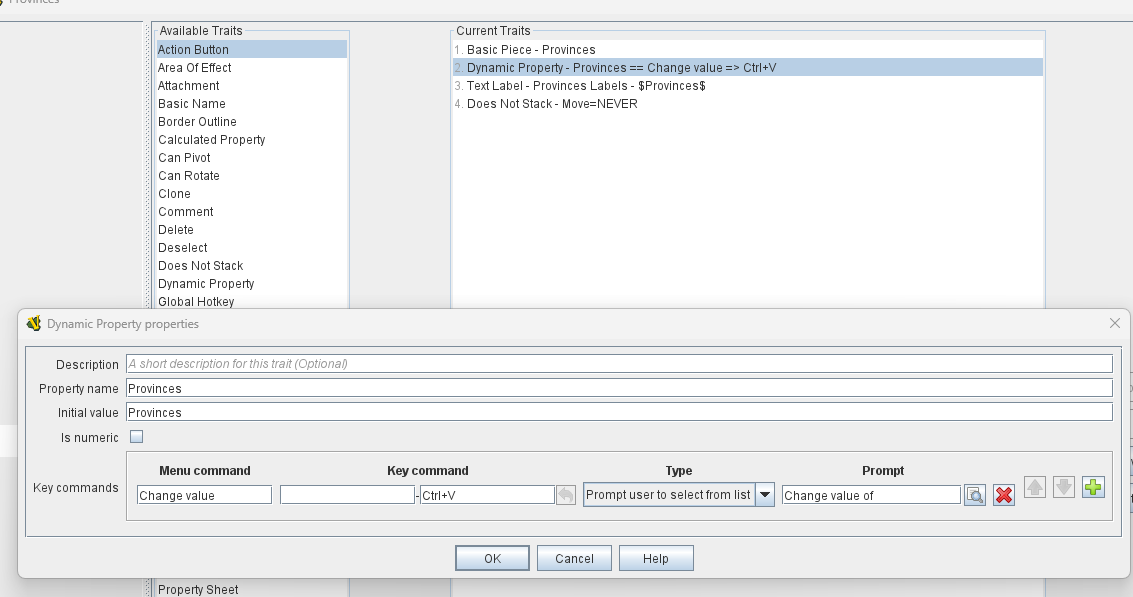
At Start pieces (Note the example P1 and the example Provinces are two different examples of At Start pieces)
At Start pieces on a Map Window used for a editable form
Use of Dynamic Property
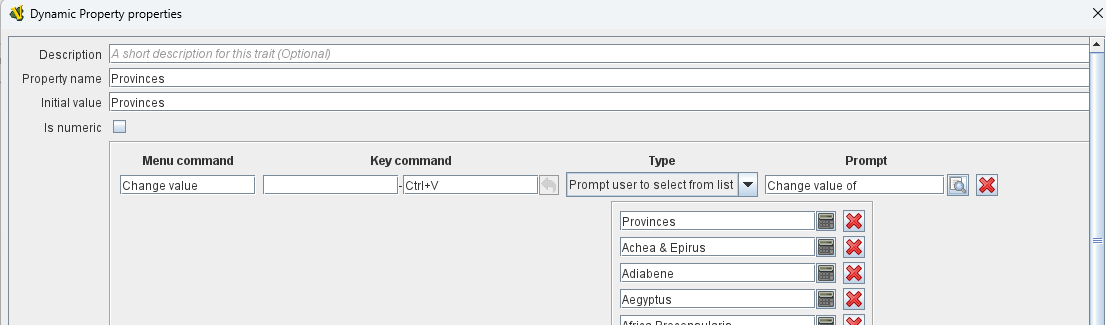
Example of drop-down word list.
Something like what you showed above could be done by
An example of something similar can be found in Battle of the Bulge - Smithsonian Edition where there’s a spreadsheet to track detachments. See also this thread.
Yours,
Christian
A-ha. I have a similar situation. I will be following this thread with interest.
Thanks! Ive managed to put the worksheet log in the VASSAL module. But now I dont know what to do next. From looking at the module I guess blank .png files are used and positioned on the logsheet, to enter information. I don`t know how to position these .png files, on the worksheet. Thanks in advance
Perhaps you could post your module somewhere (say Google Drive, Dropbox, or similar), so that someone may pick it up and give you advice.
The pieces do not necessarily have to be blank. It really depends on what you want to enter into the table. If the information is fixed - say A, B, C, or D, then the pieces could use Layer traits. If the stuff to be entered is supposed to be free-form, then a Text Label trait would probably work better.
If your sheet cells are roughly of equal size, you can use a Rectangular Grid to place the pieces in the table. Otherwise, you could use a Irregular Grid.
To add the pieces, you will use At-Start Stack in the parent Map.
Take another look at how it is done in Battle of the Bulge - Smithsonian Edition.
Yours,
Christian