I noticed that my published module for Brief Border Wars, when played on a more current version of Vassal, has started to generate a bad data error message:
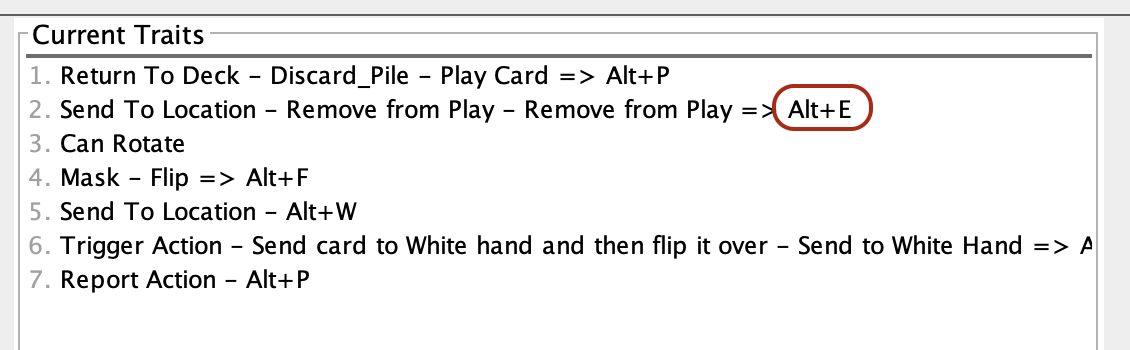
Bad Data in Module: Piece: White 7C3M Trait: Send To Location - Remove from Play - Remove from Play => Alt+E Source: Zone=Side 1 Dead Pool Error: Zone not found.
This is generated when I have dealt cards onto the table and right click a card with the intent of sending the card to the private hand of one of the players.
When I inspect its Prototype Definition (White Card or Gray Card), there is no trait that uses the Alt-E command.
The module seems to work fine otherwise.
Any ideas of how to resolve this problem? Also, I have been away from module development for at least two years and am a bit rusty.