For your specific purpose - to add another board to an existing module - I think your best option is to define a new Extension to the module.
First, you need to make your new board graphics. You can start from the existing graphics in the module if you like.
-
Unzip the module (see Managing Module Files for more on how to do that.
-
In the images directory of the unzipped module, you will find the file
Double_board.pngWide_board.pngBasic board.pngBasic_board.pngEdgehill_board.png
These are the images used in the module for the existing boards.
-
Pick one of the above images and open it in an image editor (see Graphics tools)
- Edit the image to your hears content and save it to a file - say
Deep_and_Wide_board.png.
- For an alternative, see below
Now in Vassal
- Load the module For King & Parliament into the Vassal Module Manager - if you haven’t already.
- Do not start up a new game. Quit the game as soon as possible.
- In the Module Manager, right click For King & Parliament and select
New expansion ... from the menu.
- This will open up a new editor window with the For King & Parliament module loaded in.
- However, all elements of the module are grayed out and cannot be editted.
- Locate
Main Map (Map Window) element, and double-click it to expand it.
- Locate
[Map Boards], and right click it and select Add Board.
- A dialog will appear where you can set the name of the new board, say
10x12 (Custom board), and the image of the new board
- Click the
Select button and navigate to where you saved your image file - say Deep_and_Wide_board.png, and then select that file.
- Click
OK to save the board.
- Copy the grid from one of the other boards (double-click to expand the board, right click the
[Rectangular Grid] and select Copy - select your board and paste using Ctrl-V or from the right click context menu).
- Click the
File menu and then Save As ... to save your extension. Give it a good file name that should end in .vmdx - say FKaP_10x12board.vmdx
- Close the editor.
Now back to the Module Manager,
- In the Module Manager, right click For King & Parliament and select
Add expansion ... from the menu.
- Navigate to where you saved your expansion, select it and press
OK
- You will see the For King & Parliament now has a expandable nob next to it, and if you expand that, you will see the expansion underneath the module.
- The next time you start up the For King & Parliament the expansion will automatically be loaded, and when you get to choose the board, you can choose your custom board.
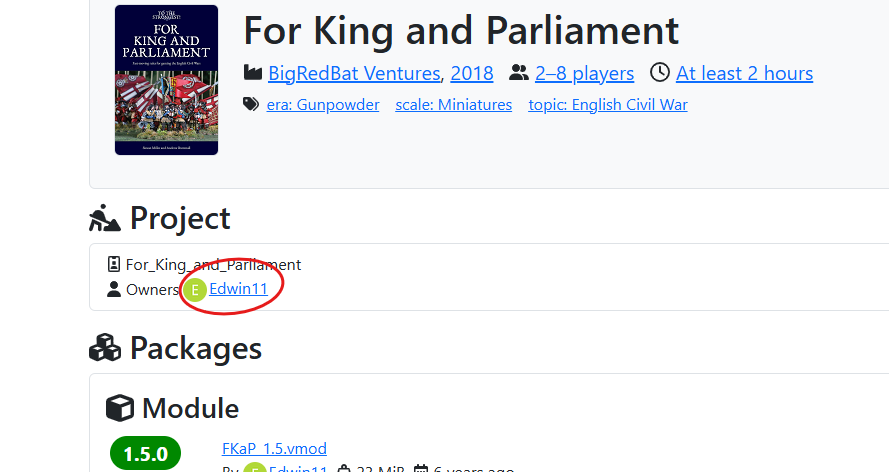
You can then contact the For King & Parliament developer, @Edwin11 (Edwin Shaw), and ask if you can be added as an owner so that you can post your extension, or if @Edwin11 will upload it for you. Alternatively, you can make a new project where you simply host the extension (in that case, may sure you link to the module so that people know what it is for).
Note, the project page refers to a web-site as BigRedBat, which I guess is this one. Perhaps that’s a route worth following - for example this page
Alternative to editing the image
Instead of editing the image by hand, you can use the script
#!/bin/bash

ncol=${1-12}
nrow=${2-8}
out=${3-board.png}
dir=${4-images}
vmargin=100
hmargin=100
marginc="#880015"
cellw=500
cellh=500
linew=5
linec="#7f7f7f"
grassw=800
grassh=800

if test x${ncol} = "x-h" || test x${ncol} = "x--help" ; then
   echo "Usage: $0 [NCOLS [NROWS [OUTPUT [TILES_DIRECTORY]]]]"
   echo ""
   echo "NCOLS and NROWS are number of horizontal and vertical cells, "
   echo "respectively. By default NCOLS=12, and NROWS=8."
   echo "OUTPUT is the output file name. It defaults to \"board.png\"."
   echo "TILES_DIRECTORY is the directory of the grass tiles, and "
   echo "defaults to \"images\""
   exit 0
fi


innerw=$(($ncol * $cellw))
innerh=$(($nrow * $cellh))
outerw=$(($innerw + 2 * $hmargin))
outerh=$(($innerh + 2 * $hmargin))
tilesw=$((($innerw + $grassw - 1) / $grassw))
tilesh=$((($innerh + $grassh - 1) / $grassh))

declare -a tiles=()

for col in `seq ${tilesw}` ; do
    x0=$(((${col} - 1) * ${grassw}))
    n0=$(((${col} - 1) % 4))
    nn=${n0}
    for row in `seq ${tilesh}` ; do
        y0=$(((${row} - 1) * ${grassh}))
        nn=$((($nn % 4)+1))

        tiles+=("-draw" "image SrcOver ${x0},${y0} 0,0 ${dir}/grass${nn}.png")
    done
done

linesw=$(($ncol - 1))
linesh=$(($nrow - 1))
declare -a lines=()

for col in `seq ${linesw}` ; do
    x0=$((${col} * ${cellw}))
    lines+=("-draw" "line ${x0},0 ${x0},${innerh}")
done

for row in `seq ${linesh}` ; do
    y0=$((${row} * ${cellh}))
    lines+=("-draw" "line 0,${y0} ${innerw},${y0}")
done

echo -n "Creating image, please be patient ... "
magick -size ${innerw}x${innerh} canvas:white \
       "${tiles[@]}" \
       -stroke "$linec" -strokewidth ${linew} "${lines[@]}" \
       inner.png

magick -size ${outerw}x${outerh} "canvas:${marginc}" \
       -draw "image SrcOver ${hmargin},${vmargin} 0,0 inner.png" \
       ${out}

rm -rf inner.png
echo "done, wrote image to ${out}"
Save as f.ex. FKaP_makeboard.sh
Suppose you have unpacked the For King & Parliament module into the sub-directory FKaP so that the grassX.png images are in FKaP/images, and you want to make the board image file 10x12.png which is 10 cells tall and 12 cells wide, then you can do
./FKaP_makeboard.sh 12 10 10x12.png FKaP/images
Yours,
Christian