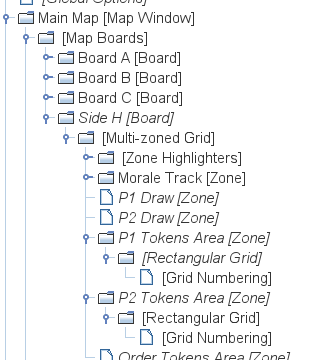
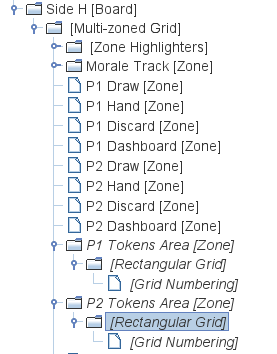
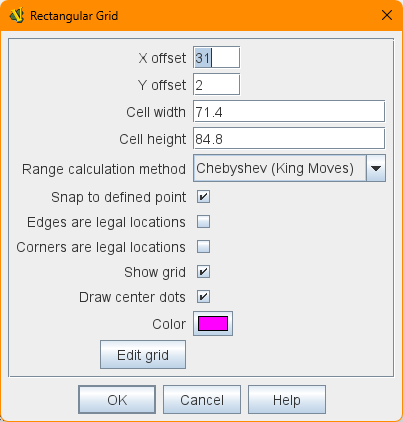
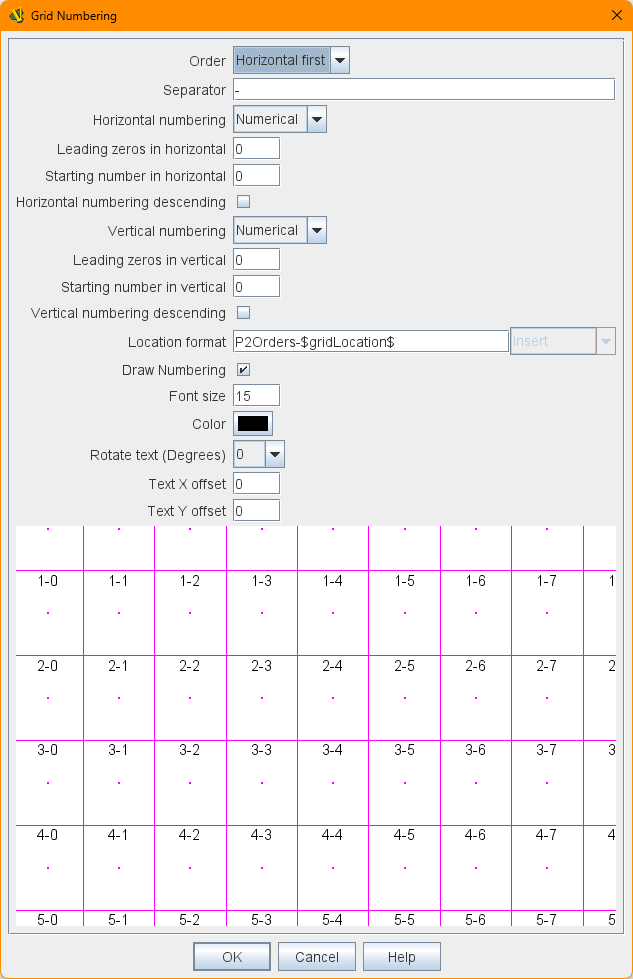
P1 and P2 Tokens Area grid is a 1 row, 7 columns grid.
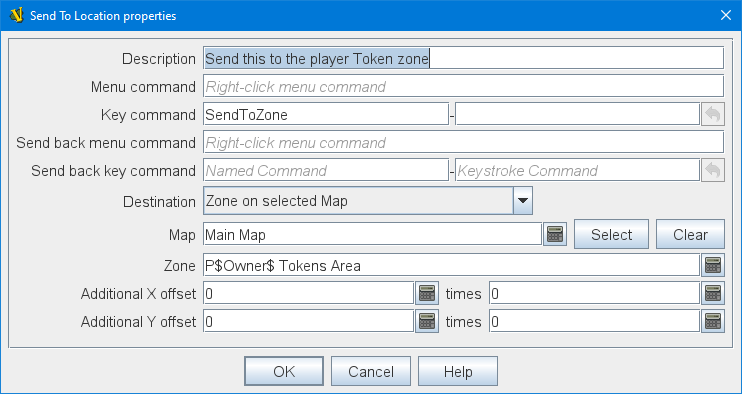
I need to send a piece either on the P1 Tokens Area or P2 Tokens Area.
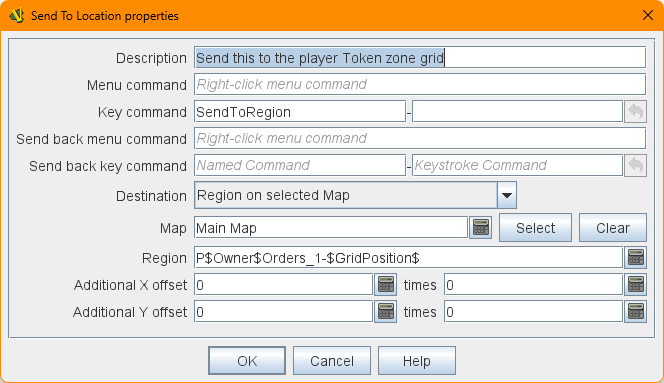
The piece has two Dynamic properties, Owner and GridPosition, which are set before the Send to Location trait.
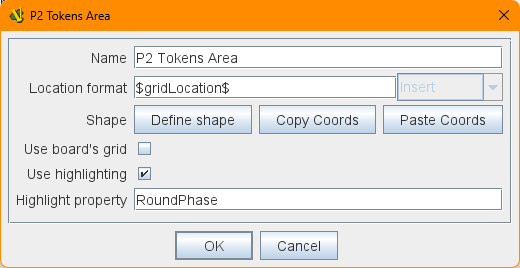
If you make sure your Zones’ Location Format is set to “$gridLocation$”, then you can use the Region on selected Map option of Send to Location. It will also be necessary to modify the Grid Numbering component of each Zone, so that their Location format fields yield unique identifiers (for example, make the Location format for the P1 Draw Zone “P1$gridLocation$“, and then set the destination Region of your Send to Location to “P$Owner$$GridPosition$”).
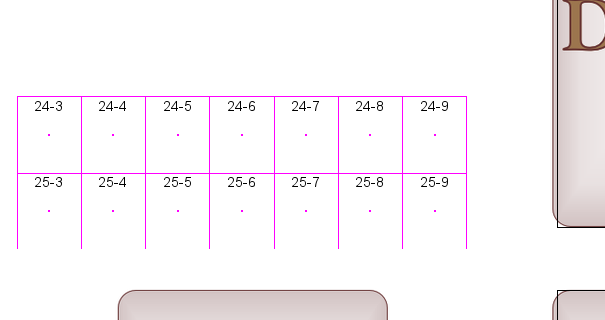
If you are creating a grid inside a Zone the first cell refers to the first cell if the grid was applied to the whole board. You will have to allow for how many cells are between the board edge and the zone edge.
You need to set the first cells to “-23” and “-2”, based on that image.
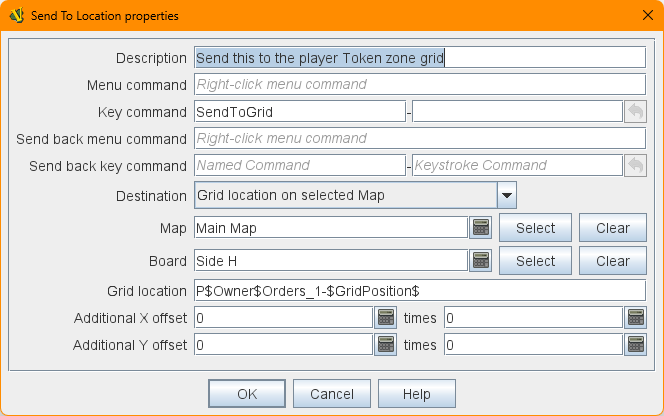
Ok, after a night of struggles, turns out that the right options to use is Grid Location on Selected Map; theRegion on selected Map never works and fires errors like
2025-09-28 09:35:52,384 [27316-AWT-EventQueue-0] WARN VASSAL.tools.ErrorDialog - Piece: Morale Order Trait: Send To Location - Send this to the player Token zone grid - MoveOrderTokenToPlayerArea Source: Region[{“P”+Owner+“Orders_1-”+(GridPosition)}]=P1Orders_1-3 Error: Region not found.
even if moving the piece on grid reports the same exact string (P1Orders_1-3).
Location on Selected Map
uses only the configurations Map, Board, X-position, and Y-position which are pixel coordinates in the chosen board (Map Window and Map Boards). Note that Map, Board, X-position, and Y-position can be Expressions
Zone on Selected Map
Uses only the configurations Map and Zone (Map Window and Zone). Note that Map and Zone can be an Expressions
Region on Selected Map
Uses only the configurations Map and Region (Map Window and Irregular Grid). Note that Map and Region can be Expressions
Any counter, selected by properties
uses only the configuration Property match, which can be a Property Match Expression.
Cycle through counters, selected by properties
uses only the configuration Property match, which can be a Property Match Expression.
Nearest counter, selected by properties
uses only the configuration Property match, which can be a Property Match Expression.
Grid Location on Selected Map
uses only the configurations Map, Board, and Grid location (Map Window and Map Boards). Note that Map, and Board can be Expressions, but Grid Locationcannot be an expression (must be constant).
Because the choice Grid Location on Selected Map does not allow for expressions for Grid Location (sigh!), it is not the right choice if you need to calculate the destination. However, Region on Selected Map should work even if the destination is a Hex Grid, or Rectangular Grid coordinate. Note, however, that the grid needs to be inside a Zone and that Zone’s Location format configuration must contain $gridLocation$. However, it could be that it doesn’t quite work as described.
If you want to take a look, this is a dropbox link to a tiny module that just tests this functioning (open a new game as Observer, then right-click on the token pile and click on “Roll for Order Tokens”)
Yep, according to the docs, Region on selected mapshould work, but apparently it doesn’t (I haven’t tried it myself, so I’m not that surprised). I suppose I should file a bug report.
I also notice that the Grid location on selected Map option input fields don’t match those in the documentation, either.
Testing the above it turns out that you cannot use a Hex Grid, or Rectangular Grid coordinate as the destination “region” of a Region on Selected Map of a Send to Location trait. In other words, if you need a calculated destination, then that destination must be a region in an Irregular Grid.