Thanks for the comments from both of you.
Of course I am also worried about the number of traits but I doubt that it can be avoided in this case. The module is my version of Carrier Battles:Philippine Sea, and the previous version is fast and has gained a lot of positive comments, among other things for the automations I have made.
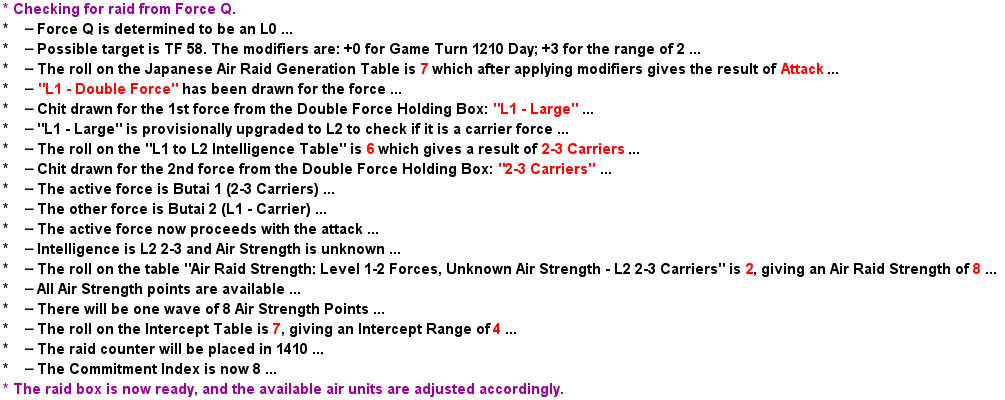
The game is a solitaire game, so a a lot of things is done by die-roll, particularly for the non-player side. Most of this stuff is tedious, and time-consuming, and one the players wrote to me and asked if I could automate the most frequent, and time-consuming part, which is the Air Raid Procedure where it is determined if a Japanese force is conducting an air raid, or not. Japanese forces come in a number of flavours, depending on whether they have carriers, or not, and what knowledge there is of the force, and how that knowledge influences the possibility of an air raid - in short, a force with more carriers is more likely to send out s large air raid than a smaller force.
At first, I added a command that conducted an air raid to the forces known to have carriers (a so-called “Butai’). This worked OK with a noticeable degradation in performance, but not too much. On playing the game, I realised that it would be beneficial to extend this to the other category of forces, namely those that may or may not have carriers. Unfortunately, this involves situations where a single force might turn out to be two forces, and a lot of chit-pulling, and die-rolling is needed to resolve this.
I think there at something like seven different situations of die-rolling, and a corresponding number of tables, some of them large. Hence the large number of traits to relieve the player of several minutes of playing. The tables have all been placed outside the force counters, but they involve a large number of global properties (usually one for each table column).
I have myself thought of increasing speed by moving more traits outside the force counters, because this is what I have done in other modules. There is a lot of stack manipulation (forces have their intelligence level in a separate counter, and for Butais, this counter is placed on a separate display). I used to do this by moving counters to the top or to the bottom, and placing new counters on top of the stack, and so on. This has not stood the test of time, and I have rewritten most of the code to have the four main counters moved away to holding areas outside the map, and to move them back at the end. I am thinking about putting an invisible counter on top of the stack, and have most of the traits moved to that counter. This will make more mundane functions of the forces execute faster, but the the automation itself might not become faster.
Another optimisation that I have only thought of now, os to move the global properties for tables to special invisible table counters that could be called, and leave the result in a global property, or a dynamic property of the calling counter. That might have a positive effect on performance.
By the way, I did make a version of the module where most BeanShell had been replaced by old-style expressions, but there was too many expressions where this was not possible, and no increase of execution speed that I could notice without actually measuring it, so I stick to BeanShell.
The very best I could do, would probably be to compile the automation in another language, but though I am skilled, my skills do not go that far - yet.