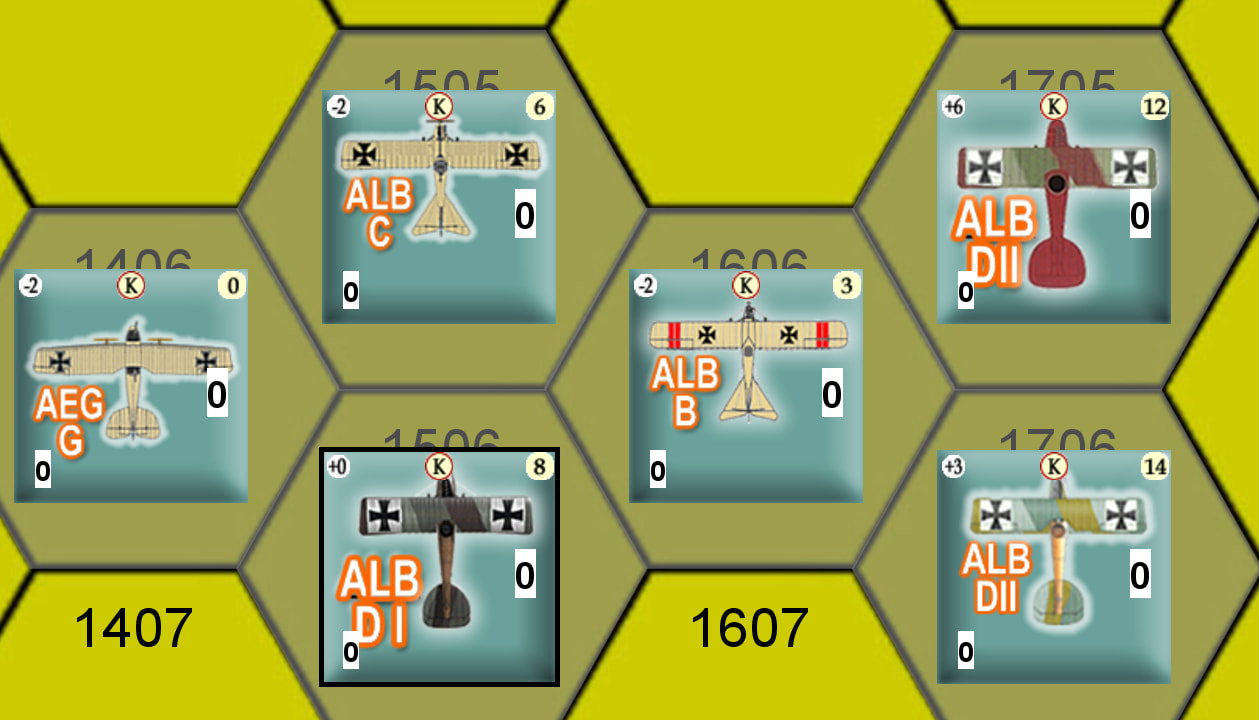
So I hit key the roll and it appears on the counter?
You have several options, depending on your preferences and what your use case is.
-
Use a Layer trait. Enable the option Levels follow expression value, and if the die is called
Dice, then put into Expression the code{Dice_result}Then add a layer image for each possible value of the die roll.
If you need the layers to only be visible when a certain command is sent to the piece, then disable Always active and set Activate to that command.
If you want the label only to be active when a certain property - say
ShowDiceResult- is true, then enable Only show layer if property and put inShowDiceResultand some appropriate value to compare to.
-
Use a Text Label and set the Label text to
{Dice_result}if the dice is called
Dice. If you want the label only to be active when a certain property - sayShowDiceResult- is true, then set Label text to{ShowDiceResult ? Dice_result : ""} -
Use a Place Marker trait for each possible value of
Dice_result, where each referenced marker shows the dice result. Depending on how you want the display to appear, you could need additional Trigger Action traits.For each possible value
XofDice_result, add traits a la- Place trait
- Marker:
Piece Window/sub/directory/Result_X - Key:
placeDiceResult_X
- Marker:
- Trigger action
key:placeDiceResult
actionKeys: [placeDiceResult_X]
property:{Dice_result == X}
- Place trait
-
… and possibly others
Which approach is best, depends a lot on what the module is, what the point of displaying the Dice result is, and how it is used. Perhaps if you gave a bit or information - or even a link to the module, then perhaps we could give you a better recommendation.
Yours,
Christian
What if there will be multiple counters using this feature? It’s an imitative roll to see who moves first for aircraft and there could be duplicates of the same counter on the map. My hope was to have a die result for each counter on the counter itself to save some housekeeping.
Could have a layer that has 6 levels on every aircraft (or whatever number of faces the die being rolled has if not a d6). Each layer is an image of a different die face. Hit a toolbar GKC that sends a command to all aircraft to fire the key command bound to Randomize which layer level is shown.
So you actually wouldn’t be using a dice rolling component at all, but it would have the visual impression of doing so.
Actually its 2Xd6 so 2-12 I have them on the planes in the upper right if anyone wants to take a peak, still not sure how to do this!
Could a use a random function for 2 dynamic properties combine them to get the 2-12 assuming each are 1-6 in value and use it to set the active level for a layer?
As I see it you have two options using a Layer trait.
- In the Layer trait.
- Set the name to
Initiative - Disable the option Always active so that the iniative display can be hidden
- Set the Activate command to
toggleInitiative
- Set the name to
- Add a Trigger Action with
- Command:
Show initiativeor empy if you don’t want it in the context menu - Key:
showInitiative - Action keys:
[toggleInitiative] - Property:
{!Inititiative_active}
- Command:
- Add a Trigger Action with
- Command:
Hide inititiave - Key:
hideInitiative - Action keys:
[toggleInitiative] - Property:
{Inititiative_active}
- Command:
- Add a Trigger Action with
- Command:
Roll initiative- or empty if you don’t want it in the context menu - Key:
rollInitiativeAndShowor some short-cut key - Action keys:
[rollInitiative,showInitiative]
- Command:
Suppose you have 11 images initiative_02.png, initiative_03.png, …, initiative_12.png representing the 11 different outcomes of the 2d6 initiative die-roll. The two options are then
-
- Add 36 layers to the Layer trait.
- Add the image
initiative_02.pngonce - Add the image
initiative_03.pngtwice - Add the image
initiative_04.pngthrice - Add the image
initiative_05.png4 times - Add the image
initiative_06.png5 times - Add the image
initiative_07.png6 times - Add the image
initiative_08.png5 times - Add the image
initiative_09.png4 times - Add the image
initiative_10.pngthrice - Add the image
initiative_11.pngtwice - Add the image
initiative_12.pngonce
- Add the image
- Set the Randomize command to
rollInitiative
- Add 36 layers to the Layer trait.
-
- Add 11 layers to the Layer trait and add the images
initiative_02.png,initiative_03.png, …,initiative_12.pngonce each.- Set the option Levels follow expression value, and set the expression to
and set Level 1= to{InitiativeRoll}2.
- Set the option Levels follow expression value, and set the expression to
- Add a Dynamic Property trait with
- Name:
InitiativeRoll - Numeric:
true - Commands:
-
- Command:
Roll initiaitive - Key:
rollInitiative - Mode:
Direct - Expression:
{Random(6)+Random(6)}
- Command:
-
- Name:
- Add 11 layers to the Layer trait and add the images
Now you can add a Global Key Command to the map or module
- Global Key Command
- Button text:
Roll initiative - Button icon:
initiative_icon.png - Button key:
Alt-I - Global key:
rollInitiativeAndShow
- Button text:
Whenever the Roll initiative global key command is fired, it will send the command rollInitiativeAndShow to all pieces, which will then randomly roll 2d6 and show the corresponding layer on them. The layer can be hidden by the command toggleInitiative.
You could for example have a Turn Counter that on each Initiative phase invokes the Roll initiative command so that upon entering that phase, all units roll for initiative.
Note, in the first option, the property Initiative_level will the equal to the initiative roll minus 1. In the second option, the properties InitiativeRoll and Initiative_level will be equal to the initiative roll.
Yours,
Christian
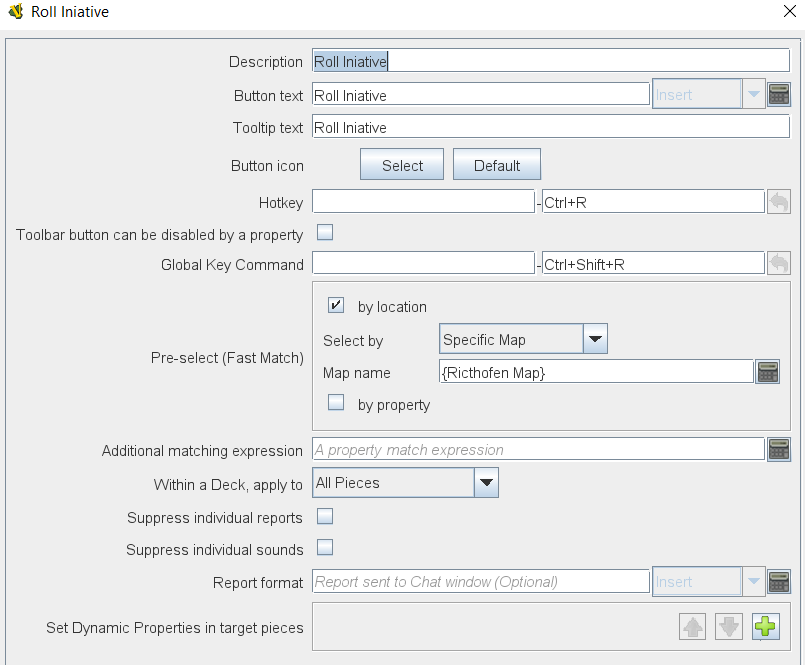
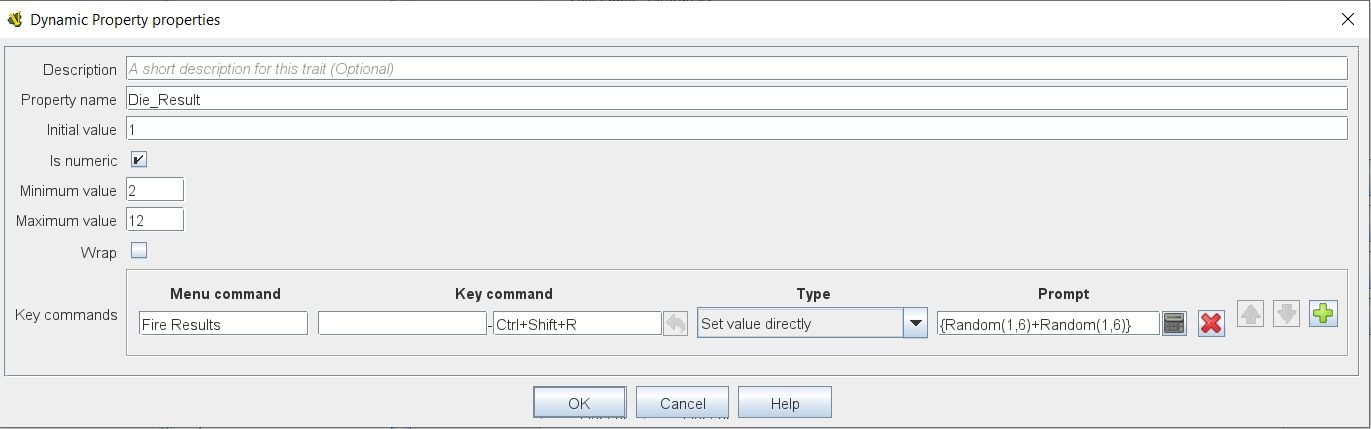
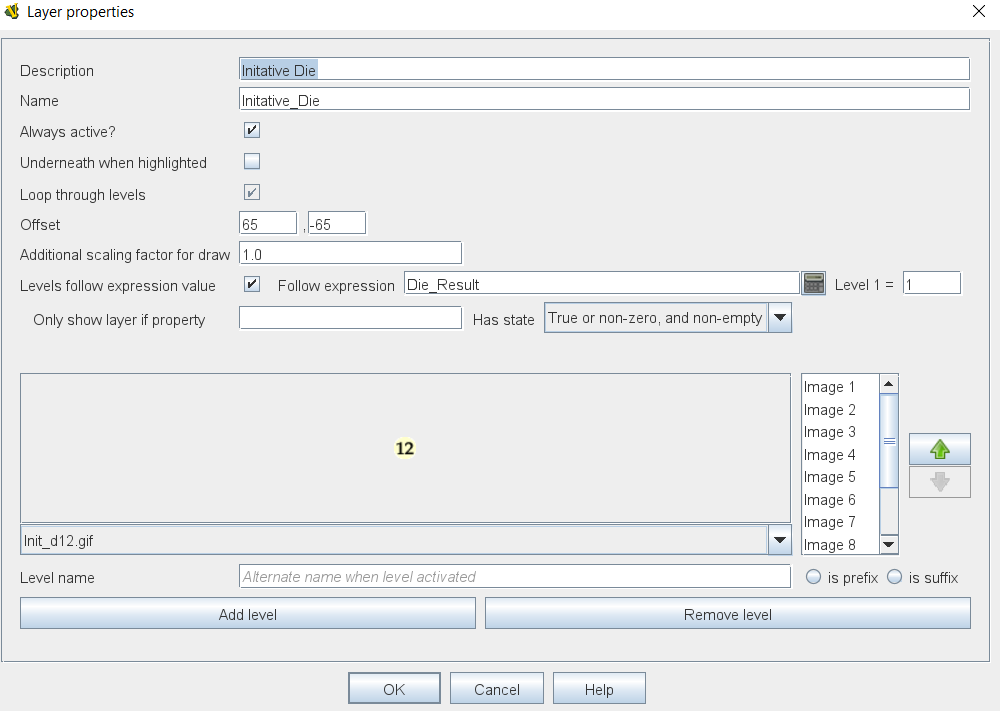
You’re welcome.
Please remember mark the post that answered your question - possibly your own - only you, as the original poster, can do it. I will help others find solutions to similar problems.
Yours,
Christian