Hello all,
I am having some difficulty in getting piece trait and decks to work correctly. I am working on a GBACW module for a playtest of an upcoming game in developement. I used an existing GBACW module as a starting base and adjusted pieces and maps for the the new module.
I have a piece called Control with a Report Action set to fire with CTRL-F. The same key command that loops through 3 lays of a Layer named Change Control. It does not fire with the CTRL-F. I changed the report format to just plain text and gave it a different key command and it still does not fire. Itis a non-stackable piece and I do have it selected when I execute the CTRL-F key command and the Change Control layer performs correctly and cycles through the layers. I have tried deleting and recreating it without success. I am probably missing something easy and obvious but it escapes me. Below are screen shots of the Piece traits and Report Action dialog boxes. Below that is a more perplexing problem that I suspect is related.
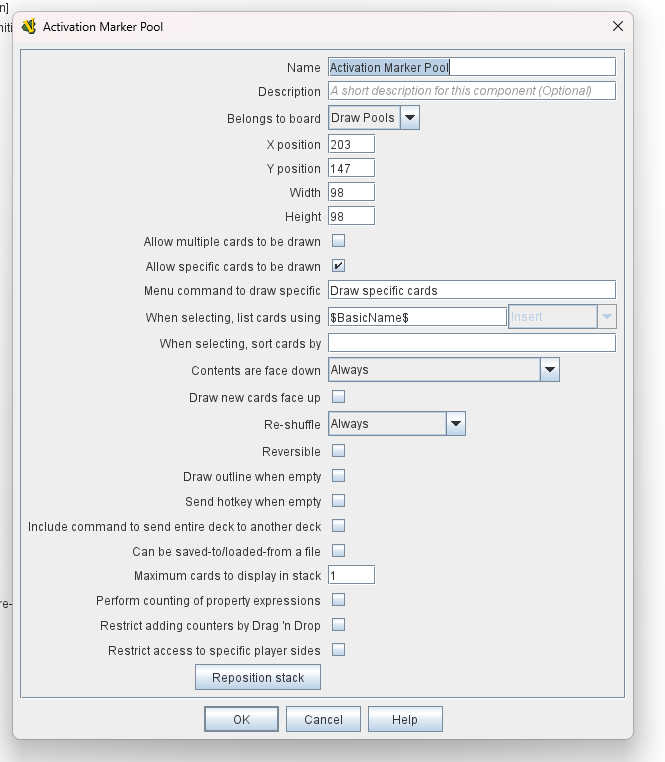
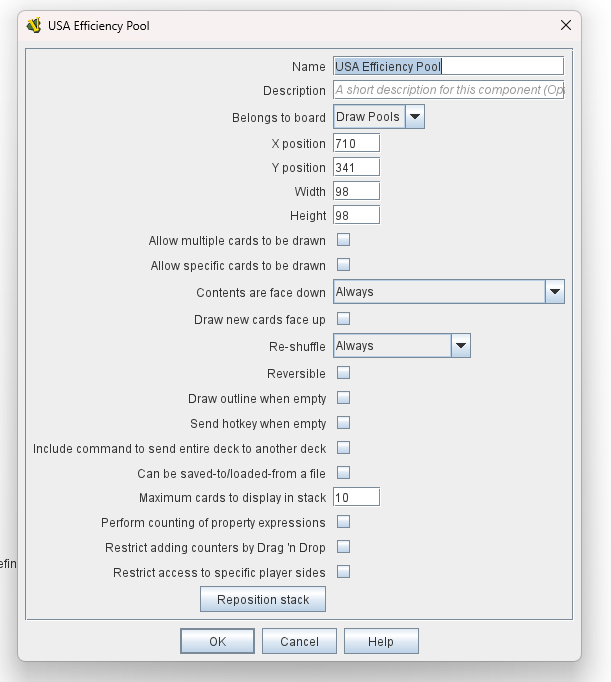
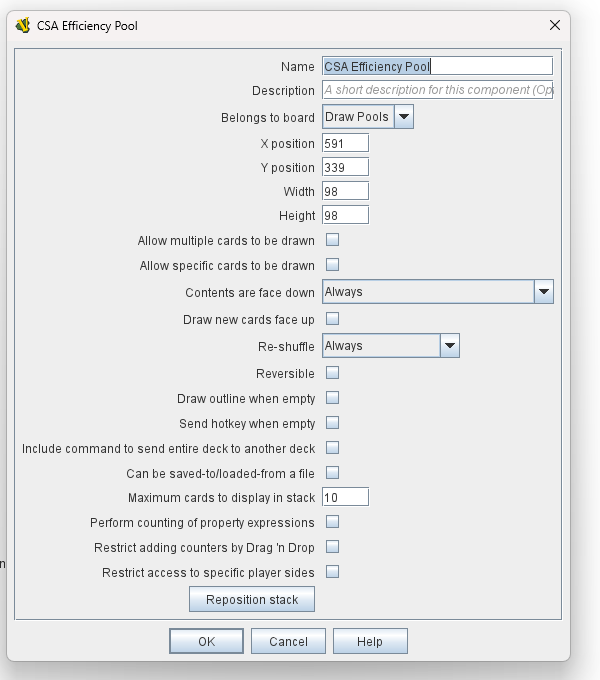
The next issue is with a Map Window that I am using to hold the draw pools using Decks. At first, I just tried to update the existing draw pool Map Window but that was not working correctly. I deleted it and added a new Map Window. When I added a Board a Multi-Zone Grid and Decks some of the old Decks from the deleted Map Window appeared on the Board. I thought that since I was using the same naming conventions that might be causing me problems. I deleted the Map Window saved the module and recreated the Map Window with completely new names. That eliminated the old Deck remnants but when I added the Decks to the new Map Window they are not showing up when the window is opened in the module. Going back to the Deck definitions they all have the deck position defined on the Board.
Again, it is probably something simple I am missing but I can’t find a solution. Below are screen shots of the Map Window tree and the Decks So what the heck am I doing wrong? Thanks in advance for the help.
Mike
Since you are using an existing module as a starting point, I must ask–when testing your changes, are you loading any predefined setups in that module?
By far the most important principle to understand when editing modules is that there are a host of changes that cannot by default be applied to predefined setups that were created prior to the edits.
If your changes are very substantive–things like adding new map windows, changing their names, adding/moving decks, things like that–the most reliable way to test is by not loading a predefined setup at all.
Failing that, you can either load an existing predefined setup and use the Tools → Refresh Counters feature on it, or in the Editor use the Tools → Refresh Predefined Setups feature to bulk update any setups in the module and hope to get them to incorporate all edits and new bits.
You can check for this.
When you recreate new boards with existing at start counters or decks you have to go back and tell the at starts and deck which board they belongs to. In not sure if your Draw Pools are the updated ones. Even if they have the same name, I would reselect them.
Joel,
I was testing with a predefined setup although not from the copied module but one that I created. I ran the Refresh Predefined Setups tools and it didn’t find any Decks to update even though there are three of them defined. The update did not fix the issue so, since this is early in the process, I just deleted the predefined setup. When I open a new game the Decks are now working correctly. Thank you for the response. The Report Action still does not work even creating a new game and a new piece.
clanmacrae,
Fixing the issue that Joel pointed out fixed the Decks problem but I still followed your suggestion to make sure I touched all the bases. Thank you for the response.
Mike
New wrinkle. After following Joel’s instructions I delete and recreated the Control Piece. This time the Report Action works as expected. I tested it when the Invisible trait was at %100. However I have an Invisible trait that is set the 30% opacity. When at 100% Opacity the Report Action works as expected. When I change it to 30% it does not.
This piece is used to mark a victory location and who controls it. I find that regular counters are obtrusive and that a 30% opaque small flag gets the job done with out being in the way. I wonder why the Report Action will not work when the invisible trait is at 30%.
Mike
If you want pieces to be translucent for usability/clarity reasons, it’s likely better to manipulate the actual image itself (make sure it uses a format like PNG that natively supports transparency) with the alpha channel settings you want.
The Invisible trait’s position in the trait stack relative to the Report Action trait can matter. If you currently have Invisible below the Report Action, try reversing them.
Only use Invisible if you are wanting its actual effect–making something hidden from an opponent while retaining your own ability to see it. If you want its side effect–making something less than 100% opacity–use an image editor on the base image before it goes into the module.
Joel,
Thanks for the reply. I tried swapping the positions and it didn’t help. I hadn’t thought of creating transparent artwork for the piece. That is easy enough. I liked the Invisible trait for flexibility in the event the designer didn’t like my design.
Mike
I liked the Invisible trait for flexibility in the event the designer didn’t like my design.
Making the image translucent in an image editor is the simplest approach. If you want to use the Invisible trait, toggle the invisibility. In the Layer and Report traits replace Ctrl-F with a Named Command, for example Flip. Add a Trigger Action trait. Set the keystroke command to Ctrl-F. In the Perform these commands section add three commands: Invisible, Flip, Invisible. Not sure what you are using for the Invisible trait. For this example I’m assuming its the Named Command: Invisible. This toggles the invisibility off, does the layer change with the reporting and finally toggles invisibility back on. This works in a test module regardless of the initial invisibility state. Not really sure why. In case it matters my trait ordering is Layer, Report Action, Invisible, Trigger Action.
Thanks, that sounds workable without doing new graphics and allows me some flexibility with the game designer.
Mike
See also the discussion about the Invisible and Mask traits at the thread Double Blind capability?. Getting those two traits right is not straight forward, and their capabilities does not always live up to expectations.
As others have correctly pointed out. making the piece image(s) semi-transparent (half-transparent: opacity=50%, alpha=0.5, fully transparent: opacity=0%, alpha=1, folly opaque: opacity=100%, alpha=0), is a good solution.
Also consider to put those kind of markers on a different Game Piece Layers. That can prevent them from showing up in stack viewers, not be selected when drag-selecting (see also Does not stack), and so on.
For an example, see for example Gettysburg: 125th Anniversary Edition, D-Day - Smithsonian Edition, or Battle of the Bulge - Smithsonian Edition. These modules contains fixed control markers that can be toggled but are on a low layer and cannot be moved, nor selected in a normal fashion.
Note, this would still be limited by the problems explored in this reply - That is, if side A made a piece invisible, then side B cannot toggle the invisibility.
Yours,
Christian
Right, I overlooked that. Depends whether this piece is visible to only the controlling player or to everyone. If it is supposed to be visible to everyone then toggling invisibility won’t work. The opacity setting is there to indicate to the player that this piece is invisible to other players. If the piece is made invisible other players won’t see it. Example: make the piece invisible then save the game, change your password in preferences to simulate a different player and load the saved game. The piece is not at all visible. Toggling invisibility trick is only useful if the piece is shown only to player/side that made it invisible.