You can now, in release 2.2.0, turn on the option to move pieces and stacks with key combinations. The option is not on by default, because the interface is somewhat un-traditional in Vassal.
Yours,
Christian
You can now, in release 2.2.0, turn on the option to move pieces and stacks with key combinations. The option is not on by default, because the interface is somewhat un-traditional in Vassal.
Yours,
Christian
Hi Christian!
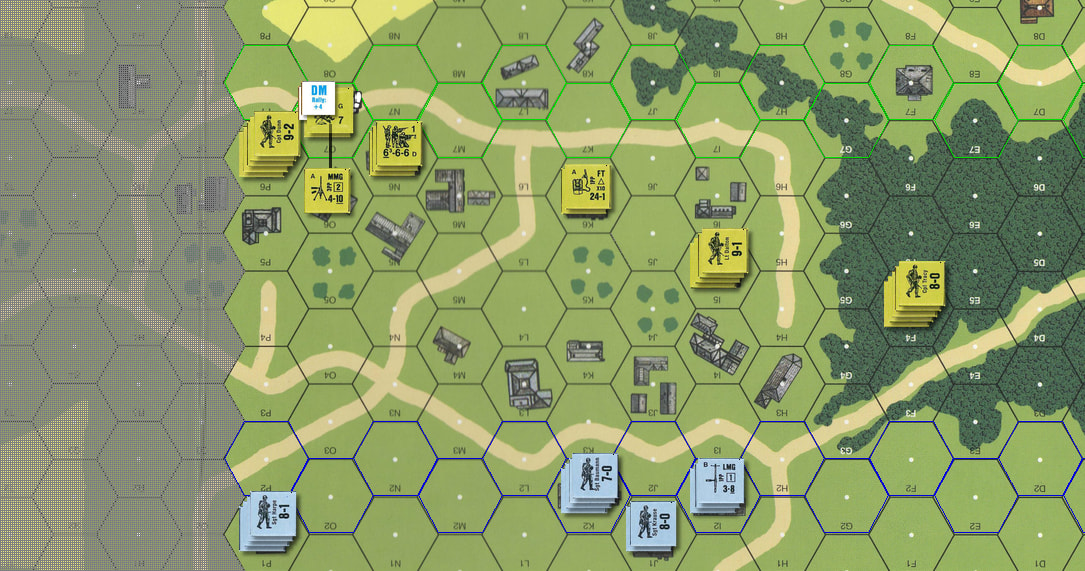
I’ve found a new problem. During the rout, support weapons (even if selected by the player) don’t follow the squads carrying them because they haven’t the DM marker. This is annoying.
Yours,
Stéphane
Technically, it wasn’t because it doesn’t have the DM marker, but rather because the SW isn’t necessarily broken. Note, the module does not keep track of which MC carries an SW.
In 2.3.0, an SW may be moved no matter what during the RtPh.
Yours,
Christian
Hi Christian!
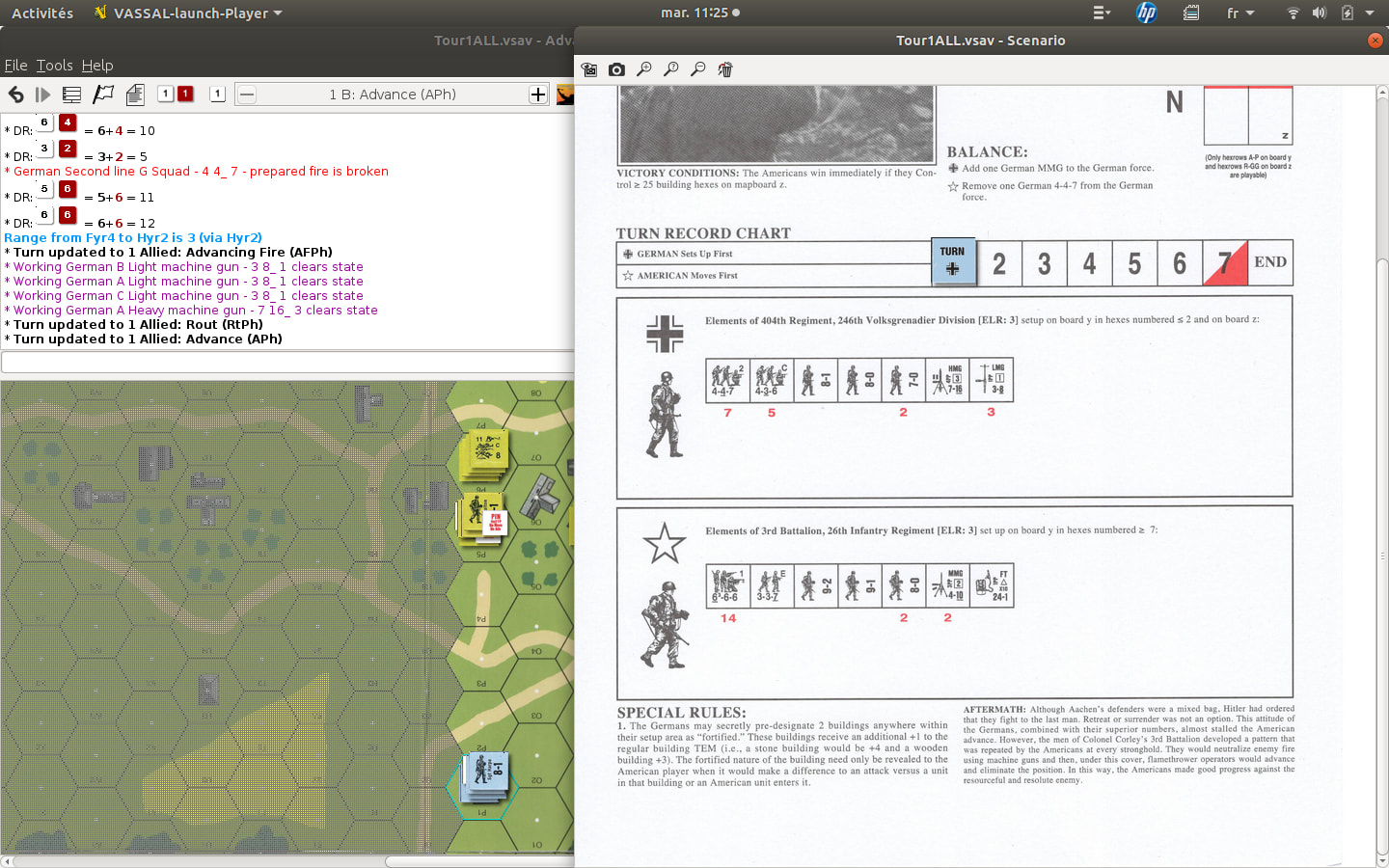
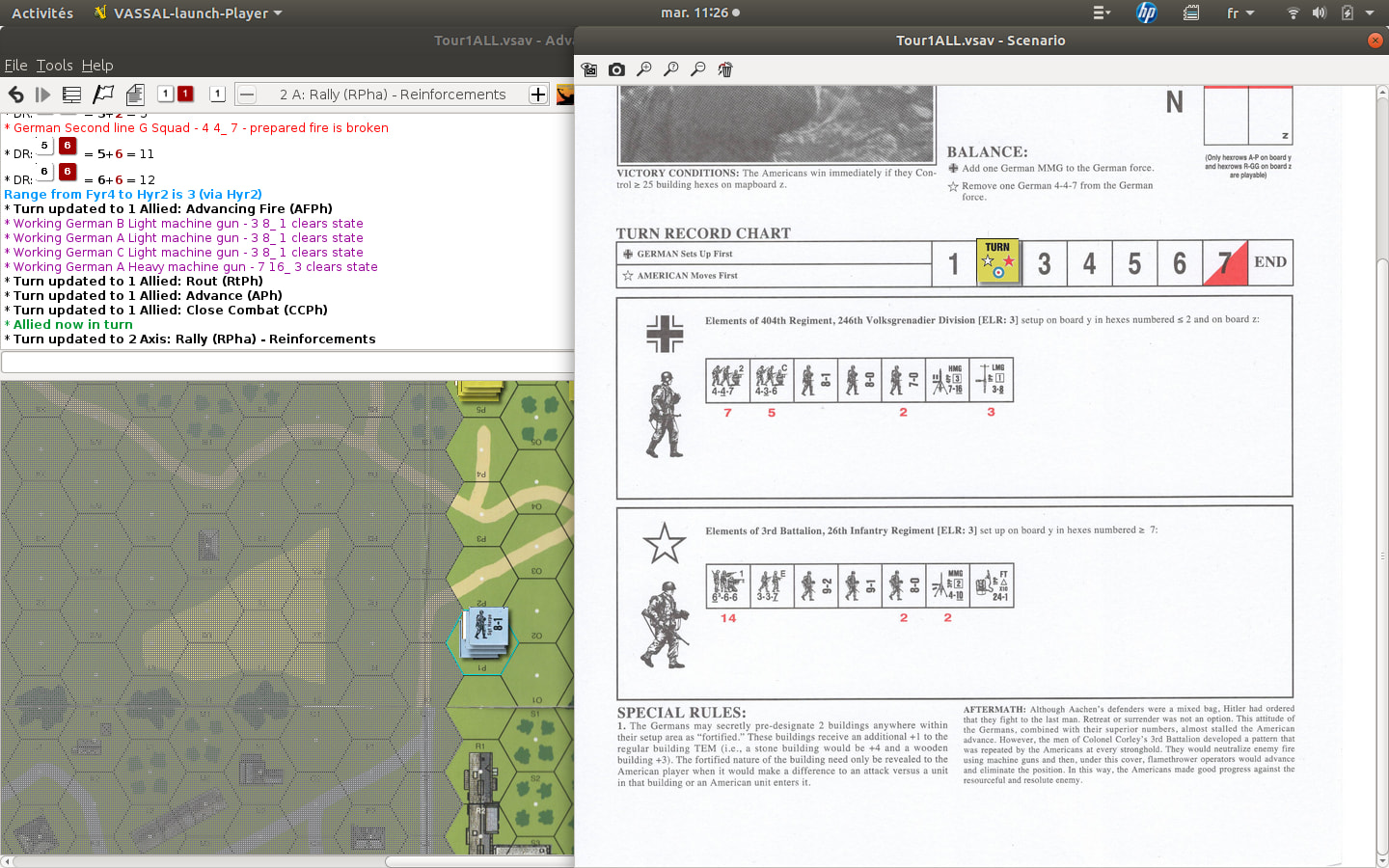
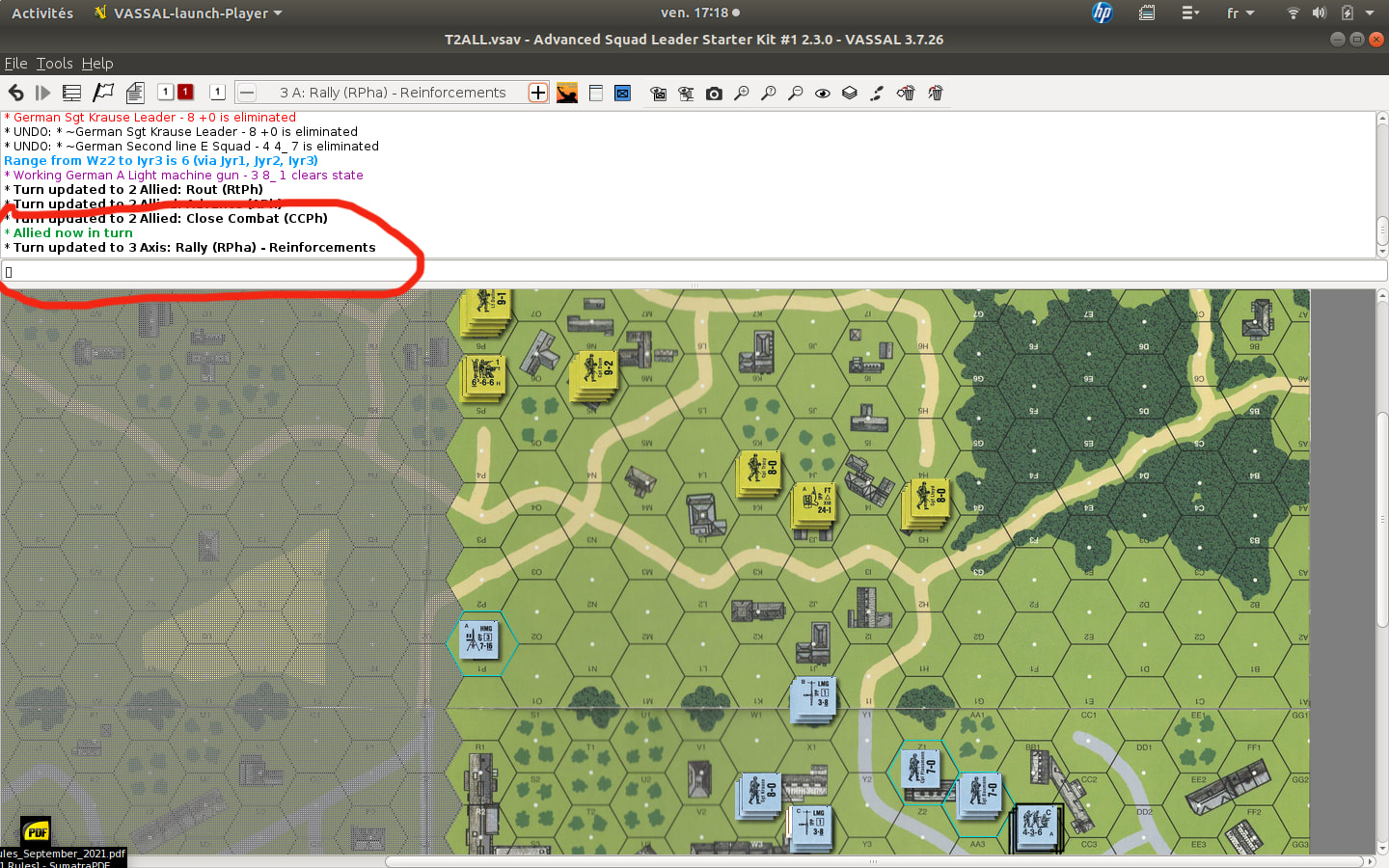
As the two images clearly show, I’m once again having an issue with the active player display in the chat after saving and loading the game. The player shown is incorrect—even though the turn tracker on the scenario sheet displays the right one. This time, however, a version mismatch isn’t to blame, as I used the same version (2.3.0) in both instances.
Yours,
Stéphane
Ah, now I see what your problem is - I think. To verify that I got your point correctly
Then
If that’s correctly understood, I have a few clarifying questions:
Alt+T)?ATTACKER and DEFENDER?Your answers to these question will help me pin-point the problem. Thanks.
Yours,
Christian
Hi Christian! I won’t be at my computer for the next two or three days, but as soon as I can, I’ll run the requested tests!
Yours,
Stéphane
I saved after the placement of the units of both sides, then at the beginning of turn 1 German (after turn 1 US therefore), then again at the beginning of turn 2 US.
Alt+T)?No.
Yes. I just opened the last save file for the game (which corresponds to the beginning of turn 2 in the US game) and this time I no longer see the noticeable bug in my previous screenshots. It’s as if the problem only occurs with player B (the German player in this case).
ATTACKER and DEFENDER?I think the problem is limited to the chat because I’ve never seen the roles actually reversed. The attacking player is always the one who can perform the actions of an attacker, and the defending player, those of a defender.
Hi,
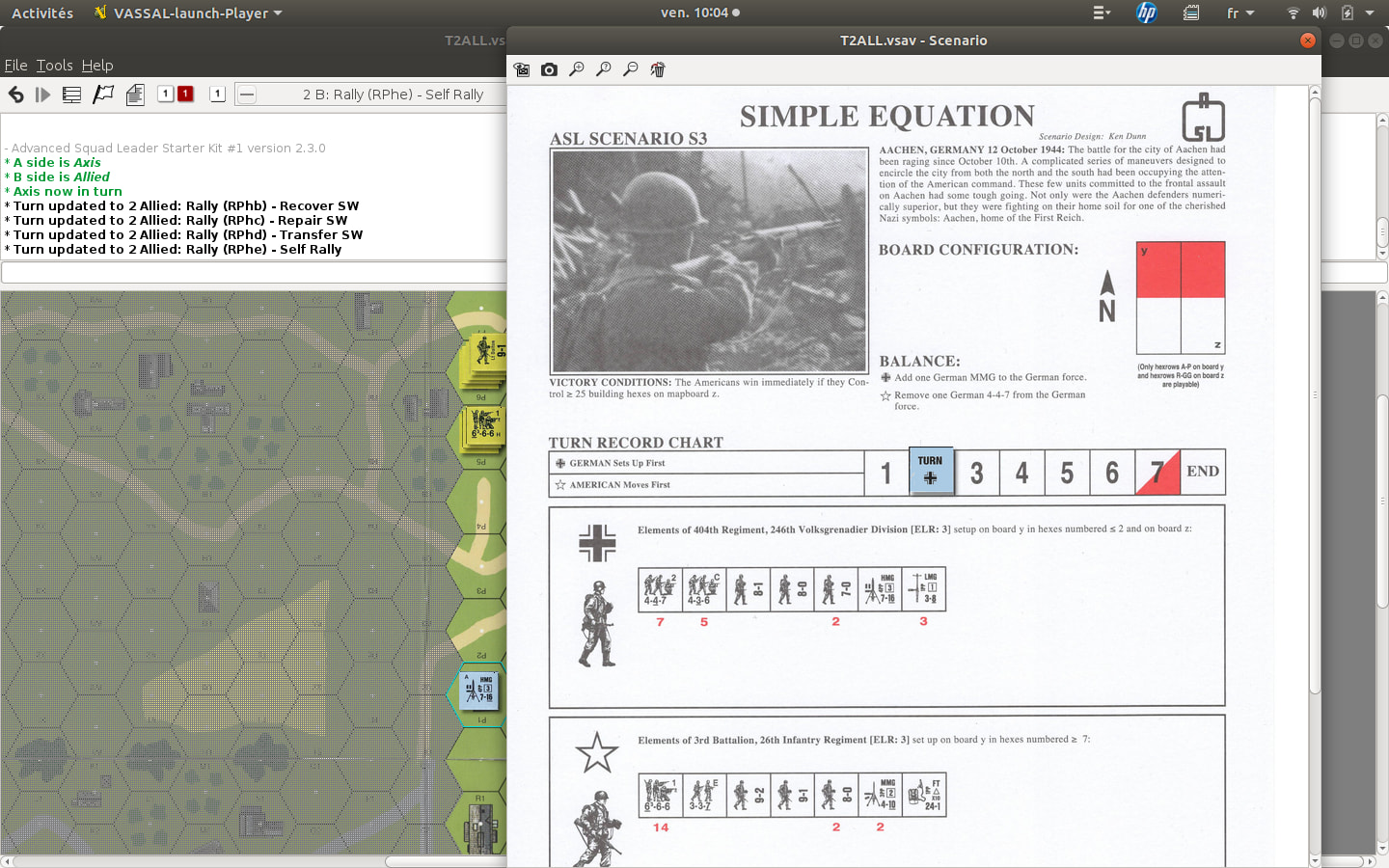
As I expected, the problem reappeared when I reloaded my save file to play the German Turn 2 (see screenshot). Several things stand out. We can see that, contrary to what I thought, the German side is Player A (even though they play second according to the scenario sheet). Furthermore, the chat announces “Axis now in turn” but contradictorily states the phase is “2: Allied Rally.” Additionally, when examining a specific German unit, it is correctly designated as “ATTACKER.” In short, there is definitely an issue with the chat. Could this stem from how sides A and B are defined in the scenario?
yours,
Stéphane
Additionally, it can be observed that once the problem has set in, it persists. For example, here (see screenshot).
Thank you for the feedback. I think I have an idea about what is wrong - see the chat in your first image that says
A side is Axis
B side is Allied
Axis now in turn
The last sentence is correct, but the two first are not. This is what spills over - I think.
I’m glad that it seems like it is only the chat messages that are wrong, and the rest of the mechanics gets things right. I have some thoughts, and your analysis that this only happens if you save in the B faction turn are in line with those.
I’ll let you know when I have something - hopefully later today.
Yours,
Christian
I’ve uploaded relesae 2.4.0 - which hopefully fixes the issue.
The problem was, as I suspected, a wrong identification of the A and B factions when you start from a save in the B faction’s turn. The logic assumed an A when making the decision - which is obviously not good enough.
Again, thank you for the feedback.
Yours,
Christian
Hi,
It’s a pleasure to see this wonderful project evolve!
My dreams for it include a button to highlight—using different colored circles—units requiring action (or where action is at least possible) during the rout phase and then the rally phase, as well as the ability to create a scenario from available maps when launching the program, thereby increasing the number of possible games.
In any case, you’ve already done an excellent job for the community! Thank you!
Yours,
Stéphane
In release 2.5.0 you can now highlight units in 6 different colours, and there a tool-bar items to turn those off - selectively or in total - same as for hexes. Note that the short-cut keys have changed for hexes to be consistent with the units.
If you select No Setup where you’d normally select a scenario, you will be prompted to choose the board(s) and a scenario card. You can choose the None scenario card to get a blank page.
On the board, place Playable markers in the hexes you want to be playable.
On the blank scenario card you must place the GameTurn marker, and you can place units as appropriate for the scenario. There are no components to place for tracks, text, etc.
If you want new graphics for boards or scenario cards, the best way to get them in is through a Module extension. I won’t go into how such an extension is made - that’s beyond the scope of this posting.
If you do make an extension, I would love to hear about it. We could even post that on the project page (in a separate package).
Thank you for the kind words.
Yours,
Christian
Hi!
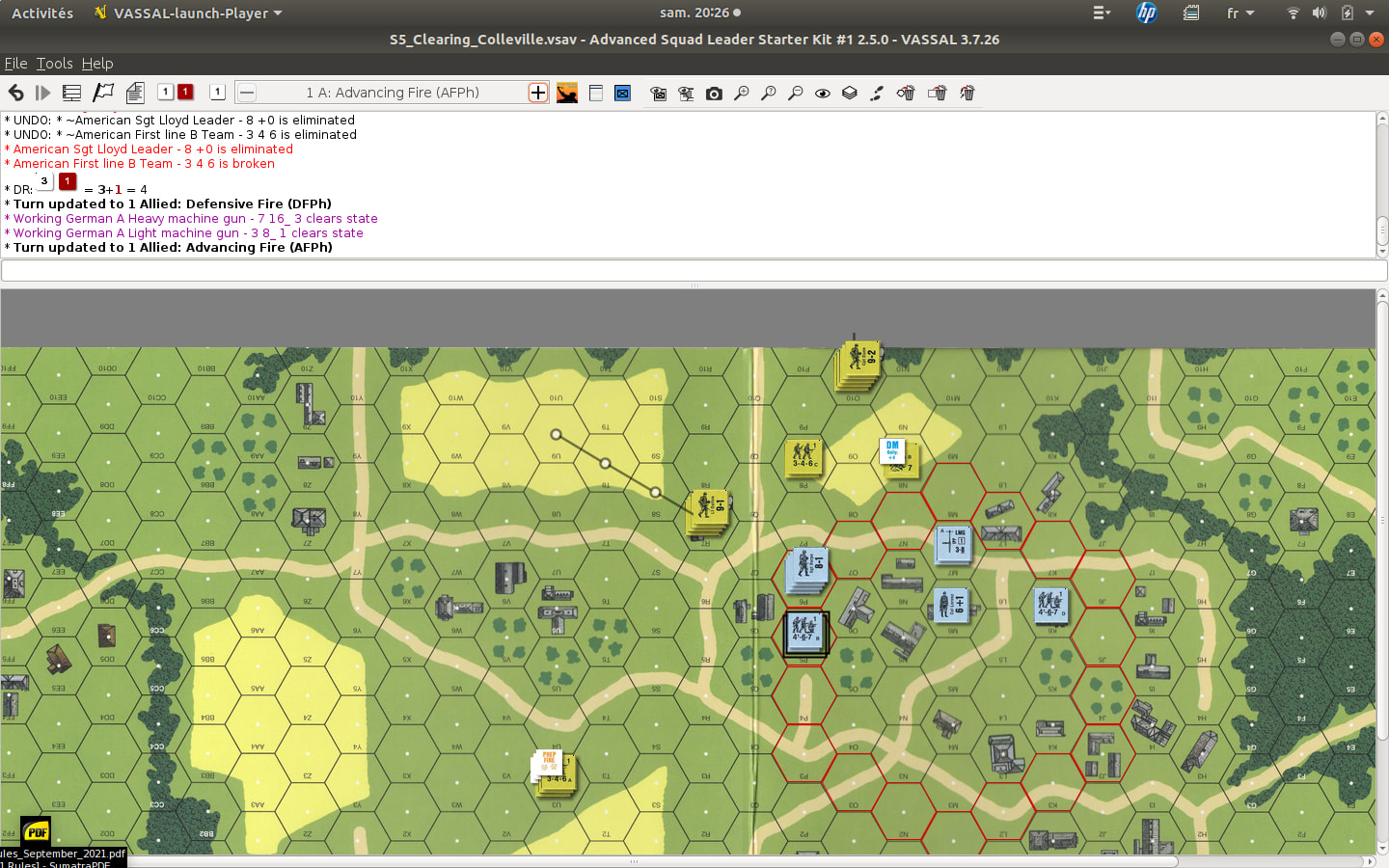
I started a game of “Clearing Coleville” and noticed something odd: some movement trails were automatically cleared after the movement phase, while others weren’t. For instance, in my screenshot—which shows the US Turn 1—most US units that moved no longer show movement trails, yet two of them have retained theirs for some reason I can’t explain. It is worth noting that at the end of the Advance phase, all of them will be removed—including trails from subsequent movements (such as routs and, of course, Advances) as well as those two specific trails that hadn’t been cleared like the others after the movement phase.
Yours,
Stéphane
Off-hand, I would say that its a fluke - I haven’t seen something similar myself. However, if you can somehow reproduce it, and perhaps note the sequence down, that could be helpful. Perhaps you could also produce a .vlog of the session, which may also help address the issue.
Yours,
Christian
Ah, now I see what it is. The trails and movement marker is left on SW’s - particularly medium and heavy machine guns - after the movement phase, to indicate that they cannot be fired in the Advance Fire Phase (AFPh) - rule §3.5. In 2.5.0 no SWs have their movement trail and marker cleared, though light machine guns, flamethrowers, and demolition charges should have it cleared. I’ll fix that soon, so that it is only medium and heavy machine guns that do not have their movement trail and marker cleared.
Yours,
Christian