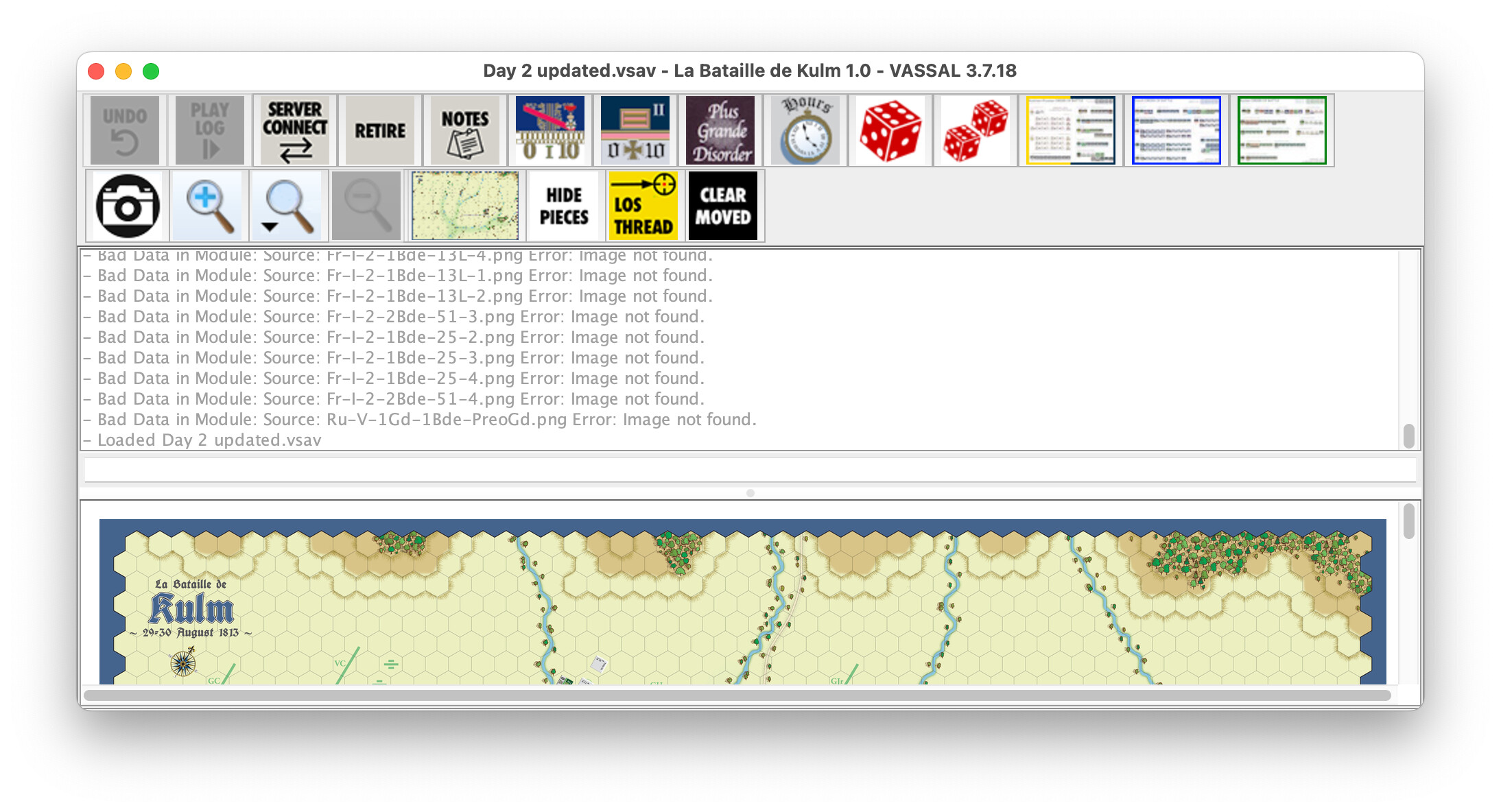
I’ve been working on a module and it opens fine and I can start a fresh new game rom scratch and everything is fine. but when I open a preset that came from an older version, the log presents a number of errors. Image below.
In the past, I have had a similar error in modules while working on them, which caused the module not to compress correctly, and the solution was to find zero bite images in the images folder and delete them. I tried to look for an image folder in VSAVs but was unable to find any
If anyone has a bright idea, I would love to hear it. We’re going to go ahead and publish these as is at this stage, but I don’t like the log showing those errors and of course, preferably I’d like to get rid of the errors.
I can end this on request if someone needs it to help out
Saved game files (.vsav) are renamed ZIP archives, yes–but they do not contain image data. Modules (.vmod) are also renamed ZIP archives, and are where images are stored.
One thing that’s likely to work is to run Tools → Refresh Predefined Setups in the Editor. This just loads each predefined setup and runs the counter refresher on it. I would think it would clear out all these stale references to images that no longer exist, assuming that’s the problem.
Make a copy of the module first if you’re not sure what the outcomes are going to be.
I appreciate it but that did not do it. I think this came from some renaming and the counter updates that must have been put somewhere that I can’t get at. Next time I will rebuild the scenarios from scratch and use that experience to QA all the values and name changes.
I did and they are not found which is why I was trying to see if they were in the vsav but could not check there.
I think the graphics wer updated but for some reason the vsav is looking for those old names. It is odd because the setups work correctly. It is just the errors on opening them.