My module needs two boards:
the left one has to be picked between three, and the right one is always the same, containing all the common (shared?) pieces and decks like turn and morale trackers, bags of chits, etc.
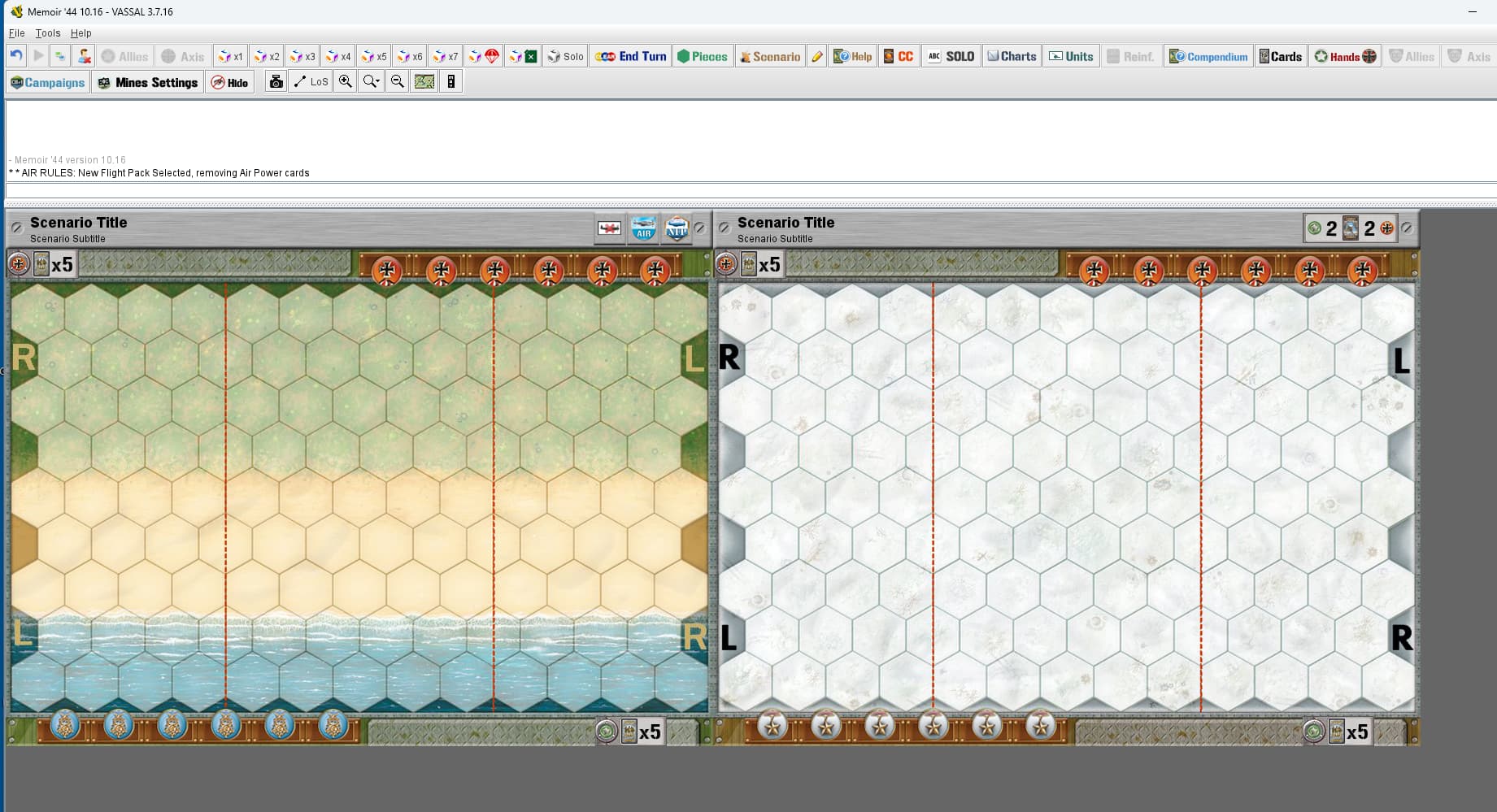
When i start a new game, i have to pick the left board from a combobox showing all four boards, then add a column, then picking the fourth one from and identical combobox.
There’s any way to automate the process so i only need to pick the left one, and then having the right one without any input from the player?
I would like to make the module handy for small screens (like some net-book, “2-in-1” laptops and other small-screen devices) and having a lot of windows goes against this.
On the right board each player has his own Draw and Discarded decks, and I would like to have also the current Player Hand as a deck on right board, instead of having to use the PlayerHand window. How can I implement a “Player-hand” deck which shows how many cards there’s in it (this is a open information), cards are visible only by the owner, and allows to draw from the Draw deck to in, and Play/Discard specific cards from it?
On the same board there’s a “Bag of chits”, which is just another deck. There’s a way to have the stack “offset” (how the pieces looks when stacked or “expanded”) different from the other decks of cards? seems that’s impossible, to me, ‘cause it is a Map setting and not a Board setting, but maybe i’m missing some trick…
I would just make three image versions of the three possible map variations and then when you choose the board at the beginning, you are just choosing which left side variable goes with the static right side.
That shouldn’t matter, I wouldn’t think. Once the configuration is chosen for the current game, the other sizes and orientation shouldn’t matter. I do games that have different map orientations and sizes. What game is it? Perhaps I am missing something.
You can see the same exact “way” do deploy boards in the Memoir’44 module: there is very much more complicated, but the boards are of many different size so you’ll see what i mean. Pick a map, then add a column, then pick another “non-hex” board.
The difference with M44 module is that i have always the same board on the right side.
I see that, But Memoir ‘44 has numerous board variations that would make choosing them from a single pull down unmanageable. Yours only has three. Is there a reason why the choice of the three versions of the board could not be an option decided by the user at the outset and be done with it? Even if the left side has a variable orientation that would still be resolved with the image. Unless I am missing something, it seems that the Add row/Add Column method adds unnecessary complications to the decision process that a simple board choice with predetermined combinations would simplify.
This makes no sense to me. Surely with a smaller screen, it’s better to have more windows, as you can just close the ones you don’t currently need. If everything’s on one map on a small screen, you have to do a lot of scrolling, instead.
Multiple windows are also better for those of us lucky enough to have multiple screens, as we can put secondary information windows on alternate screens.
Maybe that is what I am missing. but when I choose two boards in Memoir ‘44, it does not appear to allow me to deselect either of the boards once you have chosen them and are in the game, so you would still have the same map size using either way.
If you are simply trying to add boards that you may select and deselect to declutter the screen, you should just add those as map windows or chart windows with a map board utilizing a button in the menu to select /deselect as desired.
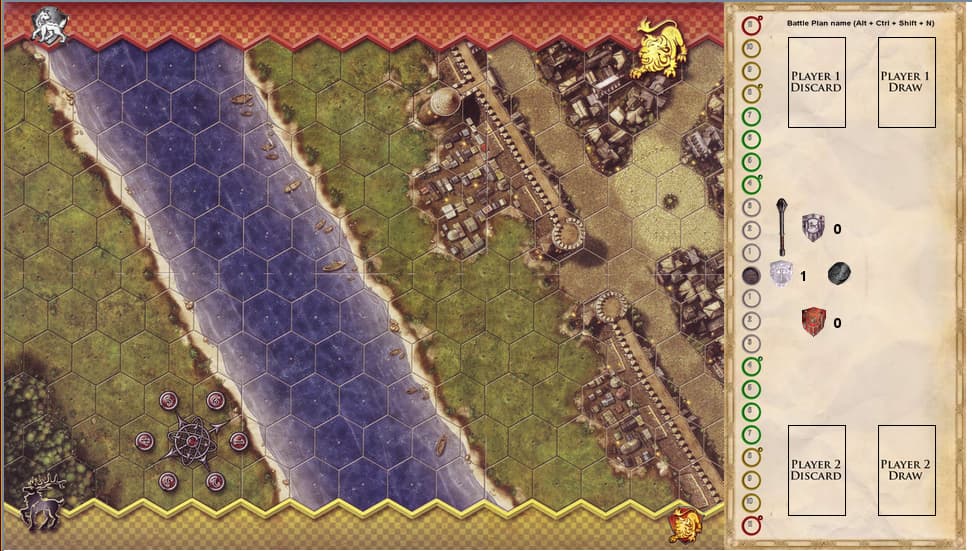
All the three boards on the left has 5 zones: the “main battlefield”, the two player rows (top and bottom) and two players “house” (the tiny emblem on the opposite corners).
The last one has two additional zones: the river and the castle.
The right board has zones for the decks, the vertical tracker, and i would like to add other things.
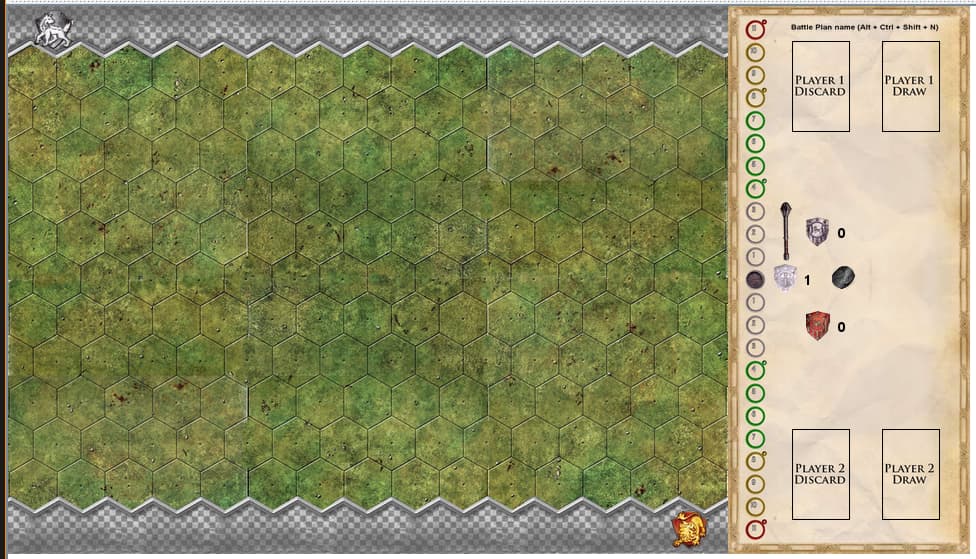
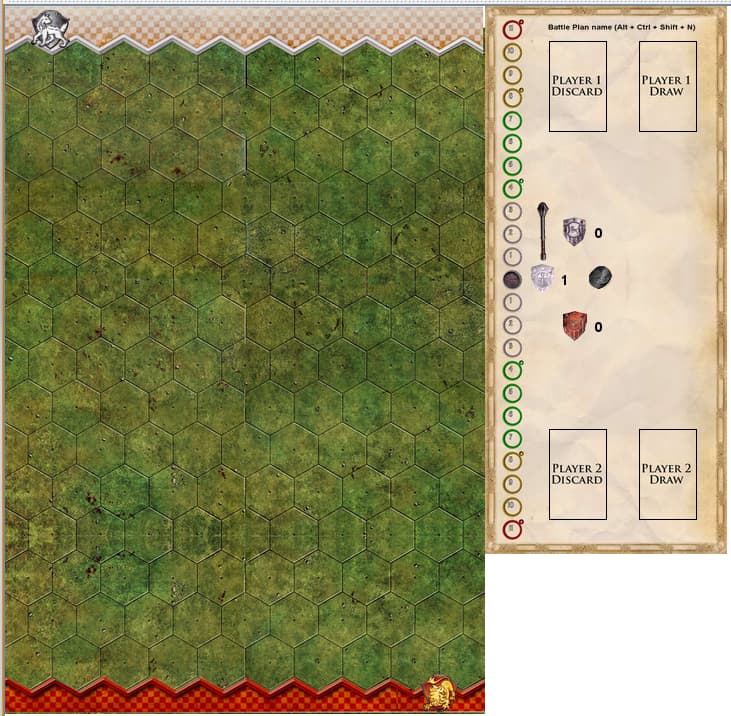
IF i’ve right understood you, you’re telling me that i should use three images like the ones i’ve attached here, and just pick one instead of “joining” two board. But doesn’t that means that i’ll need to make the zones in the right three times, one for each option? So for each edit or new feature made in one, it has to be mantained on the other two?
I’m the owner of a three monitor PC, so windows are not a problem for me.
But two friends have a laptop with a “small” screen, and they both told me that they rather zoom out to see the decks than to have that Hand window to be opened, moved to check in the map if a card is usable, etc.
So, to me it won’t change (i already have the full map visible), but to them it will be better.