I currently have a multi-action on the main map that “deletes moved” and 3 GKC’s defined on that map for the purposes of end of turn cleanup. It works fine. However, I want to have that function triggered from another map. I tried calling that multi-action but nothing. I created a multi-purpose action on the second map but nothing happens when I click the button. For example, “Delete Moved” is the command on the main map to delete the moved markers. I put Delete Moved as one of the actions on the other map. How do I give that button context? Was hoping the “global” meant it knew that.
It’s hard to visualize what you’re doing without accompanying screenshots or the module work-in-progress available, but it sounds like you’re trying a Multi-Action Button in one map window, but entering the button text of something on a different map window. There’s nothing about the Multi-Action Button documentation that suggests to me it’s capable of “seeing” button texts from another map.
You could try a simple toolbar GKC, unticking the box for “Apply to counters on this map only”:
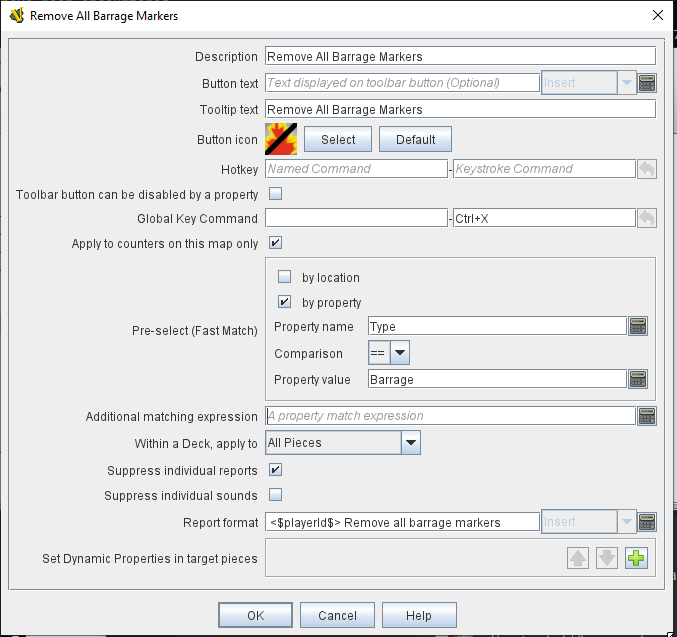
Just send the key command for the “Delete Moved” function you want to execute.
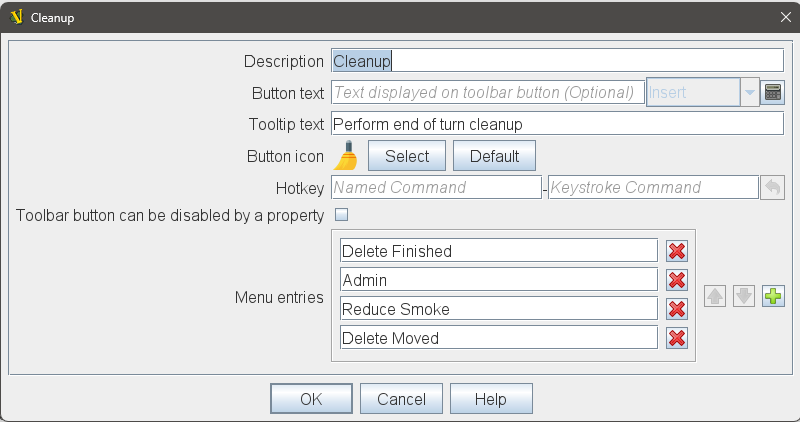
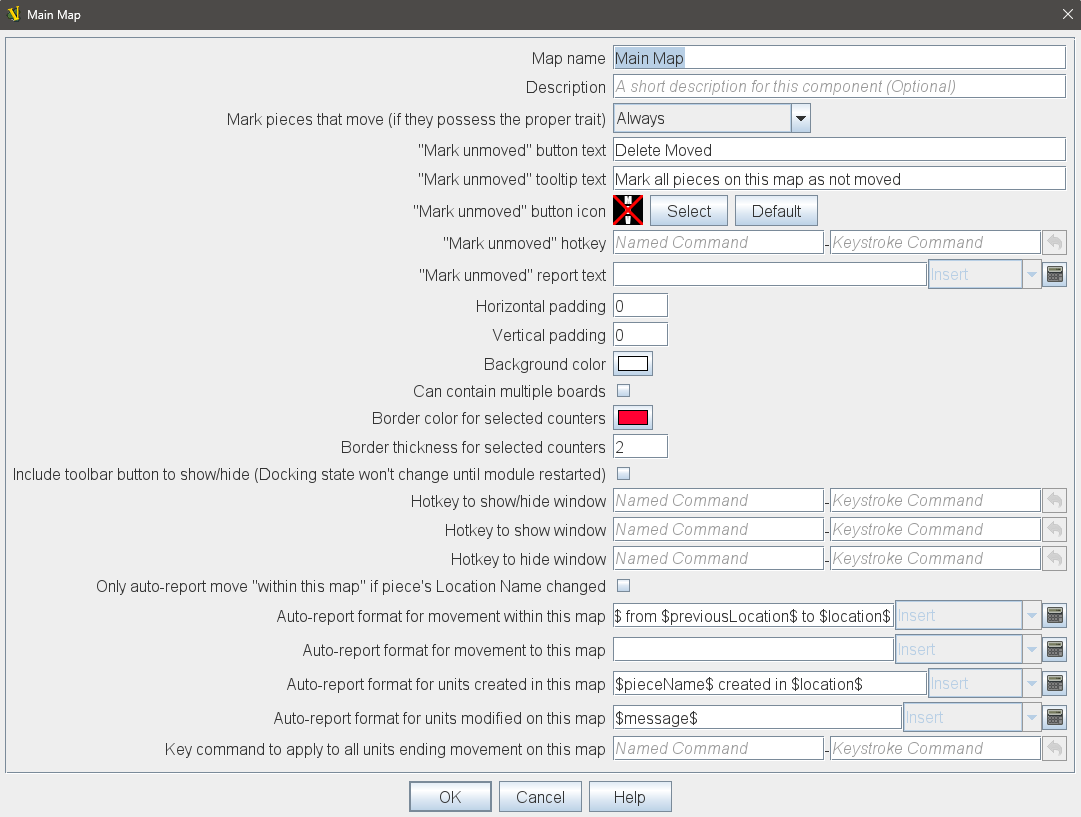
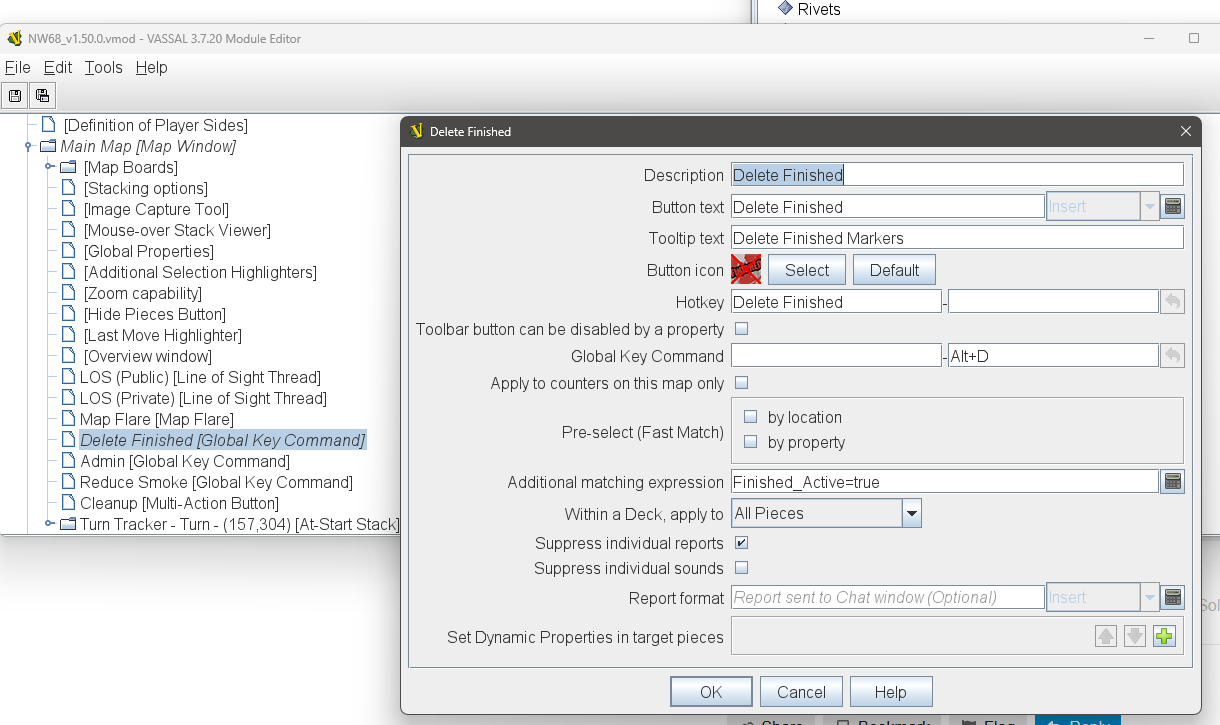
OK, now I see what you’re attempting. You want to invoke the Map Window config’s “mark everything moved” feature. You currently have no hotkey assigned for this:
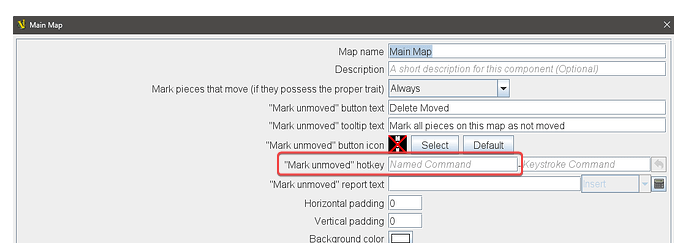
I’d assign some alphanumeric string here as a Named Command. Perhaps it works for Named Commands to have spaces in them like you’re using in the hotkey for “Delete Finished”, I never do that out of habit but maybe it’s fine.
Now on the other map from which you want to trigger this, add a standard Action Button and use its “Send hotkeys” feature:
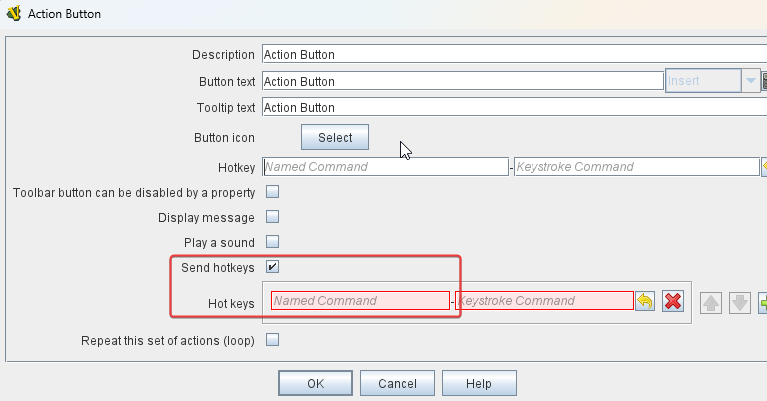
Whatever Named Command you settle on, it should be entered the same in both places I circled in red.
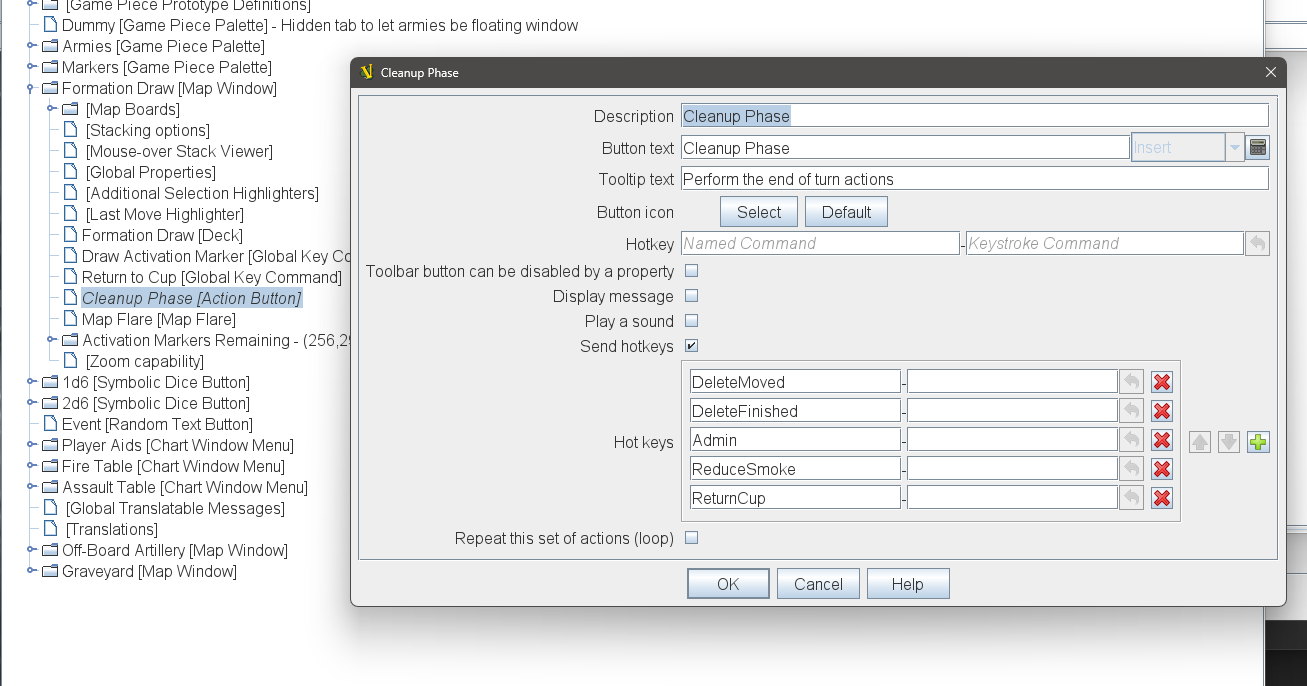
Yes, a Multi-Action Button can only “consume” button texts on toolbar of the same map window in which you place it. But a hotkey is global in scope.