This is how one Round is in my (hypotetical) game:
- Movement phase
1.1. Walk
1.2. Run
1.3. Jump - Combat phase
2.1. Player 1 Turn
2.2. Player 2 Turn*(repeat until both player Passes)* - Recap phase
3.1. Scream
3.2. Talk
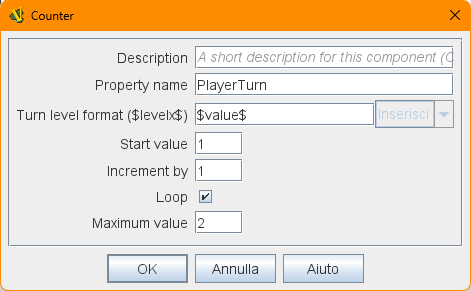
So, i created the Turn Counter component, and added the three main Lists, then the "sub"lists for Movement and Recap phases, and the counter for the Combat phase:
When one player pass, the other one can keep playing as much as he wishes, until he passes.
When both have passed, then the turn counter goes to the next phase.
Now, how can i manage when the players passes?
In the Scenario Options there’s a Checkbox “Use the Jump optional rule”.
How can i hide (or at least ignore) the “Jump” entry in the list, according to the status of that Scenario option?