Using beanshell(?) expression in Mouse-over Stack Viewer - Text below each piece

I have two sorts of pieces in my module, combat units, and leaders. I have a lot of info coming up in the mouse over stack viewer for each unit and that works great. However I do not want that to show for the leaders.

I think I want a beanshell expression to look for a dynamic property on the leaders, like leader=true and then do a ternary operator to show just the name of the unit (the leader case) or the string that has all the info on it.

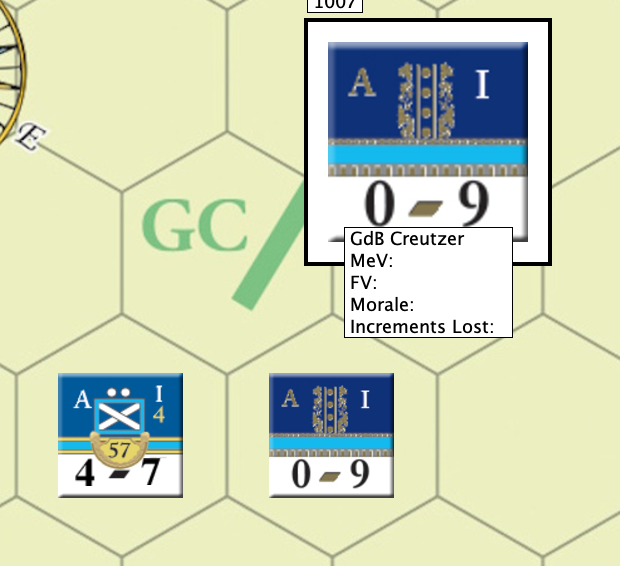
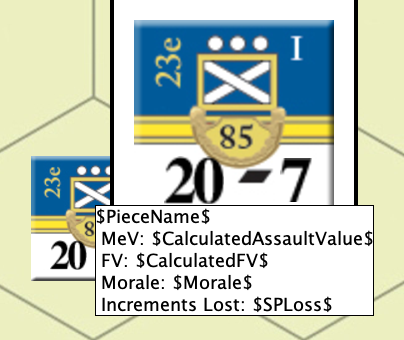
I tried it, but it shows me the expression as a string and does not evaluate or show any content.

My test is:

{ $leader$ == "true" ? <html>&nbsp;$PieceName$&nbsp;&nbsp;</html>" : "<html>&nbsp;$PieceName$&nbsp;&nbsp;<br> &nbsp;MeV: $CalculatedAssaultValue$&nbsp;&nbsp;<br> &nbsp;FV: $CalculatedFV$&nbsp;&nbsp;<br> &nbsp;Morale: $Morale$&nbsp;&nbsp;<br>&nbsp;Increments Lost: $SPLoss$&nbsp;&nbsp;<br></html>}

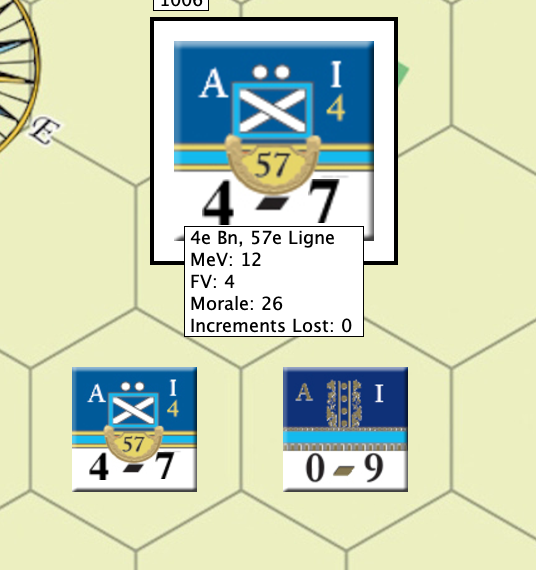
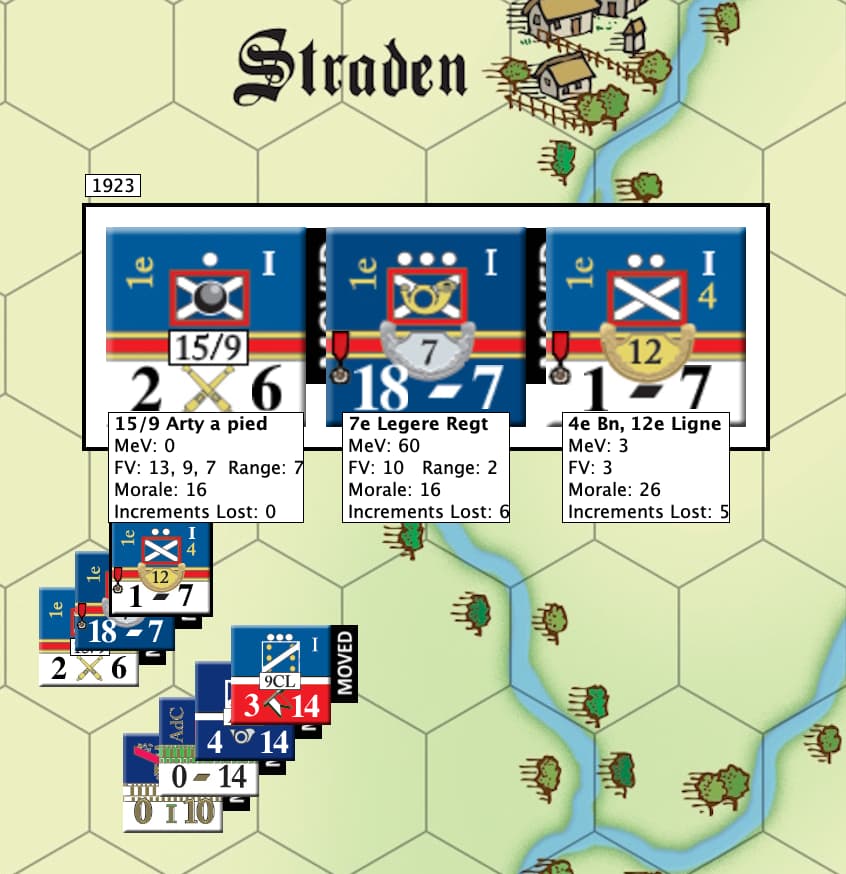
Before making this change it looked like this which is pretty close except for the leader where I would only lke the name.

I would love a push to the documents that explain this too if you could.

There are syntax errors in your above expression: Some " missing.

`{ $leader$ == "true" ? "<html>$PieceName$</html>" : "<html>$PieceName$<br> &nbsp;MeV: $CalculatedAssaultValue$<br>    &nbsp;FV: $CalculatedFV$<br>    &nbsp;Morale: $Morale$<br> &nbsp;Increments Lost: $SPLoss$<br></html>"}`

(note, consecutive &nbsp; and before <br> have no additional effect, so they are removed).

In BeanShell expression, the $...$ form of properties are plain-text substituted before evaluation by BeanShell. You probably want to use the properties more directly

{ <html>"+PieceName+(leader ? "" : 
  "<br> &nbsp;MeV: " + CalculatedAssaultValue +
  "<br> &nbsp;FV: " + CalculatedFV + 
  "<br> &nbsp;Morale: " + Morale + 
  "<br> &nbsp;Increments Lost: "+SPLoss) + "</html>" }

Perhaps that will help.

Yours,
Christian

Using this and it comes out as text below the counter

{ $leader$ == “true” ? “$PieceName$” : “$PieceName$ MeV: $CalculatedAssaultValue$ FV: $CalculatedFV$ Morale: $Morale$ Increments Lost: $SPLoss$”}

The good news is that it does show the name only for the leader.

Working on it.

OK it works. Here is what was the final answer. Would not have got here without you. Thank you again.

{ $leader$ == "true" ? "<html>&nbsp;<b>" + PieceName + "</b>&nbsp;</html>" : "<html><b>&nbsp;" + $PieceName$ + "&nbsp;</b><br> &nbsp;MeV: " + $CalculatedAssaultValue$ + "<br> &nbsp;FV: " + $CalculatedFV$ + "<br> &nbsp;Morale: " + $Morale$ + "<br> &nbsp;Increments Lost: " + $SPLoss$ + "<br></html>"}

@cholmcc Thanks again.
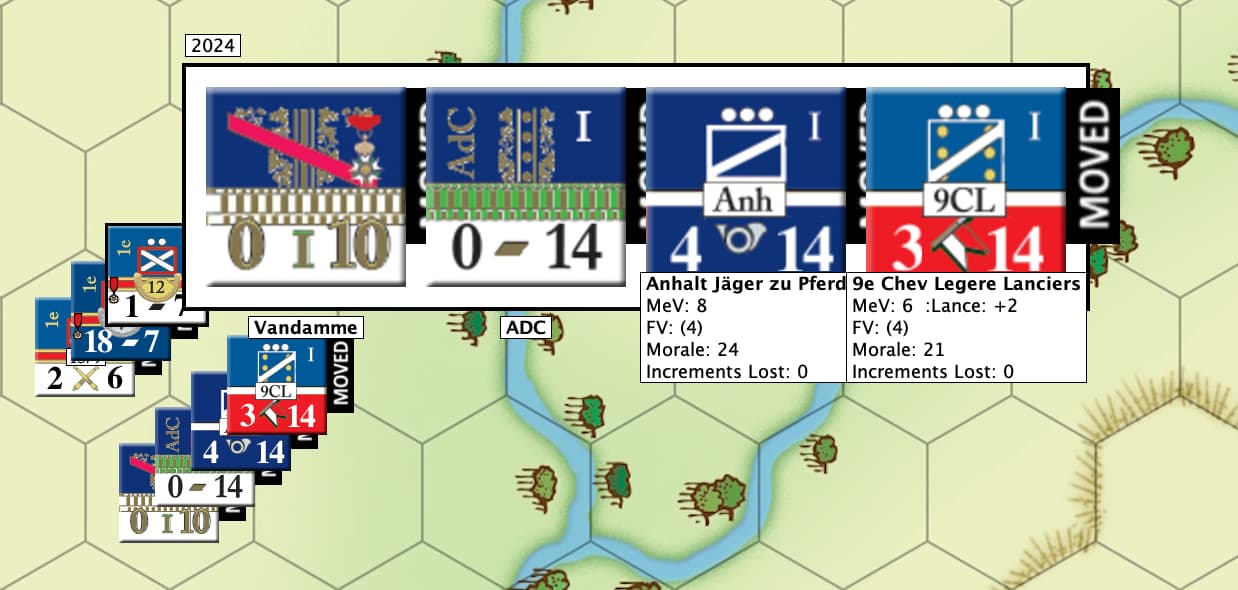
Here is the finished product

@cholmcc

I have one more question on this. My customer wants a nested condition. If condition one is true then he wants a second to pick between two choices. Is there a way to nest ternary expressions.

There are three condditions:

  1. a dynamic value x has no value. Nothing is displayed in roll over.
  2. a dynamic value x has value A. String A appears in the roll over.
  3. a dynamic value x has value B. String B appears in the roll over.

I can get #2 and #3 to work perfectly but need #1

Any advice?

This was what worked to refresh your memory

{ $leader$ == "true" ? "<html>&nbsp;<b>" + PieceName + "</b>&nbsp;</html>" : "<html><b>&nbsp;" + $PieceName$ + "&nbsp;</b><br> &nbsp;MeV: " + $CalculatedAssaultValue$ + "<br> &nbsp;FV: " + $CalculatedFV$ + "<br> &nbsp;Morale: " + $Morale$ + "<br> &nbsp;Increments Lost: " + $SPLoss$ + "<br></html>"}

First, a &nbsp; without preceding white space has no effect.

Second, you probably do not need the $...$ form of the properties, so the above could be written

{ "<html><b>"+PieceName+"</b>" + (
  leader == true ? (
    "<br> &nbsp;MeV: " + CalculatedAssaultValue +
    "<br> &nbsp;FV: " + CalculatedFV + 
    "<br> &nbsp;Morale: " + Morale +
    "<br> &nbsp;Increments lost: " + SPLoss)) + "</html>"}

Now, about nested conditions, yes, that is indeed possible. Now, your conditions above could be re-written (in pseudo-code)

IF x == A THEN 
   Display A
ELSE IF x == B THEN 
  Display B
ELSE 
  Display nothing

which would translate to

{ x == A ? A : (x == B ? B : "")}

The parenthesis are - in this simple case - not really needed, but can help in more complex cases.

Hope that helps. Again, try with the standalone interactive BeanShell interpreter. You can get it from GitHub - download the file bsh-2.1.1.jar, and run it as

java -cp bsh-2.1.1.jar bsh.Interpreter

If you need more specific help, it would be good if you could make your module available somewhere for me to look at. If you do not want to post a link here, you can PM me by clicking my avatar.

Yours,
Christian

You are correct about the $…$. I tried that earlier but had some other syntax error so it did not appear to work and it does.

I will try the solution above.

On the   I have to disagree.

“First, a &nbsp; without preceding white space has no effect.”

This is in the " marks so it returns as HTML and in HTML an   does not need space before or after, it creates the space. Here is the code with the   removed.

{ $leader$ == “true” ? “” + PieceName + " " + LeaderString + “” : “” + $PieceName$ + " 
 MeV: " + $CalculatedAssaultValue$ + "
 FV: " + $CalculatedFV$ + "
 Morale: " + $Morale$ + "
 Increments Lost: " + $SPLoss$ + “
”}

and this is how it looks:
Screenshot 2025-09-23 at 1.29.10 PM.png
Note the alignment of the leader’s name.

This is the existing code: { $leader$ == “true” ? “ ” + PieceName + " " + LeaderString + “” : " " + $PieceName$ + " 
 MeV: " + $CalculatedAssaultValue$ + "
 FV: " + $CalculatedFV$ + "
 Morale: " + $Morale$ + "
 Increments Lost: " + $SPLoss$ + “
”}

and how it looks:
Screenshot 2025-09-23 at 1.27.35 PM.png

Which is very important.

If I misinterpreted the comment and there are other instances, then I apologize.

Your post above is a bit messed up, because the text is interpreted by the web-browser.

When you want to write something like &nbsp; you better put that into back-ticks, i.e., `&nbsp;`, or it will be rendered by the browser. Similar with the code, except you should probably use triple back-ticks

```
code goes here
```

Also, you screenshots are not visible.

With respect to the effect of &nbsp;: In something like

<html>&nbsp;<b>Foo</b></html> <!-- Notice no space between ">" and "&"

the &nbsp; (meaning none-breaking-space) may or may not have an effect, depending on how the HTML rendering code works. In your case, it is rather old Java code doing the rendering, and it isn’t really up to spec. It may simple eat leading and trailing space at the start and end of a string. Perhaps you can use a <table> to format your text display (don’t know if that works in the mouse-over context though).

Yours,
Christian

Thank you will work on it and can send a link. It is a not for distribution so that would be fine. I will do others in the series that ARE general release.

I Tried that pattern and got no results so I think there might have been a syntax error so I will approach it again. Thank you for the help.