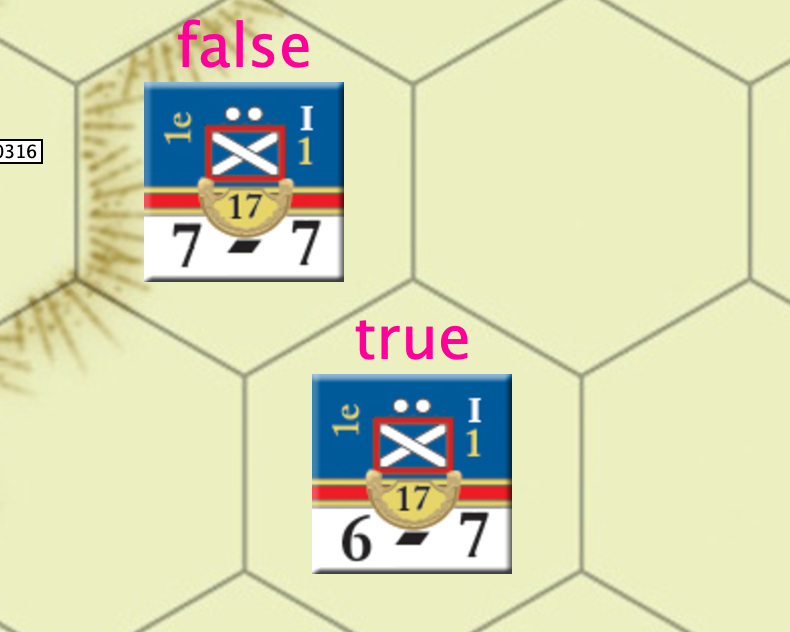
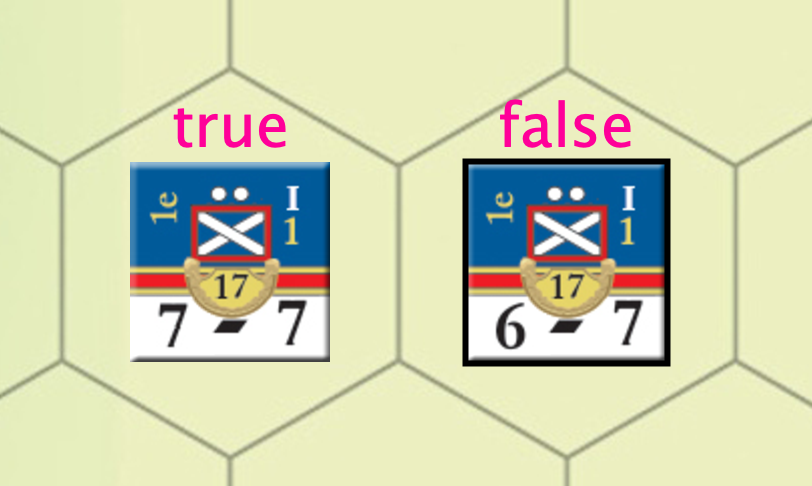
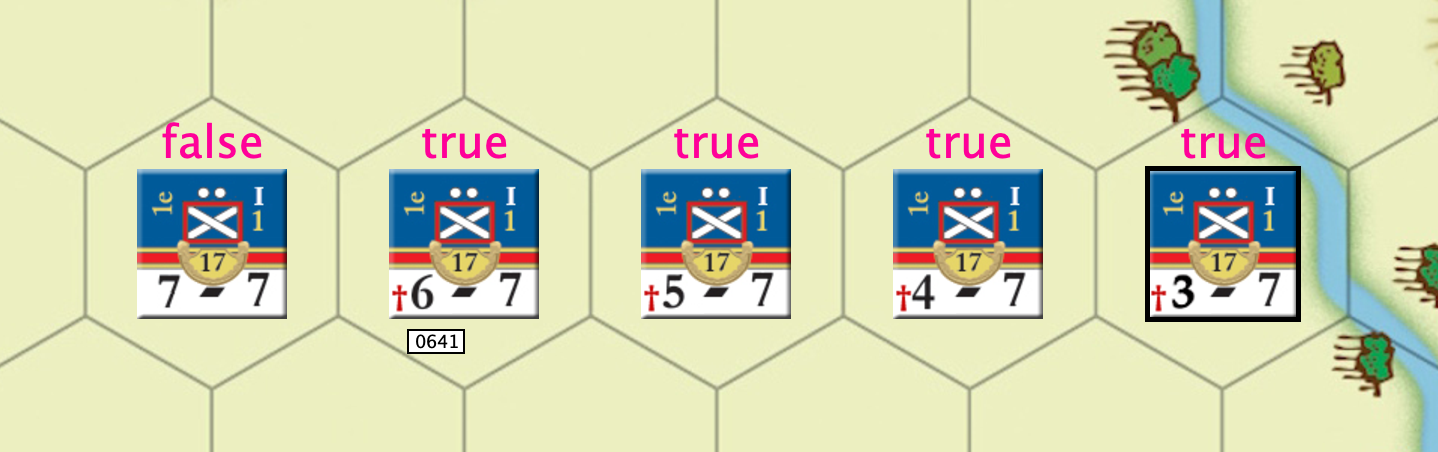
I have a situation where I need to change the visibility of a layer based on an expression. And I can’t quite seem to make it work. The idea is that is in its initial state. A unit is not reduced. When I reduce it, I have one layer that is changing correctly, showing the number of points in the unit so that it decrements from 7 to 6 to 5 and so on which works. I also have a dynamic property that changes from false to true when the unit is decremented.
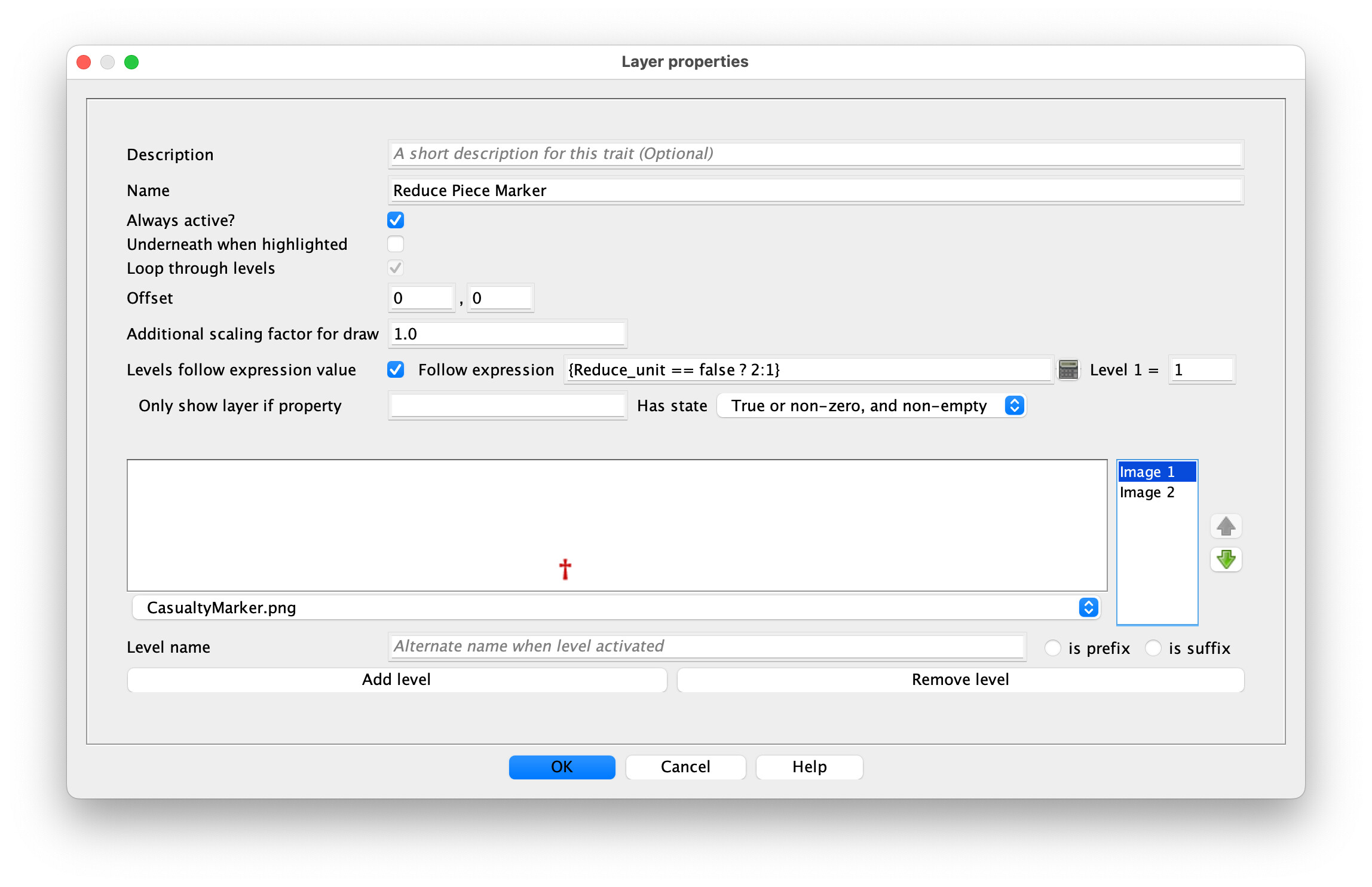
The idea is that in a second layer object, that shows a Reduce_unit = true should now show, and it does not.
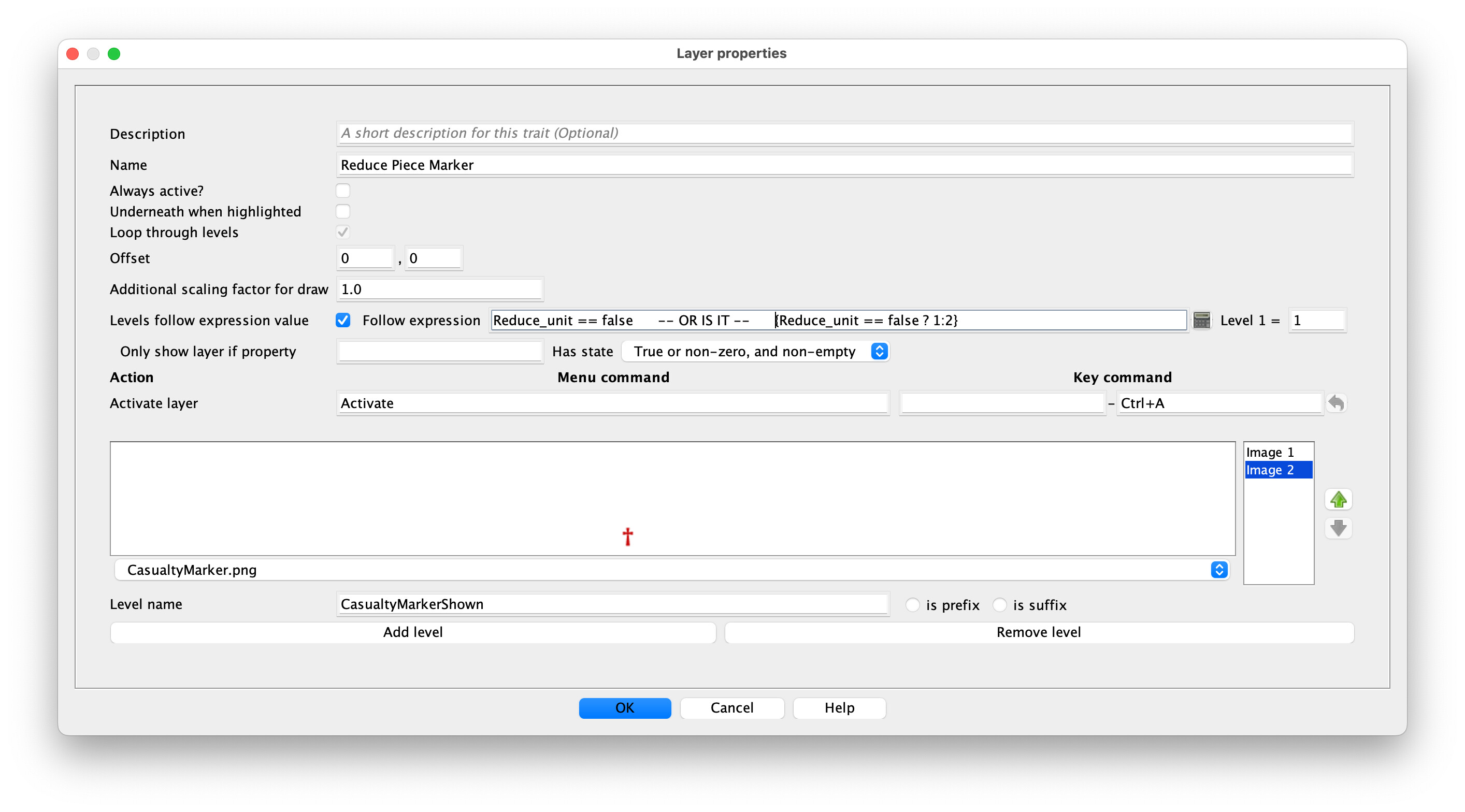
I have a nasty work around but would like to do this
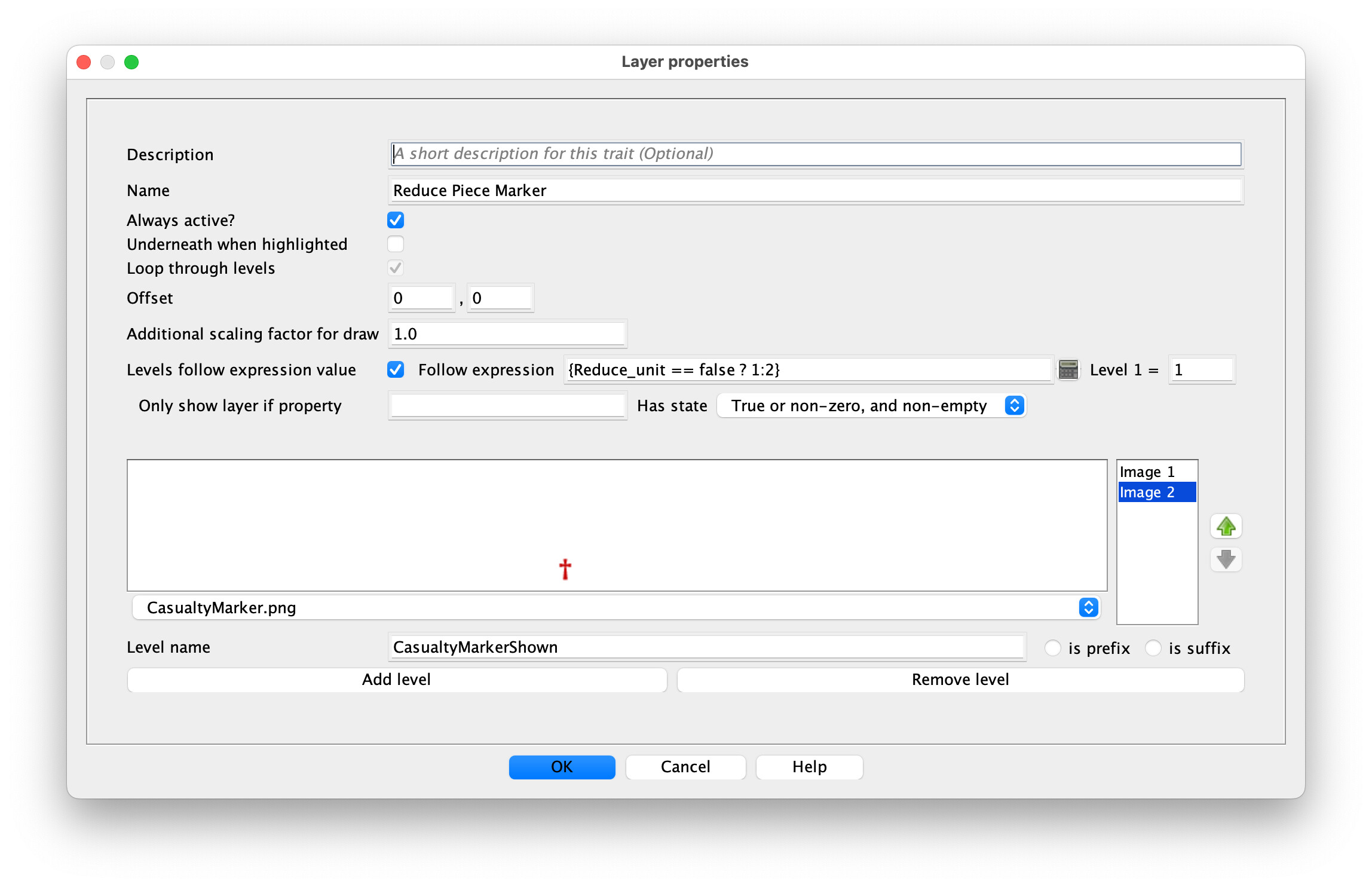
The 2nd version would be correct. However, you don’t have the Always active? box checked, so unless you’re also enabling the layer when setting Reduce_unit to true, it will never display.
Thank you! however it does not seem to work either.
I want the layer to activate at the same time as the Dynamic Property of Reduce_unit is clicked so I tried it as always active and then without always active and the Activate layer set to Shift-1, the same as the command for the Dynamic Property.
Neither got the layer to show. Result was the same
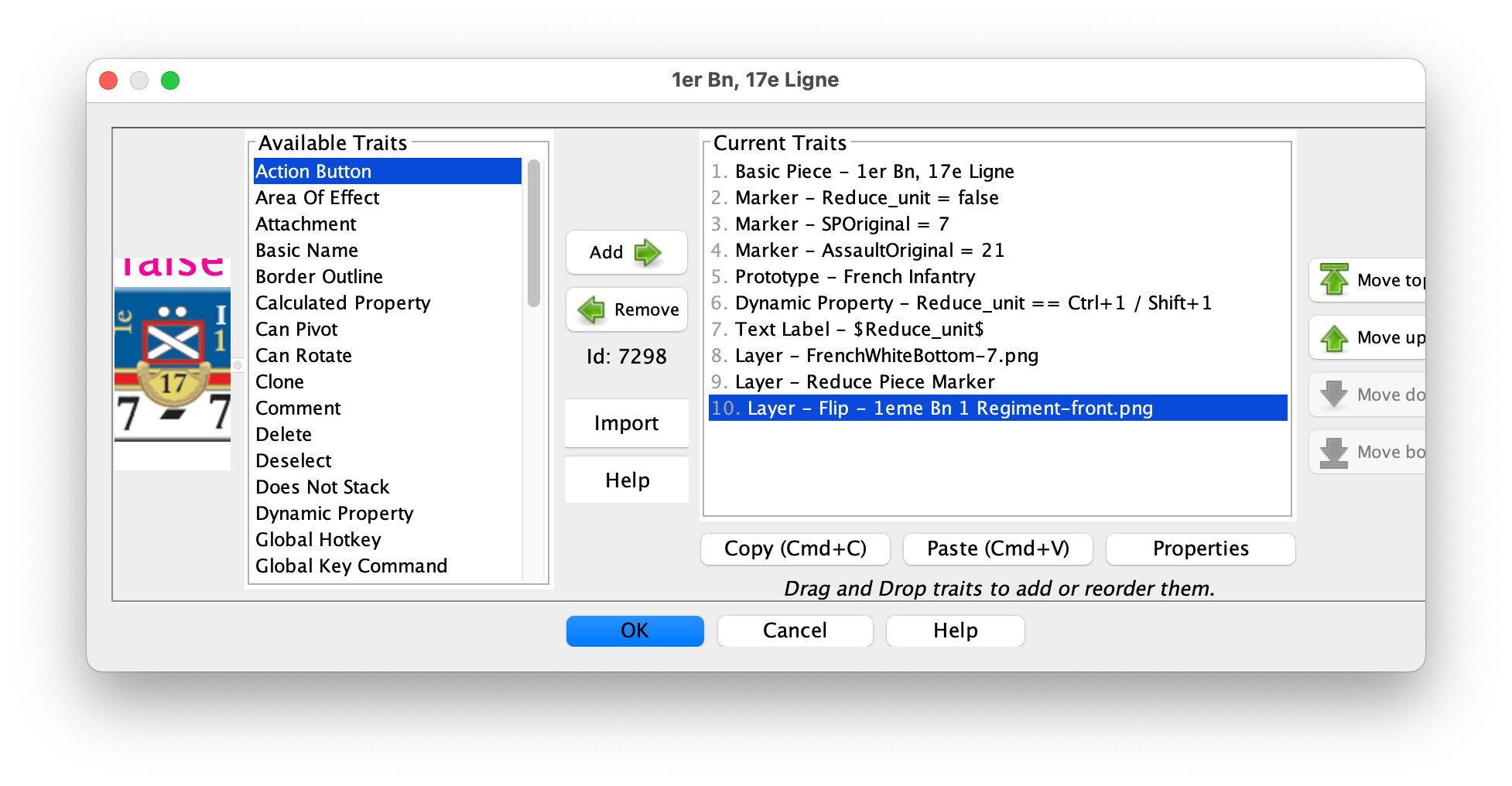
That looks correct. Can you show the whole trait list for the piece?
Edit: If you’re going to use the Activate Layer command to activate it, it would be much simpler to delete the first layer and the Levels follow expression value completely (and you could then get rid of the Dynamic Property Reduce_unit, also); you could directly check {GetProperty("Reduce Piece Marker_Active")} if you need to know if the layer is active from somewhere else. (You only need the “GetProperty()” function because your layer name has spaces, FYI.)