VASSAL 3.7.22 Released
The Vassal Team is happy to announce the release of Vassal 3.7.22.
IMPORTANT
- If you are using MacOS 14, please ensure you are using 14.4 or later, to avoid a bug in MacOS which prevents Vassal from starting.
- Modules saved in 3.7 are not openable by earlier versions of Vassal. We recommend keeping a backup copy of any pre-3.7 modules you plan to modify in 3.7 until you’ve verified that everything works to your satisfaction.
- Things may be broken which worked previously. If you find a new bug, please report it.
Download
Linux
Linux (Debian)
Linux (RPM)
MacOS
Windows (64-bit x86)
Windows (32-bit x86)
Windows (64-bit ARM)
Other
Changes since 3.7.21
Bug fixes
- 14660: Fix for showing obscured, rotated peek in mouse-over
Improvements
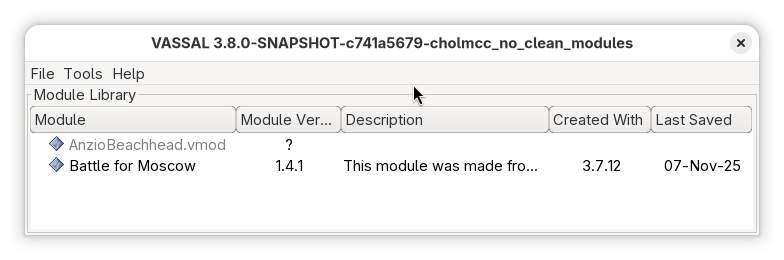
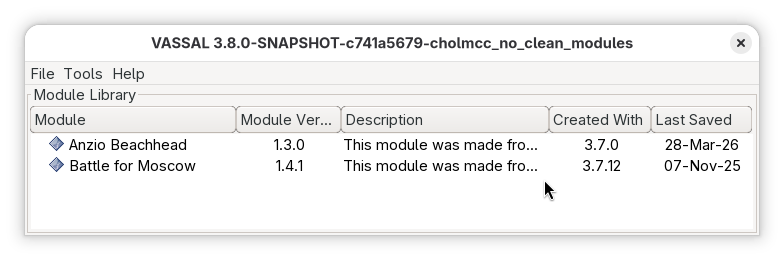
- 14578: Stop removing unavailable modules from the Module Manager; provide manual cleanup option
- 14391: Reduce NullCommand nesting on the pausedCommands deque
Other changes
- 14682: Upgraded checkstyle 13.4.1
- 14681: Upgraded commons-codec to 1.22.0
- 14675: Upgraded commons-io to 2.22.0
- 14671: Upgraded httpclient5 to 5.6.1
- 14670: Upgraded jsoup to 1.22.2
- 14647: Upgraded maven-artifact to 3.9.15
- 14612: Upgraded bundled Java to 26+35 (Windows x86_64, MacOS), 26.0.1+10 (Windows aarch64)
Changes since 3.7.20
Bug fixes
- 14572: Fix NPE when searching in the editor
- 14549: Fix IndexOutOfBounds when reporting pre-defined scenario errors
- 14542: Don’t re-prompt for save file after canceling the FileChooser dialog
- 14539: Escape key should cancel Load Continuation
- 14538: Preserve the user directory preference after canceling from a file load or save dialog
Improvements
- 14599: Fix use of deprecated logback attributes
- 14557: Check and report over-sized image dimensions
- 14129: Added Simplified Chinese translation for Editor
Other changes
- 14600: Upgraded byte-buddy to 1.18.8
- 14598: Create Flatpak recipe on release
- 14593: Upgraded bundled Java to 25.0.2+10 (Windows x86_64, MacOS), 25.0.2+12 (Windows aarch64), 21.0.10+10 (Windows x86)
- 14591: Upgraded checkstyle to 13.4.0
- 14590: Upgraded spotbugs-maven-plugin to 4.9.8.3
- 14553: Upgraded maven-artifact to 3.9.14
- 14541: Upgraded maven-resoures-plugin 3.5.0
- 14518: Upgraded miglayout-swing to 11.4.3
- 14517: Upgraded maven-surefire-plugin to 3.5.5
- 14503: Upgraded junit-bom to 6.0.3
- 14502: Upgraded logback-classic to 1.5.32
- 14488: Build an RPM package
- 14485: Upgraded maven-dependency-plugin to 3.10.0
Changes since 3.7.19
Bug fixes
- 14433: Work around change in java.io.File API in Java 25
Other changes
- 14478: Upgraded checkstyle to 13.2.0
- 14475: Upgraded maven-compiler-plugin to 3.15.0
- 14365: Upgraded commons-codec to 1.21.0
- 14464: Upgraded logback-classic to 1.5.27
- 14445: Upgraded byte-buddy to 1.18.4
- 14430: Upgraded junit-bom 6.0.2
- 14424: Upgraded license-maven-plugin to 2.7.1
- 14421: Upgraded jsoup to 1.22.1
- 14415: Upgraded httpclient5 5.6
- 14414: Upgraded exec-maven-plugin to 3.6.3
See the Release Notes for descriptions of the changes in 3.7.
Minimum Requirements
VASSAL 3.7 requires Java 11 or later.
The Windows and MacOS packages have an appropriate version of Java bundled with them, so there is no need to install Java separately on those operating systems. On Linux, use your package manager to install Java 11 or later.
Help us test
Please report bugs in the Technical Support & Bugs category at the VASSAL forum.
Cheers,
The VASSAL Team