This article will give you a quick tour of the new features in VASSAL 3.8, as well as listing some significant player-facing bug fixes.
Major New Features
New Component: Oblique Hex Grid Numbering
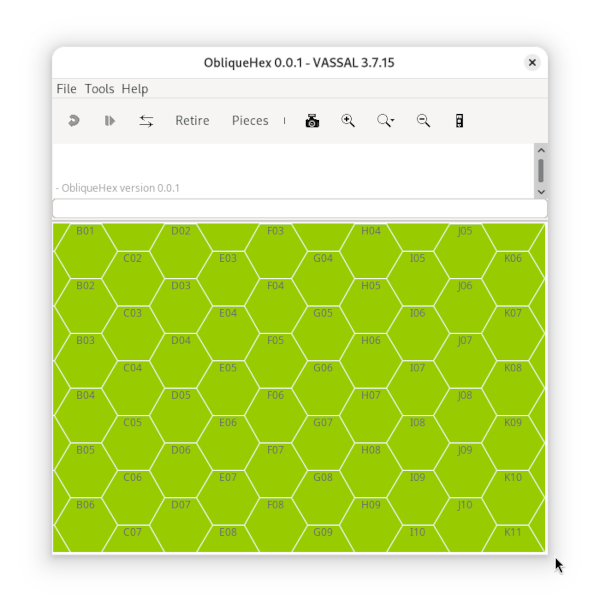
Add an oblique (or slanted) hex grid numbering scheme to a hex grid, as found in older Avalon Hill games (e.g., Afrika Korps, D-Day).
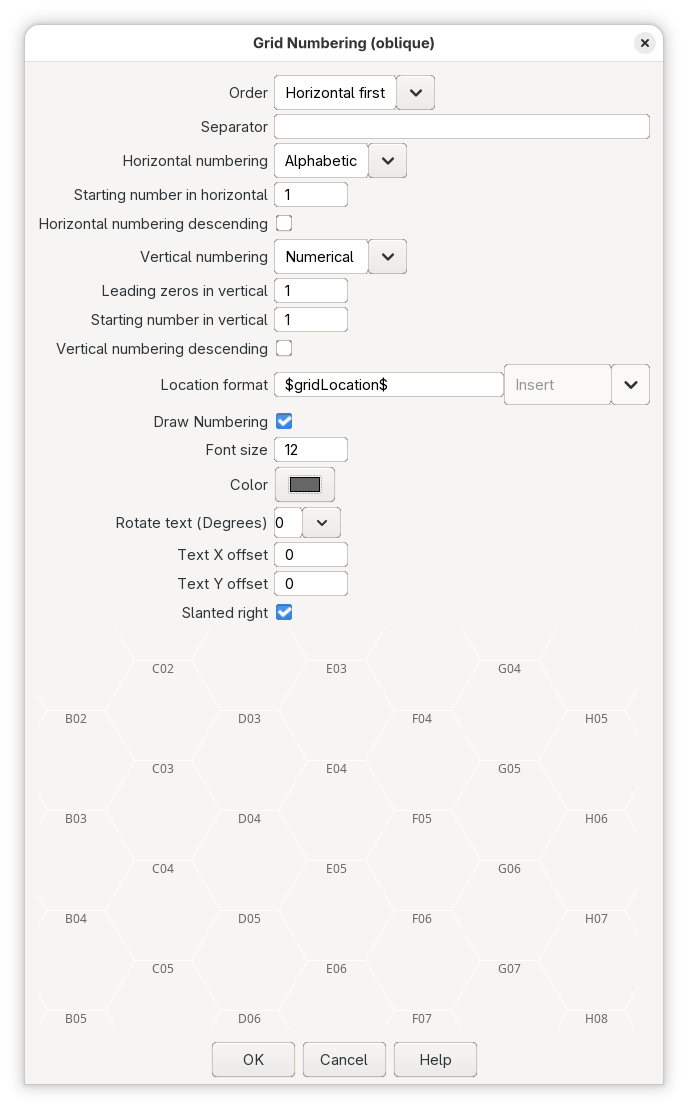
The component works as a normal hex grid numbering, which has horizontal rows and vertical columns, except that the column numbering is angled +30° or -30° to vertical. The direction is chosen by the check box Slanted right.
Module Design: Property cannotMove can be set
The property of pieces cannotMove which dictates whether a piece can be moved by the user, can now be manipulated through logic in pieces. For example, if a piece has a Dynamic Property trait that defines the property cannotMove, as well as key commands to set the value to either true or false, then that piece can be made unmoveable at times, and moveable at other times.
This allows a module designer to inhibit movement of certain pieces under certain conditions, as defined by the game implemented. For example, a module may inhibit movement of artillery pieces if that artillery piece has already fired this turn.
Note that the trait Does not stack also defines the property cannotMove.
For an example of how this can be used in module, see for example Advanced Squad Leader: Starter Kit #1.
Other Changes
-
15042: Update MacOS launch script to allow more options
The script to launch Vassal from the command line,
/Applications/VASSAL.app/Contents/MacOS/VASSAL.shon MacOS, now accepts more options. This allows a user to for example specify additional property values to the Java Virtual Machine, or to bypass the Module Manager window. More details about the available options are shown with$ /Applications/VASSAL.app/Contents/MacOS/VASSAL.sh --helpThese options are only available when a user executes the above script directly in a Terminal.
-
14583: MoveCameraButton now uses preferred center instead of viewport center
When a user presses the Move Camera Button, it will try to center on the next matching piece which is closest to (but not at) the last preferred view centre of the map. That last preferred view center is set when the user clicks the map, or the view is otherwise centered on some location. This will make it more likely that the button will cycle through all missing pieces. Note that there’s no guarantee that it will cycle through all matching pieces.
-
15049: Make Zone use full qualified path for property container
A Global Property defined in a Zone, is stored with its full Map, Board, Zone path, and now also communicated as such in an online game. That means that multiple boards with the same zones may have their own independent properties. This is especially useful of the Map allows only a single Board, and the Boards defines alternatives that have the same zones.
More descriptions coming soon…
Changes in 3.8.0-beta1 since 3.7.26
New features
- 14582: Add oblique hex grid numbering
- 14342: Add Movement Trail option to keep only last position per location
- 13168: Multi-Location Command includes the option to sort the order of the commands generated
- 12944: Add pieceCount to the map auto reporter
- 12763: Added ModuleGameFileName property
Changes in 3.8.0-beta2 since 3.8.0-beta1 and 3.7.27
New features
- 14978: Allow cannotMove to be set as a DynamicProperty
- 14556: Support Multi-Location commands within Sub-Menus
Bug fixes
- 15054: Fix Truncated text label on hidden pieces
- 15049: Make Zone use full qualified path for property container
Improvements
- 15060: Stop writing obfuscated data in hex
- 15042: Update MacOS launch script to allow more options
- 14583: MoveCameraButton now uses preferred center instead of viewport center
Other changes
- 15068: Upgraded spotbugs-maven-plugin to 4.10.4.1
- 15065: Switched from obsolote mockito-inline to mockito-core
- 15063: Upgraded slf4j-api to 2.0.19
- 15062: Upgraded byte-buddy to 1.18.13
- 15050: Upgraded maven-surefire-plugin to 3.6.0