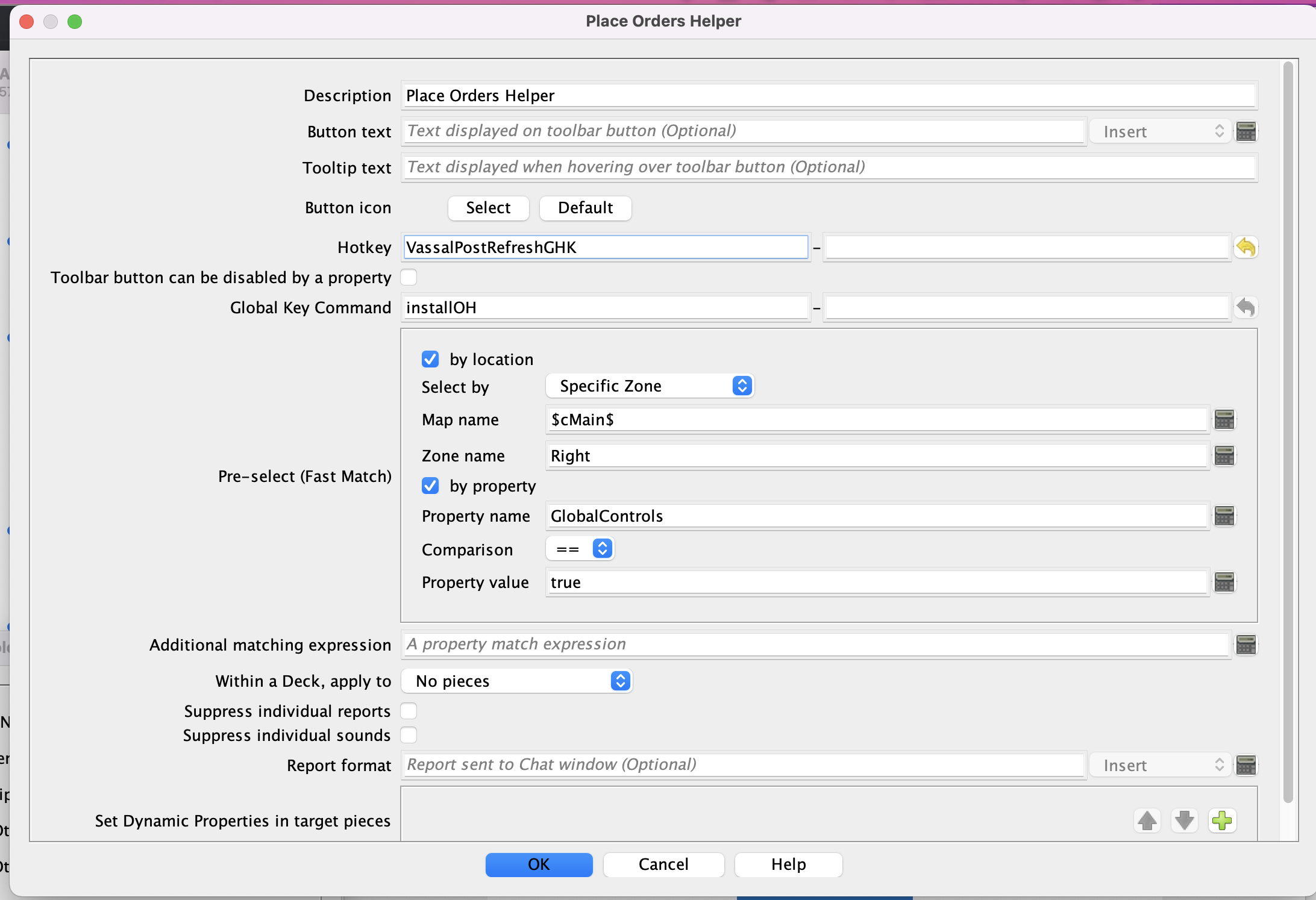
I want to add the VassalPostRefreshGHK ability for a refresh. But, where/how do I add in a GHK? I can see I can add a GKC or startup GKC, but there is no option to add a GHK. Call me stupid, but in lieu of experimenting, I ask for guidance please.
Or do I just add a GHK to some place where I can add a GHK trait (or otherwise)?
It is true, check the box and the Global Hotkey VassalPostRefreshGHK will be generated once the game has refreshed. To address the OP question, to use this feature, you also need to specify that hotkey on one or more components.
Typical components that can be useful here are the Global Key Command, Change-Property and Action Button. Notice, we are talking about components here not piece traits.
Here is an example that triggers a GKC button, in order to get a piece to do some work for the “refresh”. You’ll notice that special hotkey name. An example task that a piece is needed for would be to add a new piece or pieces or relocate them. Once the job is done, you remove the Hotkey reference or the entire other elements that it uses.